This is the multi-page printable view of this section. Click here to print.

Return to the regular view of this page.

Cercalia Developer Documentation

Official documentation for Cercalia’s geospatial platform. Integrate mapping, geocoding, routing, and spatial analysis APIs into your applications with our comprehensive guides and SDK references.

Welcome to the Cercalia Developer Documentation. Find everything you need to integrate our enterprise geospatial platform into your applications.

Getting Started

New to Cercalia? Get your API key and make your first request in under 10 minutes.

Quick Start Guide →

API Reference

Complete documentation for 15+ REST APIs including geocoding, routing, and spatial analytics.

View API Docs →

JavaScript API Maps

Build high-performance, interactive web maps with our JavaScript SDK and MapLibre GL.

Explore Maps API →

SDKs & Libraries

Official libraries for Android, iOS, JavaScript, Python, Java, Go, and TypeScript.

Browse SDKs →

Documentation Sections

Platform Overview

Learn about Cercalia's capabilities, architecture, and use cases. Understand how our platform can power your location-aware applications.

Getting Started

Step-by-step guide to create your account, obtain API credentials, and make your first geocoding or routing request.

Core REST API

Detailed reference for all REST endpoints: geocoding, routing, isochrones, POI search, geofencing, and more.

OpenAPI Gateway

REST wrapper with OpenAPI 3.0 specifications, Swagger UI, and production-ready features.

Client-Side SDKs

Native libraries for mobile and web: Android SDK, iOS SDK, and JavaScript Maps API.

Server-Side SDKs

Backend libraries with type safety and best practices: Python, TypeScript, Java, and Go.


All Available API Services

ServiceDescriptionUse Cases
GeocodingConvert addresses to coordinatesAddress validation, form autocomplete, data enrichment
Reverse GeocodingConvert coordinates to addressesGPS tracking, location tagging, what3words alternative
SuggestFast autocomplete for addresses and POIsSearch boxes, form inputs, quick lookup
RoutingCalculate optimal routes with turn-by-turn directionsNavigation, delivery ETAs, fleet management
IsochronesGenerate reachability polygons by time/distanceService area analysis, delivery zones, site selection
Route OptimizationSolve complex vehicle routing problems (VRP)Logistics optimization, field service routing, multi-stop delivery
Points of InterestSearch millions of POIs across categoriesStore locators, nearby search, travel apps, fuel price lookup
ProximityAdvanced spatial relationship analysisRadius searches, geofence verification, route-proximity queries
GeofencingHigh-performance point-in-polygon verificationBoundary alerts, territory management, compliance checks
Static MapsGenerate map images (PNG/JPG) with overlaysEmail reports, PDFs, dashboards, print materials
Snap to RoadAlign GPS traces to road networkMileage calculation, speeding detection, trajectory cleaning
Zone Visit AnalysisVerify street-level service coverageField service auditing, sales territory validation, delivery confirmation
Surface Track GPSCalculate polygons and areas from GPS tracksCoverage area calculation, zone mapping, visited area reports
WMS LayersOGC-compliant Web Map ServicesGIS integration, traffic visualization, cadastral overlays
Geographic Element Geometry DownloadAccess vector geometries for administrative unitsBoundary downloads, GIS analysis, custom mapping
Shapefile ConversorConvert between WKT and Shapefile formatsGIS interoperability, data migration, format conversion

Developer Resources & Quick Access

1 - Platform Overview

Discover Cercalia’s enterprise geospatial platform: comprehensive mapping, geocoding, routing, and spatial analysis APIs trusted by businesses worldwide since 2001.

Cercalia is an enterprise-grade geospatial platform developed by Nexus Geographics, providing developers with powerful APIs for mapping, geocoding, routing, and spatial analysis. Trusted by businesses worldwide since 2001.

What is Cercalia?

Cercalia is a comprehensive Location Intelligence Platform that enables developers to build location-aware applications with precision and reliability. Our platform combines 25+ years of geospatial expertise with modern cloud infrastructure to deliver high-performance APIs for:

  • Interactive & Static Mapping — Customizable maps with multiple layers, markers, and real-time traffic
  • Geocoding & Address Validation — Convert addresses to coordinates with global coverage
  • Intelligent Routing — Calculate optimal routes with traffic awareness and multiple vehicle profiles
  • Spatial Analytics — Isochrones, geofencing, proximity analysis, and more

Key Platform Capabilities

Mapping Services

  • Interactive JavaScript maps with pan, zoom, and layer control
  • Static map image generation for emails and reports
  • Custom tile layers and overlays
  • Real-time traffic visualization
  • WMS/WMTS layer support

Location Services

  • Forward & reverse geocoding with global coverage
  • Address autocomplete and suggestions
  • Address normalization and validation
  • Batch geocoding for large datasets
  • Points of Interest (POI) search

Routing & Navigation

  • Point-to-point and multi-waypoint routing
  • Turn-by-turn navigation instructions
  • Traffic-aware travel time estimation
  • Multiple vehicle profiles (car, truck, pedestrian)
  • Route optimization for logistics (VRP solver)

Spatial Analytics

  • Isochrone generation (time/distance-based)
  • Geofencing and point-in-polygon detection
  • Proximity and distance calculations
  • GPS track analysis and snap-to-road
  • Zone visit analysis for fleet tracking

Why Choose Cercalia?

Enterprise-Grade Reliability

99.9%
Uptime SLA
200+
Countries Covered
25+
Years Experience
25M+
Daily Requests

Compliance & Security

  • GDPR Compliant — European-based data processing with strict privacy controls
  • ISO 27001 Certified — Enterprise information security management
  • ISO 9001 Certified — International standard for quality management systems
  • ISO 14001 Certified — International standard for environmental management systems
  • ENS Medium Category — Spanish certification for public sector information systems, ensuring security and regulatory compliance
  • Data Residency Options — EU and custom region deployment available
  • Cloudflare WAF & CDN — Global Web Application Firewall and Content Delivery Network for enhanced security and low-latency API delivery worldwide

Developer Experience

  • Official API Clients — Libraries for TypeScript/JavaScript, Python, Java, Go
  • Official Mobile SDKs — Native libraries for Android and iOS
  • Comprehensive Documentation — Detailed guides, API references, and code examples
  • OpenAPI 3.0 Specs — Auto-generate clients and integrate with API tools
  • Sandbox Environment — Test APIs without affecting production data
  • JavaScript Mapping SDK — A full-featured library for embedding interactive, customizable maps in web applications, with support for vector tiles, proprietary basemaps, and TomTom-sourced cartography

Use Cases

Cercalia powers location-aware features across multiple industries:

IndustryCommon Use Cases
Logistics & FleetRoute optimization, real-time tracking, delivery ETAs, geofencing alerts
Real EstateProperty search by location, neighborhood analysis, commute time estimates
Retail & E-commerceStore locator, delivery zone mapping, address validation at checkout
InsuranceRisk assessment by location, claims mapping, territory management
Government & UtilitiesAsset management, service area planning, emergency response routing
Travel & HospitalityPoints of interest discovery, trip planning, multi-stop itineraries

Next Steps

Get Started

Create your account and make your first API call in minutes.

Quick Start Guide →
API Reference

Explore all 15+ REST APIs with detailed documentation.

View APIs →
Choose Your SDK

Find the official library for your programming language.

Browse SDKs →

2 - Getting Started with Cercalia

Learn how to integrate Cercalia’s geospatial APIs into your application. Get your API key, install an SDK, and make your first geocoding or routing request in minutes.

This guide will help you integrate Cercalia into your application in less than 10 minutes. By the end, you’ll have made your first API call and be ready to build location-aware features.

Prerequisites

Before you begin, ensure you have:

  • A Cercalia account (free tier available)
  • Basic knowledge of REST APIs or your chosen programming language
  • An internet connection

Step 1: Get Your API Key

1

Create Your Account

Visit the Cercalia Client Portal and register for a free account. You'll receive your API credentials immediately after email verification.

Create Free Account
2

Generate API Credentials

After logging in, navigate to API Keys and generate a new key. You'll receive:

  • API Key — Your unique identifier for authentication
  • API Secret — Keep this secure; never expose it in client-side code
Security Note: Never expose your API Secret in client-side JavaScript. Use server-side proxying or the JavaScript Maps SDK which handles authentication securely.

Step 2: Choose Your Integration Method

Cercalia offers multiple ways to integrate our services:

Recommended
Official SDKs

Pre-built libraries with type safety, error handling, and best practices built-in.

  • Python
  • TypeScript/JavaScript
  • Java
  • Go
  • Android
  • iOS
Browse SDKs →
REST API

Direct HTTP calls to our endpoints. Ideal for custom implementations or unsupported languages.

  • Language agnostic
  • Full API access
  • Postman compatible
API Reference →
OpenAPI Gateway

Proxy with OpenAPI 3.0 specs, Swagger UI, and request validation.

  • Auto-generate clients
  • Interactive docs
  • Request caching
Learn More →

Step 3: Make Your First API Call

Choose your preferred language below and follow the example:

Using Python SDK

# Install the SDK
pip install cercalia
from cercalia import CercaliaClient

# Initialize the client
client = CercaliaClient(api_key="YOUR_API_KEY")

# Geocode an address
result = client.geocoding.search("Passeig de Gràcia 92, Barcelona")

print(f"Coordinates: {result.lat}, {result.lng}")
print(f"Formatted: {result.formatted_address}")

Using TypeScript SDK

# Install the SDK
npm install @cercalia/sdk
import { CercaliaClient } from '@cercalia/sdk';

// Initialize the client
const client = new CercaliaClient({ apiKey: 'YOUR_API_KEY' });

// Geocode an address
const result = await client.geocoding.search('Passeig de Gràcia 92, Barcelona');

console.log(`Coordinates: ${result.lat}, ${result.lng}`);
console.log(`Formatted: ${result.formattedAddress}`);

Using REST API Directly

curl -X GET "https://lb.cercalia.com/services/json?cmd=geocoding&addr=Passeig%20de%20Gracia%2092%2C%20Barcelona" \
  -H "Authorization: Bearer YOUR_API_KEY"

Response:

{
  "cercalia": {
    "cmd": "geocoding",
    "version": "1",
    "response": {
      "candidates": [
        {
          "id": "1",
          "address": {
            "country": "ESP",
            "city": "Barcelona",
            "street": "Passeig de Gràcia",
            "number": "92"
          },
          "coord": {
            "x": "2.16127",
            "y": "41.39536"
          }
        }
      ]
    }
  }
}

Step 4: Explore More Features

Now that you’ve made your first API call, explore these common use cases:

Calculate a Route

Get driving directions between two points with distance and time estimates.

Routing Guide →
Generate Isochrones

Visualize all reachable areas within a time or distance threshold.

Isochrones Guide →
Find Points of Interest

Search for restaurants, gas stations, hotels, and millions of other POIs.

POI Guide →
Display Interactive Maps

Embed customizable maps in your web application with the JavaScript SDK.

Maps SDK Guide →

Common Issues & Troubleshooting

401 Unauthorized Error

This error indicates authentication failure. Check that:

  • Your API key is correct and active
  • The key hasn't expired
  • You're using the correct authentication header format
Rate Limit Exceeded (429)

You've exceeded your plan's request quota. Solutions:

  • Implement request caching on your side
  • Add retry logic with exponential backoff
  • Upgrade to a higher-tier plan
No Results Found

The geocoder couldn't find matches. Try:

  • Simplifying the address (remove apartment numbers, etc.)
  • Using the suggest endpoint for autocomplete
  • Checking for typos in the address

Next Steps

3 - Core REST API

Reference documentation for Cercalia Core REST APIs, including geocoding, routing, isochrones, POI search, geofencing, static maps, and spatial analysis endpoints.

Welcome to the Core REST API reference for Cercalia’s geocoding, routing, isochrones, POI search, geofencing, static maps, and spatial analysis services. If you are building a custom integration or an SDK for a new language, this is the place to start.

Overview

The Core REST API provides raw access to Cercalia’s high-performance geospatial engine via standard HTTP requests, with consistent authentication, response formats, and production-ready reliability. Our services are categorized into specialized functional areas to help you build robust location-based applications:

Search & Location Services

  • Suggest: Fast, real-time autocompleted search for addresses and Points of Interest (POIs).
  • Geocoding: Precise conversion of physical addresses into geographic coordinates (XY).
  • Reverse Geocoding: Comprehensive address retrieval from coordinates, including administrative hierarchies.
  • Points of Interest (POI): Search and filter millions of POIs, with specialized data for fuel prices and weather.

Routing & Logistics

  • Routing: Multimodal route calculation with waypoint optimization and real-time traffic integration.
  • Route Optimization: Solving complex Vehicle Routing Problems (VRP) for fleet management.
  • Isochrones: Calculating reachable areas within specific time or distance thresholds.

Tracking & Fleet Analysis

  • Snap to Road: Aligning GPS traces to the road network for accurate mileage and speeding reports.
  • Zone Visit Analysis: Automated verification of street-level service coverage using raster analysis.
  • Surface Track GPS: Calculating polygons and surface areas from raw GPS trajectories.

Geospatial Intelligence

  • Proximity: Advanced spatial relationship analysis, including radius, geofence, and route-proximity searches.
  • Geofencing: Large-scale, high-performance point-in-polygon verification.

GIS & Map Resources

Getting Started

To integrate these services into your applications:

  1. Obtain an API Key: Sign up for free at https://clients.cercalia.com and generate your API key.
  2. Review the Documentation: Access detailed guides and references for each service to understand their capabilities and implementation steps.
  3. Integrate into Your Project: Follow the provided instructions to add the desired services to your application and configure them according to your needs.

For further assistance, refer to our comprehensive documentation or contact our support team via support@cercalia.com


3.1 - Geocoding

Comprehensive documentation for integrating Cercalia’s Geocoding API into your applications.

API Access

The Geocoding API allows you to convert physical addresses into geographic coordinates and vice-versa (address normalization). It is available via HTTP-JSON and XML services.

Base Service URLs:

  • Supported methods: GET or POST
  • Response formats: JSON / XML

Address Geocoding Service

The Address Geocoding service provides normalized address data and geographic coordinates for a given location.

Request Parameters

When using separate parameters for the address:

https://lb.cercalia.com/services/v2/json?cmd=cand&detcand=1&priorityfilter=1&key=YOUR_API_KEY

Report address with separate parameters:

CodeDescription
adrAddress (including street name and house number)
ctnLocality
pcodePostal code
rsnRegion name (optional)
ctrycCountry code (ISO 3 characters)
ctrynCountry name

Optional parameter:

  • &fullsearch=3: Provides a more restrictive address search. When an address includes a postal code, the system verifies if the matched address belongs to that specific postal code. If they differ, the response returns normalization only up to the postal code level.

Example:

https://lb.cercalia.com/services/v2/json?cmd=cand&detcand=1&adr=diagonal 22&ctn=barcelona&ctryc=esp&key=YOUR_API_KEY

Report address with a single parameter:

CodeDescription
modeFixed parameter
fadrStreet name + house number + postal code + locality
ctrycCountry code (ISO 3 characters)
ctrynCountry name

Example:

https://lb.cercalia.com/services/v2/json?cmd=cand&mode=1&detcand=1&cleanadr=1&fadr=provença 589, 08026 barcelona&ctryc=ESP&key=YOUR_API_KEY

Response

Response (in JSON format):

{
  "cercalia": {
    "@version": "1",
    "candidates": {
      "@num": "1",
      "@pos": "0",
      "@total": "1",
      "@urlcandidates": "ctc=ESP0055169L&stc=ESP08019300000150160&stnum=589&ctryc=ESP",
      "@urlcommon": "",
      "candidate": [
        {
          "@desc": "Carrer de Provença, 589 (Barcelona)",
          "@name": "Carrer de Provença, 589",
          "@urlparams": "ctc=ESP0055169L&stc=ESP08019300000150160&stnum=589&pcode=08026",
          "urlparams": {
            "param": [
              {
                "@name": "ctc",
                "@value": "ESP0055169L"
              },
              {
                "@name": "stc",
                "@value": "ESP08019300000150160"
              },
              {
                "@name": "stnum",
                "@value": "589"
              },
              {
                "@name": "pcode",
                "@value": "08026"
              }
            ]
          },
          "ge": {
            "@article": "de",
            "@id": "ESP08019300000150160",
            "@name": "Carrer de Provença",
            "@prefix": "Carrer",
            "@sname": "Provença",
            "@type": "adr",
            "name": {
              "value": "Carrer de Provença, 589"
            },
            "housenumber": {
              "value": "589"
            },
            "postalcode": {
              "@country_id": "ESP",
              "@id": "08026"
            },
            "city": {
              "@id": "ESP0055169L",
              "value": "Barcelona"
            },
            "district": {
              "@id": "ESP080190803",
              "value": "El Camp de l'Arpa del Clot"
            },
            "municipality": {
              "@id": "ESP080193",
              "value": "Barcelona"
            },
            "subregion": {
              "@id": "ESP08",
              "value": "Barcelona"
            },
            "region": {
              "@id": "ESPCAT",
              "value": "Catalunya"
            },
            "country": {
              "@id": "ESP",
              "value": "España"
            },
            "coord": {
              "@x": "2.18246597",
              "@y": "41.41042418"
            }
          }
        }
      ],
      "urlcommon": {},
      "urlcandidates": {
        "param": [
          {
            "@name": "ctc",
            "@value": "ESP0055169L"
          },
          {
            "@name": "stc",
            "@value": "ESP08019300000150160"
          },
          {
            "@name": "stnum",
            "@value": "589"
          },
          {
            "@name": "ctryc",
            "@value": "ESP"
          }
        ]
      }
    },
    "server": {
      "value": "lb.cercalia.com"
    },
    "instance": {
      "value": "http://master-cercalia-lbs-both-lines"
    }
  }
}
Response Parameters

CodeDescription
nameStreet name
typeGeocoding level:
Possible values:
  adr / adr1: Exact address
  adr2: Address with nearest house number available
  st: Street center
  pc: Postal code center
  • ct: Locality center
housenumberHouse number
postalcodePostal code
cityLocality name
municipalityMunicipality name
subregionRegion name (level 1)
regionRegion name (level 2)
countryCountry
coordAddress coordinates (x, y)

In case of zero results, the service returns the message:

<cercalia version="1">
   <error id="30006" type="Sistema Cercalia">No se han encontrado candidatos</error/>
</cercalia>

Road Milestone Geocoding Service

Available for Spain, France, Portugal, and Andorra.

Request Parameters

https://lb.cercalia.com/services/v2/json?cmd=cand&detcand=1&key=YOUR_API_KEY

Request example:

https://lb.cercalia.com/services/v2/json?cmd=cand&detcand=1&rdn=M-45&km=12&munn=&pcode=&subregn=Madrid&ctryc=ESP&key=YOUR_API_KEY

Response Parameters

CodeDescription
rdnRoad name
kmMilestone
directionOptional. Road milestone direction (increasing or decreasing). Only available for highways (high capacity road, with a median strip). Values:
Increasing: A, ASC, I
Decreasing: D, DESC
Both: BOTH
munnMunicipality name (optional)
pcodePostal code (optional)
subregnRegion name (optional)
ctrycCountry code (ISO 3 characters)

Response

  • Single result
  • Several candidates

Response example with single result:

{
  "cercalia": {
    "@cmd": "cand",
    "@version": "1",
    "candidates": {
      "@num": "1",
      "@pos": "0",
      "@total": "1",
      "@urlcandidates": "km=12&subregn=Madrid&rdn=M-45&ctryc=ESP",
      "@urlcommon": "",
      "candidate": [
        {
          "@desc": "M-45, pk 12 (Madrid)",
          "@name": "M-45, Km. 12",
          "@urlparams": "km=12&munc=ESP280796&rdc=M-45&direction=A",
          "urlparams": {
            "param": [
              {
                "@name": "km",
                "@value": "12"
              },
              {
                "@name": "munc",
                "@value": "ESP280796"
              },
              {
                "@name": "rdc",
                "@value": "M-45"
              },
              {
                "@name": "direction",
                "@value": "A"
              }
            ]
          },
          "ge": {
            "@id": "M-45",
            "@name": "M-45",
            "@type": "rd",
            "name": {
              "value": "M-45, Km. 12"
            },
            "km": {
              "value": "12"
            },
            "direction": {
              "value": "A"
            },
            "postalcode": {
              "@country_id": "ESP",
              "@id": "28021"
            },
            "city": {
              "@id": ""
            },
            "district": {
              "@id": "ESP280791703",
              "value": "Butarque"
            },
            "municipality": {
              "@id": "ESP280796",
              "value": "Madrid"
            },
            "subregion": {
              "@id": "ESP28",
              "value": "Madrid"
            },
            "region": {
              "@id": "ESPMAD",
              "value": "Comunidad de Madrid"
            },
            "country": {
              "@id": "ESP",
              "value": "España"
            },
            "coord": {
              "@x": "-3.66226073",
              "@y": "40.33810394"
            }
          }
        }
      ],
      "urlcommon": {},
      "urlcandidates": {
        "param": [
          {
            "@name": "km",
            "@value": "12"
          },
          {
            "@name": "subregn",
            "@value": "Madrid"
          },
          {
            "@name": "rdn",
            "@value": "M-45"
          },
          {
            "@name": "ctryc",
            "@value": "ESP"
          }
        ]
      }
    },
    "server": {
      "value": "lb.cercalia.com"
    },
    "instance": {
      "value": "http://master-cercalia-lbs-both-lines"
    }
  }
}
Response Parameters

CodeDescription
nameRoad name
typeGeocoding level (“rd” = road)
postalcodePostal code
subregionRegion name (level 1)
regionRegion name (level 2)
countryCountry
coordMilestone coordinates (x, y)

In case of several candidates:

  • Step one: the service returns a list of candidates with basic information.

  • Step two: second request using the road code (collected from the ge_id = of the selected candidate): &rdc = (road code) parameter instead of & rdn = (road name). This step is necessary, since the coordinates returned in the case of more than one candidate are the default coordinates of the road, not the full address indicated.

Request example:

https://lb.cercalia.com/services/v2/json?cmd=cand&detcand=1&rdn=A231&km=13&pcode=&ctryc=ESP&key=YOUR_API_KEY

Step one - Response (in JSON format):

{
  "cercalia": {
    "@cmd": "cand",
    "@version": "1",
    "candidates": {
      "@num": "2",
      "@pos": "0",
      "@total": "2",
      "@urlcandidates": "km=13&rdn=A231&ctryc=ESP",
      "@urlcommon": "pcode=",
      "candidate": [
        {
          "@desc": "A-231, pk 13 (La Fresneda)",
          "@name": "A-231, Km. 13",
          "@urlparams": "km=13&munc=ESP441085&rdc=A-231&direction=A",
          "urlparams": {
            "param": [
              {
                "@name": "km",
                "@value": "13"
              },
              {
                "@name": "munc",
                "@value": "ESP441085"
              },
              {
                "@name": "rdc",
                "@value": "A-231"
              },
              {
                "@name": "direction",
                "@value": "A"
              }
            ]
          },
          "ge": {
            "@id": "A-231",
            "@name": "A-231",
            "@type": "rd",
            "name": {
              "value": "A-231, Km. 13"
            },
            "km": {
              "value": "13"
            },
            "direction": {
              "value": "A"
            },
            "city": {
              "@id": ""
            },
            "district": {
              "@id": ""
            },
            "municipality": {
              "@id": "ESP441085",
              "value": "La Fresneda"
            },
            "subregion": {
              "@id": "ESP44",
              "value": "Teruel"
            },
            "region": {
              "@id": "ESPARA",
              "value": "Aragón"
            },
            "country": {
              "@id": "ESP",
              "value": "España"
            },
            "coord": {
              "@x": "0.08860982",
              "@y": "40.90650796"
            }
          }
        },
        {
          "@desc": "A-231, pk 13 (Villanueva de las Manzanas)",
          "@name": "A-231, Km. 13",
          "@urlparams": "km=13&munc=ESP242186&rdc=A-231&direction=A",
          "urlparams": {
            "param": [
              {
                "@name": "km",
                "@value": "13"
              },
              {
                "@name": "munc",
                "@value": "ESP242186"
              },
              {
                "@name": "rdc",
                "@value": "A-231"
              },
              {
                "@name": "direction",
                "@value": "A"
              }
            ]
          },
          "ge": {
            "@id": "A-231",
            "@name": "A-231",
            "@type": "rd",
            "name": {
              "value": "A-231, Km. 13"
            },
            "km": {
              "value": "13"
            },
            "direction": {
              "value": "A"
            },
            "city": {
              "@id": ""
            },
            "district": {
              "@id": ""
            },
            "municipality": {
              "@id": "ESP242186",
              "value": "Villanueva de las Manzanas"
            },
            "subregion": {
              "@id": "ESP24",
              "value": "León"
            },
            "region": {
              "@id": "ESPCYL",
              "value": "Castilla y León"
            },
            "country": {
              "@id": "ESP",
              "value": "España"
            },
            "coord": {
              "@x": "-5.45942131",
              "@y": "42.45782014"
            }
          }
        }
      ],
      "urlcommon": {
        "param": [
          {
            "@name": "pcode",
            "@value": ""
          }
        ]
      },
      "urlcandidates": {
        "param": [
          {
            "@name": "km",
            "@value": "13"
          },
          {
            "@name": "rdn",
            "@value": "A231"
          },
          {
            "@name": "ctryc",
            "@value": "ESP"
          }
        ]
      }
    },
    "server": {
      "value": "lb.cercalia.com"
    },
    "instance": {
      "value": "http://master-cercalia-lbs-both-lines"
    }
  }
}
Step two - Second request using the road code (collected from the ge_id = of the selected candidate):  &rdc=A-231

https://lb.cercalia.com/services/v2/json?&cmd=cand&detcand=1&rdc=A-231&munc=ESP441085&km=13&pcode=&ctryc=ESP&key=YOUR_API_KEY

Request

Request example:

https://lb.cercalia.com/services/v2/json?cmd=prox&rqge=ctpcode&ctryc=ESP&pcode=40160&key=YOUR_API_KEY

Response Parameters

CodeDescription
ctrycCountry code (ISO 3 characters)
ctrynCountry name
pcodePostal code. Examples: “40160” (ESP), “3415-PT” “3415” (NLD), “2680-344” (PRT)

Response

Response (in JSON format):

{
  "cercalia": {
    "@cmd": "prox",
    "@version": "1",
    "proximity": {
      "@center": "-4.02483875,40.99183593",
      "@num": "1",
      "@type": "ctpcode",
      "gelist": {
        "@num": "2",
        "@type": "ct",
        "ge": [
          {
            "@id": "ESP0052174L",
            "@name": "Torrecaballeros",
            "municipality": {
              "@id": "ESP402038",
              "value": "Torrecaballeros"
            },
            "subregion": {
              "@id": "ESP40",
              "value": "Segovia"
            },
            "region": {
              "@id": "ESPCYL",
              "value": "Castilla y León"
            },
            "country": {
              "@id": "ESP",
              "value": "España"
            },
            "coord": {
              "@x": "-4.02483875",
              "@y": "40.99183593"
            }
          },
          {
            "@id": "ESP0052177L",
            "@name": "Cabanillas del Monte",
            "municipality": {
              "@id": "ESP402038",
              "value": "Torrecaballeros"
            },
            "subregion": {
              "@id": "ESP40",
              "value": "Segovia"
            },
            "region": {
              "@id": "ESPCYL",
              "value": "Castilla y León"
            },
            "country": {
              "@id": "ESP",
              "value": "España"
            },
            "coord": {
              "@x": "-4.03178273",
              "@y": "40.97703001"
            }
          }
        ]
      }
    },
    "server": {
      "value": "lb.cercalia.com"
    },
    "instance": {
      "value": "http://master-cercalia-lbs-both-lines"
    }
  }
}
Response Parameters

CodeDescription
idCity ID
nameCity name
municipalityMunicipality ID & name
subregion idSubregion ID & name
region idRegion ID & name
country idCountry ID & name
coordX,Y city center

3.2 - Geofencing

Massive geofencing service, using multiple polygons.

API Access

The Geofencing API documentation provides details for identifying if a list of points (markers) are within one or more polygons or circles. This service is available via HTTP-JSON and XML.

Base Service URLs:

  • Supported methods: POST
  • Response formats: JSON / XML

Massive Geofencing Service

This service identifies which markers from a provided list fall within a set of defined geometries (polygons or circles).

Request Parameters

Example:

https://lb.cercalia.com/services/v2/json?cmd=insidegeoms&geoms=[CIRCLE(2.2090%2041.4141,%2012)|ID1],%20[CIRCLE(2.3090%2041.4141,%205)|ID2]&molist=[2.2090,41.4141|P1],%20[2.3090,41.4141|P2]&key=YOUR_API_KEY
ParameterDescription
geomsList of shapes separated by commas. Format: [wkt|id].
wkt: Geometry in Well-Known Text format or CIRCLE(x y, radius_in_meters).
id: Unique identifier for the geometry.
srsSpatial Reference System for geoms. Default: EPSG:4326.
molistList of markers to check. Format: [X,Y|ID].
mocsSpatial Reference System for molist. Default: EPSG:4326.

Response Structure

For every shape provided in the request, the service returns a list of markers that are located inside that geometry.

Example:

{
    "cercalia": {
        "@cmd": "insidegeoms",
        "@version": "1",
        "insidegeoms": {
            "geometry": [
                {
                    "@id": "ID1",
                    "wkt": {
                        "value": "CIRCLE(2.2090 41.4141, 12)"
                    },
                    "molist": {
                        "@num": "1",
                        "mo": [
                            {
                                "@id": "P1",
                                "coord": {
                                    "@x": "1.984E-5",
                                    "@y": "3.7454E-4"
                                }
                            }
                        ]
                    }
                },
                {
                    "@id": "ID2",
                    "wkt": {
                        "value": "CIRCLE(2.3090 41.4141, 5)"
                    },
                    "molist": {
                        "@num": "1",
                        "mo": [
                            {
                                "@id": "P2",
                                "coord": {
                                    "@x": "2.074E-5",
                                    "@y": "3.7454E-4"
                                }
                            }
                        ]
                    }
                }
            ]
        },
        "server": {
            "value": "lb.cercalia.com"
        },
        "instance": {
            "value": "http://master-cercalia-lbs-both-lines"
        }
    }
}
3.3 - Geographic Element Geometry Download

Downloads polygons of administrative/geographic elements (postal codes, municipalities, census sections, etc.).

API Access

The Geographic Element Geometry Download API allows you to retrieve the geometry (in WKT format) for administrative or geographic elements such as postal codes, municipalities, and regions. It is available via HTTP-JSON and XML services.

Base Service URLs:

  • Supported methods: GET or POST
  • Response formats: JSON / XML

Download Administrative Boundaries

Retrieve the polygon geometry (in WKT format) of a municipality, postal code, or region.

Request Parameters

Example:

https://lb.cercalia.com/services/v2/json?cmd=geoment&munc=ESP280796&tolerance=0&cs=4326&key=YOUR_API_KEY
ParameterDescription
munc / pcode / subregc / poicCode for the element: Municipality / Postal Code / Region / POI.
ctrycCountry code (ISO 3-character). Mandatory when using &pcode=.
tolerancePolygon simplification threshold in meters. If 0, returns original high-resolution data.
csCoordinate system for the output data. Use 4326 for WGS84 (latitude, longitude).

Request Examples:

  • Zaragoza municipality (Spain): cmd=geoment&munc=ESP502973&tolerance=0&cs=4326
  • London municipality (Westminster, UK): cmd=geoment&munc=GBRE02AP&tolerance=0&cs=4326
  • Madrid region: cmd=geoment&subregc=ESP28&tolerance=0&cs=4326
  • Postal Code 06405 (USA): cmd=geoment&pcode=06405&ctryc=USA&tolerance=0&cs=4326

Response Structure

The response contains the element’s metadata and its geometry represented in Well-Known Text (WKT) format.

Example:

{
    "cercalia": {
        "@cmd": "geoment",
        "@version": "1",
        "ge": {
            "@id": "ESP280796",
            "@name": "Madrid",
            "@type": "mun",
            "geometry": {
                "wkt": {
                    "value": "MULTIPOLYGON(((-3.8890049 40.57087399999984,-3.889 40.570939399999844,-3.8889834 40.57101379999984,-3.888878 40.571254799999835,-3.888666 40.57174199999983,-3.888544099999999 40.57199729999983,-3.8884778 40.572142399999834,-3.88844 40.57221399999984,-3.8883928 40.57225699999984,-3.888339599999999 40.572292699999835,-3.888017399999999 40.572529699999826,-3.8876007 40.57280709999983,-3.8875219 40.57285949999983,-3.887027600000001 40.57321699999983,-3.886520199999999 40.57358899999983,-3.886051800000001 40.57392329999984,-3.885863 40.57405119999983,-3.885750899999999 40.574176399999835,-3.8856977 40.57424719999983,-3.8856455 40.57438779999983,-3.8855931 40.57448869999983,-3.885527099999999 40.57461619999983,-3.8854384 40.57480789999983,-3.8853212 40.57503979999983,-3.8852171 40.575236799999836,-3.885102199999999 40.57550639999983,-3.88392 40.578425299999836,-3.8837546 40.57898089999983,-3.883806 40.57907209999982,-3.8838146 40.57908739999982,-3.883810799999999 40.57919579999984,-3.8838043 40.57942889999984,-3.883825 40.57966389999983,-3.8838372 40.580006399999846,-3.883861299999999 40.58024219999983,-3.8839389 40.58033739999983,-3.883991799999999 40.58040569999983,-3.884031599999999 40.580462199999836,-3.8840526 40.580541099999834,-3.8841194 40.580793199999825,-3.8841975 40.581088399999835,-3.8842537 40.58124089999983,-3.884259500000001 40.58126779999982,-3.8842488 40.58130179999983,-3.8842192 40.58134209999984,-3.884190899999999 40.581385999999846,-3.8840865 40.58156459999983,-3.8835642 40.58245909999984,-3.883512 40.58254839999982,-3.8838051 40.58315049999984,-3.883843699999999 40.583239399999826,-3.883852999999999 40.58330299999984,-3.883867 40.58333899999983,-3.8838623 40.58337389999983,-3.8837968 40.58349179999984,-3.883794699999999 40.58369789999982,-3.883799 40.58379289999983,-3.8837961 40.58393789999984,-3.8838027 40.58405079999984,-3.8837879 40.584170899999826,-3.8837694 40.58434639999983,-3.8837559 40.584484299999836,-3.8837282 4..."
                }
            },
            "capital": {
                "@id": "ESP0058355L",
                "@name": "Madrid",
                "@type": "ct",
                "name": {
                    "value": "Madrid"
                },
                "coord": {
                    "@x": "-3.324E-5",
                    "@y": "3.6552E-4"
                }
            }
        },
        "server": {
            "value": "lb.cercalia.com"
        },
        "instance": {
            "value": "http://master-cercalia-lbs-both-lines"
        }
    }
}
Supported WKT Geometry Types

The geometry is returned using the “Well-Known Text Representation for Geometry” standard.

Geometry TypeText Literal RepresentationDescription
PointPOINT(10 10)A single geographic point.
LineStringLINESTRING(10 10, 20 20, 30 40)A sequence of points forming a line.
PolygonPOLYGON((10 10, 10 20, 20 20, 10 10))A closed shape (exterior ring).
MultiPointMULTIPOINT(10 10, 20 20)A collection of points.
MultiLineStringMULTILINESTRING((10 10, 20 20), (15 15, 30 15))A collection of lines.
MultiPolygonMULTIPOLYGON(((10 10, 10 20, 20 20, 10 10)), ((60 60, 70 70, 80 60, 60 60)))A collection of polygons.
GeomCollectionGEOMETRYCOLLECTION(POINT(10 10), LINESTRING(15 15, 20 20))A heterogeneous collection of geometries.

For more technical details, refer to the OpenGIS Simple Feature Access Specification.


Download Street Polylines

Retrieve the polyline geometry (in WKT format) for a specific street based on its ID or a spatial query (coordinate and radius).

Request Parameters

Example:

https://lb.cercalia.com/services/v2/json?&cmd=geoment&rqge=st&mo=37.767951111,-3.790683886&mocs=gdd&cs=4326&tolerance=0&stc=&pcode=23004&rad=500&key=YOUR_API_KEY
ParameterDescription
moReference coordinate (Y,X). Optional if &stc= is provided.
mocsCoordinate system for &mo=. Use gdd for decimal degrees.
csOutput coordinate system. Use 4326 for WGS84.
tolerancePolyline simplification in meters.
stcStreet code. This parameter has priority over &mo=.
pcodePostal code filter. Only segments within this code are returned.
radSearch radius in meters. Limits segments returned. Priority over &pcode=.
bufferOptional. Returns a buffer zone around the street (value in meters).

Response Structure

Example:

{
    "cercalia": {
        "@cmd": "geoment",
        "@version": "1",
        "ge": {
            "@id": "ESP23050300000591837",
            "@type": "st",
            "geometry": {
                "wkt": {
                    "value": "MULTILINESTRING((-3.790649300000001 37.76933319999975,-3.7907137 37.76908119999976,-3.7907311 37.76900819999976,-3.7907682 37.768814399999755),(-3.7907682 37.768814399999755,-3.7907879 37.76862259999975),(-3.7907879 37.76862259999975,-3.7907561 37.76813139999975),(-3.7907561 37.76813139999975,-3.790734 37.76767579999975),(-3.790734 37.76767579999975,-3.790709500000001 37.76739439999975),(-3.790709500000001 37.76739439999975,-3.790698400000001 37.767338999999744),(-3.7904563 37.769669399999756,-3.790649300000001 37.76933319999975))"
                }
            }
        },
        "server": {
            "value": "lb.cercalia.com"
        },
        "instance": {
            "value": "http://master-cercalia-lbs-both-lines"
        }
    }
}
Geometry TypeText Literal RepresentationComment
Point‘POINT (10 10)’ID
LineString‘LINESTRING ( 10 10, 20 20, 30 40)’a LineString with 3 points
Polygon‘POLYGON ((10 10, 10 20, 20 20, 20 15, 10 10))’a Polygon with 1 exteriorRing and 0 interiorRings
Multipoint‘MULTIPOINT (10 10, 20 20)’a MultiPoint with 2 points
MultiLineString‘MULTILINESTRING ((10 10, 20 20), (15 15, 30 15))’a MultiLineString with 2 linestrings
MultiPolygon‘MULTIPOLYGON ( ((10 10, 10 20, 20 20, 20 15, 10 10)), ((60 60, 70 70, 80 60, 60 60 ) ))’a MultiPolygon with 2 polygons
GeomCollection‘GEOMETRYCOLLECTION (POINT (10 10), POINT (30 30), LINESTRING (15 15, 20 20))’a GeometryCollection consisting of 2 Point values and a LineString value

More info: OpenGIS® Implementation Specification for Geographic information - Simple feature access - Part 1: Common architecture

Download the polyline geometry (in WKT format) of a street

Get the polyline geometry of a street, from a street ID, or a coordinate + radius/postal code.

Request

Example:

https://lb.cercalia.com/services/v2/json?&cmd=geoment&rqge=st&mo=37.767951111,-3.790683886&mocs=gdd&cs=4326&tolerance=0&stc=&pcode=23004&rad=500&key=YOUR_API_KEY

Where:

ParameterDescription
moY,X (optional if &stc= is used).
mocsGDD coordinate system used in &mo=.
csCoordinate system used in data. Use 4326 for geographic system (latitude, longitude).
tolerancePolyline simplification, in meters. If 0, returns the original data.
stcStreet code (optional if &mo= is used). This parameter has priority over &mo=.
pcodePostal code (optional). If used, the response includes only the street segments inside the postal code.
radRadius (optional). If used, the response includes only street segments inside and intersected by the radius. This parameter has priority over &pcode=. Use only with &mo=, not with &stc=.
bufferReturns a buffer around the street. Value in meters (optional).

Response

{
    "cercalia": {
        "@cmd": "geoment",
        "@version": "1",
        "ge": {
            "@id": "ESP23050300000591837",
            "@type": "st",
            "geometry": {
                "wkt": {
                    "value": "MULTILINESTRING((-3.790649300000001 37.76933319999975,-3.7907137 37.76908119999976,-3.7907311 37.76900819999976,-3.7907682 37.768814399999755),(-3.7907682 37.768814399999755,-3.7907879 37.76862259999975),(-3.7907879 37.76862259999975,-3.7907561 37.76813139999975),(-3.7907561 37.76813139999975,-3.790734 37.76767579999975),(-3.790734 37.76767579999975,-3.790709500000001 37.76739439999975),(-3.790709500000001 37.76739439999975,-3.790698400000001 37.767338999999744),(-3.7904563 37.769669399999756,-3.790649300000001 37.76933319999975))"
                }
            }
        },
        "server": {
            "value": "lb.cercalia.com"
        },
        "instance": {
            "value": "http://master-cercalia-lbs-both-lines"
        }
    }
}
Response includes a WKT with the route polyline, using standard “Well-known Text Representation for Geometry”.

3.4 - Isochrones

Get several isochrones from a single request, based on time or distance.

API Access

The Isochrones API allows you to retrieve multiple isochrones in a single request, calculated based on travel time or distance. It is available via HTTP-JSON and XML services.

Base Service URLs:

  • Supported methods: GET or POST
  • Response formats: JSON / XML

Driving Isochrones

Calculate reachable areas by car using either travel time or road distance.

Request Parameters

Example:

https://lb.cercalia.com/services/v2/json?cmd=isochrone&weight=time&mocs=4326&ocs=4326&mo=2.8260807,41.9723144&isolevels=120000,300000,600000&method=concavehull&key=YOUR_API_KEY
ParameterDescription
cmdIsochrone request type (isochrone).
moCenter point coordinates (X,Y).
mocs / ocsSpatial Reference System (use 4326 for WGS84).
weightCalculation metric: time (duration) or distance (road distance).
isolevelsList of thresholds (comma-separated). Multiple levels generate multiple shapes.
weight=timeThreshold value in milliseconds.
weight=distanceThreshold value in meters.
methodAlgorithm for shape generation: convexhull (simplified), concavehull (precise), or net (logistics/truck).

Response Structure

The response contains a list of polygons representing the reachable areas for each level.

Example:

{
    "cercalia": {
        "@cmd": "isochrone",
        "@version": "1",
        "isochrones": {
            "@center": "314598,5128250",
            "@inverse": "0",
            "@method": "concavehull",
            "@net": "",
            "@ocs": "4326",
            "@weight": "time",
            "isochrone": [
                {
                    "@level": "120000",
                    "value": "POLYGON((2.823289 41.974289, 2.824276 41.973483, 2.824384 41.973416, 2.824272 41.973332, 2.825515 41.972631, 2.825844 41.972316, 2.825552 41.972297, 2.824645 41.972256, 2.824716 41.972022, 2.824986 41.971305, 2.824258 41.970564, 2.823688 41.970119, 2.823971 41.970091, 2.824195 41.970064, 2.823944 41.969706, 2.824690 41.970031, 2.824968 41.970031, 2.824995 41.969676, 2.824672 41.969401, 2.825022 41.969575, 2.825086 41.969527, 2.825094 41.969521, 2.825239 41.969157, 2.825857 41.969293, 2.826145 41.968556, 2.826521 41.968627, 2.826483 41.967567, 2.827205 41.968005, 2.827690 41.968750, 2.827908 41.968801, 2.827959 41.970735, 2.828460 41.970708, 2.830579 41.969931, 2.830511 41.969991, 2.830421 41.970058, 2.830178 41.970205, 2.830327 41.970301, 2.829729 41.970641, 2.829513 41.970815, 2.829702 41.970829, 2.828552 41.971264, 2.828516 41.971593, 2.829594 41.971646, 2.829522 41.971687, 2.829531 41.971727, 2.830582 41.971834, 2.830609 41.971848, 2.833855 41.972153, 2.833619 41.972216, 2.833179 41.972377, 2.832128 41.972907, 2.831049 41.972931, 2.830843 41.972967, 2.830439 41.972813, 2.830514 41.973001, 2.830520 41.973014, 2.829037 41.972330, 2.828732 41.972397, 2.828067 41.972451, 2.828561 41.973363, 2.827411 41.972437, 2.826998 41.973188, 2.826603 41.973577, 2.826504 41.973296, 2.825089 41.974948, 2.824959 41.974797, 2.825399 41.973919, 2.824896 41.974026, 2.824528 41.973885, 2.824411 41.973919, 2.823423 41.974267, 2.823289 41.974289))"
                },
                {
                    "@level": "300000",
                    "value": "POLYGON((2.813747 41.976549, 2.814988 41.975380, 2.814907 41.975116, 2.818570 41.972378, 2.818446 41.972196, 2.818224 41.972247, 2.818365 41.972029, 2.818361 41.972018, 2.819288 41.970334, 2.819138 41.970373, 2.819064 41.970239, 2.818885 41.969918, 2.818160 41.969639, 2.817261 41.969398, 2.817224 41.969380, 2.817251 41.969374, 2.818446 41.969005, 2.818464 41.968911, 2.818150 41.968589, 2.818100 41.968501, 2.817972 41.968272, 2.817970 41.968268, 2.817880 41.968114, 2.817741 41.967938, 2.816031 41.966462, 2.816236 41.966297, 2.816632 41.966082, 2.815418 41.965122, 2.815230 41.964842, 2.815545 41.964614, 2.815724 41.964487, 2.814772 41.964011, 2.814524 41.963794, 2.815103 41.963801, 2.814918 41.963435, 2.814925 41.963434, 2.817561 41.963751, 2.817512 41.963253, 2.817719 41.963199, 2.818240 41.963065, 2.817198 41.962227, 2.818114 41.962287, 2.817966 41.961965, 2.818495 41.961881, 2.818913 41.961738, 2.818770 41.961389, 2.818767 41.961384, 2.819769 41.960786, 2.819758 41.960672, 2.819148 41.960011, 2.819183 41.959988, 2.819164 41.959962, 2.819623 41.959733, 2.819731 41.959686, 2.819928 41.959673, 2.820144 41.959652, 2.820408 41.959650, 2.819830 41.958600, 2.819842 41.958351, 2.820162 41.957175, 2.820162 41.957051, 2.820011 41.956780, 2.820028 41.956711, 2.820090 41.956709, 2.820602 41.956340, 2.820689 41.956331, 2.820593 41.956152, 2.820564 41.956012, 2.822022 41.956910, 2.822031 41.956843, 2.822067 41.956819, 2.822183 41.956742, 2.822210 41.956696, 2.827375 41.956266, 2.827322 41.955797, 2.827519 41.956038, 2.827618 41.956018, 2.827681 41.956032, 2.827708 41.956059, 2.829172 41.957239, 2.829469 41.957017, 2.829585 41.956950, 2.829810 41.956890, 2.829873 41.956856, 2.830178 41.956649, 2.830771 41.956179, 2.830870 41.956072, 2.830969 41.955904, 2.830981 41.955838, 2.830708 41.959425, 2.830757 41.959469, 2.830744 41.959807, 2.830773 41.959791, 2.830865 41.961288, 2.831616 41.960989, 2.831625 41.960993, 2.831631 41.960997, 2.831930 41.961181, 2.831616 41.960989"
                },
                {
                    "@level": "600000",
                    "value": "POLYGON((2.791565 41.962605, 2.802941 41.962247, 2.801684 41.960893, 2.801765 41.960853, 2.803444 41.960578, 2.803260 41.960386, 2.803076 41.959800, 2.802663 41.959512, 2.799493 41.958846, 2.798679 41.958729, 2.799177 41.958519, 2.801522 41.958674, 2.801449 41.957499, 2.801441 41.957467, 2.799612 41.956902, 2.799582 41.956870, 2.799555 41.956830, 2.798825 41.956500, 2.798917 41.956320, 2.807657 41.957453, 2.808071 41.957379, 2.809517 41.956984, 2.809212 41.956642, 2.809490 41.956481, 2.809679 41.956401, 2.810577 41.956481, 2.810559 41.956367, 2.810236 41.956099, 2.808152 41.955287, 2.808080 41.955066, 2.807523 41.954597, 2.807963 41.954463, 2.807990 41.954268, 2.807954 41.954181, 2.808247 41.954104, 2.808350 41.954077, 2.808771 41.953966, 2.809508 41.953819, 2.809770 41.953761, 2.808274 41.952756, 2.808143 41.952438, 2.807246 41.951975, 2.807118 41.951841, 2.806777 41.951546, 2.806744 41.951471, 2.806481 41.950875, 2.806508 41.950867, 2.806283 41.950412, 2.806253 41.949939, 2.805936 41.949427, 2.805834 41.949078, 2.805934 41.948636, 2.805735 41.948474, 2.805654 41.948394, 2.805627 41.948032, 2.805519 41.947650, 2.805367 41.947509, 2.805354 41.947461, 2.805412 41.947187, 2.805376 41.946912, 2.805367 41.946476, 2.805439 41.946067, 2.805524 41.945755, 2.806605 41.944413, 2.803406 41.941608, 2.802709 41.941017, 2.802950 41.941037, 2.797434 41.934613, 2.796563 41.933746, 2.796168 41.933290, 2.796015 41.933069, 2.795881 41.932847, 2.795674 41.932472, 2.795512 41.932096, 2.795360 41.931633, 2.795476 41.931600, 2.794695 41.930137, 2.794731 41.930110, 2.794847 41.930077, 2.794991 41.930084, 2.793438 41.927657, 2.793725 41.927816, 2.793886 41.927937, 2.794021 41.927367, 2.793960 41.927263, 2.797426 41.928132, 2.797381 41.928024, 2.797381 41.927857, 2.797399 41.927796, 2.797444 41.927716, 2.797542 41.927615, 2.797659 41.927541, 2.797821 41.927481, 2.792305 41.920477, 2.792144 41.919773, 2.791931 41.918714, 2.791587 41.916357, 2.791566 41.916281))"
                }
            ]
        },
        "server": {
            "value": "lb.cercalia.com"
        },
        "instance": {
            "value": "http://master-cercalia-lbs-both-lines"
        }
    }
}
FieldDescription
isochrone.levelThreshold value for the shape (time or distance).
polygonThe generated area in WKT format.

Walking Isochrones

Calculate reachable areas on foot.

Request Parameters

Example:

https://lb.cercalia.com/services/v2/json?cmd=isochrone&weight=time&mocs=4326&ocs=4326&mo=2.8260807,41.9723144&isolevels=120000,300000,600000&method=concavehull&key=YOUR_API_KEY
ParameterDescription
cmdIsochrone request type (isochrone).
moCenter point coordinates (X,Y).
mocs / ocsSpatial Reference System (use 4326 for WGS84).
weightCalculation metric: time (walking duration) or distance (walking distance).
isolevelsList of thresholds (comma-separated).
weight=timeThreshold value in milliseconds.
weight=distanceThreshold value in meters.
methodAlgorithm for shape generation: convexhull (simplified) or concavehull (precise).

Supported Coverage Areas

CodeRegion
espIberia (Default)
usaUSA

3.5 - Points of Interest (POIs)

Show POIs on the map, get the POIs along a route, weather info, gas stations, etc.

API Access

The Points of Interest (POI) API enables location-based POI search, routing-based proximity queries, and retrieval of weather forecasts and specialized categories (gas stations, hospitals, etc.). It is available via HTTP-JSON and XML services.

Base Service URLs:

  • Supported methods: GET or POST
  • Response formats: JSON / XML

Get the Nearest POIs

Request Parameters

Example:

https://lb.cercalia.com/services/v2/json?cmd=prox&mo=40.3691,-3.589&mocs=gdd&rqpoicats=C001&num=2&rad=10000&key=YOUR_API_KEY
ParameterDescription
moSearch center coordinates (format: lat,lon or ID).
mocsCoordinate system (gdd for geographical WGS84 lat/lon).
rqpoicatsList of POI categories (comma-separated), ordered by proximity.
numMaximum number of POIs to return (max: 1000).
radMaximum search radius in meters.

Response Structure

{
    "cercalia": {
        "@cmd": "prox",
        "@version": "1",
        "proximity": {
            "@center": "-3.58900312,40.36909901",
            "@num": "2",
            "@rad": "10000",
            "@type": "poi",
            "poilist": {
                "@num": "2",
                "poi": [
                    {
                        "@category_id": "C001",
                        "@dist": "176",
                        "@geometry": "P",
                        "@id": "C001#724007000492000",
                        "@pos": "1",
                        "@subcategory_id": "-1",
                        "name": {
                            "value": "Repsol SuperCOR Stop&Go La Superestación"
                        },
                        "info": {
                            "value": "Repsol SuperCOR Stop&Go La Superestación. 28051 Madrid. Tel: +(34)-(914)-860484"
                        },
                        "ge": {
                            "street": {
                                "@id": "UNKNOWN"
                            },
                            "city": {
                                "@id": "UNKNOWN",
                                "value": "Madrid"
                            },
                            "municipality": {
                                "@id": "ESP280796",
                                "value": "Madrid"
                            },
                            "subregion": {
                                "@id": "ESP28",
                                "value": "Madrid"
                            },
                            "region": {
                                "@id": "ESPMAD",
                                "value": "Comunidad de Madrid"
                            },
                            "country": {
                                "@id": "ESP",
                                "value": "España"
                            }
                        },
                        "coord": {
                            "@x": "-3.58801498",
                            "@y": "40.36769732"
                        }
                    },
                    {
                        "@category_id": "C001",
                        "@dist": "241",
                        "@geometry": "P",
                        "@id": "C001#724009002370834",
                        "@pos": "2",
                        "@subcategory_id": "-1",
                        "name": {
                            "value": "ÁREA 117"
                        },
                        "info": {
                            "value": "ÁREA 117. Avenida Del Mediterráneo, Km11.9, 28051 Madrid. Tel: +(34)-(692)-982944. Web: www.area117.es"
                        },
                        "ge": {
                            "housenumber": {
                                "value": "Km11.9"
                            },
                            "street": {
                                "@id": "UNKNOWN",
                                "value": "Avenida Del Mediterráneo"
                            },
                            "city": {
                                "@id": "UNKNOWN",
                                "value": "Madrid"
                            },
                            "municipality": {
                                "@id": "ESP280796",
                                "value": "Madrid"
                            },
                            "subregion": {
                                "@id": "ESP28",
                                "value": "Madrid"
                            },
                            "region": {
                                "@id": "ESPMAD",
                                "value": "Comunidad de Madrid"
                            },
                            "country": {
                                "@id": "ESP",
                                "value": "España"
                            }
                        },
                        "coord": {
                            "@x": "-3.58657767",
                            "@y": "40.36795155"
                        }
                    }
                ]
            }
        },
        "server": {
            "value": "lb.cercalia.com"
        },
        "instance": {
            "value": "http://master-cercalia-lbs-both-lines"
        }
    }
}
FieldDescription
distStraight-line distance from center to POI in meters.
posProximity ranking (1 = closest).
namePOI name.
infoAdditional POI information (address, phone, etc.).

Get the Nearest POIs Using Routing

Request Parameters

Example:

https://lb.cercalia.com/services/v2/json?cmd=prox&mo=40.3691,-3.589&rqpoicats=C001&num=2&&weight=time&mocs=gdd&inverse=0&key=YOUR_API_KEY
ParameterDescription
moSearch center coordinates (format: lat,lon).
mocsCoordinate system (gdd for WGS84).
rqpoicatsList of POI categories (comma-separated), ordered by routing distance/time.
numMaximum number of POIs to return (optional).
radMaximum radius in meters (optional).
weightRoute optimization type: time (fastest), distance (shortest), money (fastest avoiding tolls), realtime (considering live traffic).
iweightUse realtime to get route times based on current traffic state.
inverseDirection: 0 = center to POIs, 1 = POIs to center.

Routing Based on Departure Time:

ParameterDescription
weightsptime (fastest based on departure time) or spmoney (fastest avoiding tolls based on departure time).
departuretimeDeparture date/time in ISO 8601 format (e.g., 2019-10-16T07:30:12Z). Required when using sptime or spmoney.

Response Structure

{
    "cercalia": {
        "cmd": "prox",
        "version": "1",
        "proximity": {
            "center": "-3.58900312,40.36909901",
            "inverse": "0",
            "num": "2",
            "type": "poi",
            "weight": "time",
            "poilist": {
                "num": "2",
                "poi": [
                    {
                        "category_id": "C001",
                        "dist": "241",
                        "geometry": "P",
                        "id": "C001#724009002370834",
                        "pos": "1",
                        "routedist": "245",
                        "routerealtime": "54711",
                        "routetime": "54711",
                        "routeweight": "54711",
                        "subcategory_id": "-1",
                        "name": {
                            "$valor": "ÁREA 117"
                        },
                        "info": {
                            "$valor": "ÁREA 117. Avenida Del Mediterráneo, Km11.9, 28051 Madrid. Tel: +(34)-(692)-982944. Web: www.area117.es"
                        },
                        "ge": {
                            "housenumber": {
                                "$valor": "Km11.9"
                            },
                            "street": {
                                "id": "UNKNOWN",
                                "$valor": "Avenida Del Mediterráneo"
                            },
                            "city": {
                                "id": "UNKNOWN",
                                "$valor": "Madrid"
                            },
                            "municipality": {
                                "id": "ESP280796",
                                "$valor": "Madrid"
                            },
                            "subregion": {
                                "id": "ESP28",
                                "$valor": "Madrid"
                            },
                            "region": {
                                "id": "ESPMAD",
                                "$valor": "Comunidad de Madrid"
                            },
                            "country": {
                                "id": "ESP",
                                "$valor": "España"
                            }
                        },
                        "coord": {
                            "x": "-3.58657767",
                            "y": "40.36795155"
                        }
                    },
                    {
                        "category_id": "C001",
                        "dist": "176",
                        "geometry": "P",
                        "id": "C001#724007000492000",
                        "pos": "2",
                        "routedist": "5985",
                        "routerealtime": "385184",
                        "routetime": "385184",
                        "routeweight": "385184",
                        "subcategory_id": "-1",
                        "name": {
                            "$valor": "Repsol SuperCOR Stop&Go La Superestación"
                        },
                        "info": {
                            "$valor": "Repsol SuperCOR Stop&Go La Superestación. 28051 Madrid. Tel: +(34)-(914)-860484"
                        },
                        "ge": {
                            "street": {
                                "id": "UNKNOWN"
                            },
                            "city": {
                                "id": "UNKNOWN",
                                "$valor": "Madrid"
                            },
                            "municipality": {
                                "id": "ESP280796",
                                "$valor": "Madrid"
                            },
                            "subregion": {
                                "id": "ESP28",
                                "$valor": "Madrid"
                            },
                            "region": {
                                "id": "ESPMAD",
                                "$valor": "Comunidad de Madrid"
                            },
                            "country": {
                                "id": "ESP",
                                "$valor": "España"
                            }
                        },
                        "coord": {
                            "x": "-3.58801498",
                            "y": "40.36769732"
                        }
                    }
                ]
            }
        },
        "server": {
            "$valor": "ws.cercalia.com"
        },
        "instance": {
            "$valor": "http://cercalia-lbs-both-lines"
        }
    }
}
FieldDescription
distStraight-line distance from center to POI in meters.
routedistActual route distance from center to POI in meters.
routetimeRoute travel time from center to POI in milliseconds.
routeweightRoute optimization value (based on selected weight).

Get POIs Along a Route

Request Parameters

Example:

https://lb.cercalia.com/services/v2/json?cmd=geom&routeweight=time&tolerance=5&routeid=2767920,2778988|0.6167333,0.6414299&getpoicats=C001&buffer=50&key=YOUR_API_KEY
ParameterDescription
routeidRoute ID from a previous cmd=route request (available for several hours).
routeweightRoute type used in the route request (e.g., time, distance).
getpoicatsPOI categories to search along the route.
bufferBuffer distance for POI search in meters (e.g., 50).
toleranceRoute polyline simplification distance in meters (default: 100).

Response Structure

{
    "cercalia": {
        "@cmd": "geom",
        "@version": "1",
        "getpoicats": {
            "poicats": {
                "poicat": [
                    {
                        "value": "C001"
                    }
                ]
            },
            "poilist": {
                "@num": "1",
                "poi": [
                    {
                        "@category_id": "C001",
                        "@geometry": "P",
                        "@id": "C001#724009007947185",
                        "@subcategory_id": "-1",
                        "name": {
                            "value": "BP Rio Grande"
                        },
                        "info": {
                            "value": "BP Rio Grande. 29570 Cártama. Tel: +(34)-(952)-118249. Web: www.bp.com"
                        },
                        "ge": {
                            "street": {
                                "@id": "UNKNOWN"
                            },
                            "city": {
                                "@id": "UNKNOWN",
                                "value": "Cártama"
                            },
                            "municipality": {
                                "@id": "ESP290385",
                                "value": "Cártama"
                            },
                            "subregion": {
                                "@id": "ESP29",
                                "value": "Málaga"
                            },
                            "region": {
                                "@id": "ESPAND",
                                "value": "Andalucía"
                            },
                            "country": {
                                "@id": "ESP",
                                "value": "España"
                            }
                        },
                        "coord": {
                            "@x": "-4.70159355",
                            "@y": "36.72036604"
                        }
                    }
                ]
            }
        },
        "server": {
            "value": "lb.cercalia.com"
        },
        "instance": {
            "value": "http://master-cercalia-lbs-both-lines"
        }
    }
}

Get POIs Inside a Map Extension

Request Parameters

Example:

https://lb.cercalia.com/services/v2/json?cmd=map&map=0&extent=42.144102962,-0.414886914|42.139342832,-0.407628526&cs=gdd&getpoicats=D00GAS&key=YOUR_API_KEY
ParameterDescription
map0 = POI list only (faster), 1 = include static map image.
csCoordinate system (gdd for WGS84).
extentMap bounding box: `Y,X
getpoicatsPOI categories to search within the extent.

Response Structure

{
    "cercalia": {
        "@cmd": "map",
        "@version": "1",
        "proximity": {
            "@op": "3"
        },
        "map": {
            "@smap": "0",
            "@style": "default",
            "img": {
                "@center": "-0.41125772,42.14172294",
                "@format": "gif",
                "@height": "250",
                "@href": "",
                "@scale": "3",
                "@width": "350",
                "extent": {
                    "coord": [
                        {
                            "@x": "-0.42165123",
                            "@y": "42.14724499"
                        },
                        {
                            "@x": "-0.40085523",
                            "@y": "42.13619373"
                        }
                    ]
                }
            },
            "label": {
                "@op": "1",
                "@pt": "-0.41125772,42.14172294"
            },
            "poicats": {},
            "shapes": {},
            "getpoicats": {
                "poicat": [
                    {
                        "value": "D00GAS"
                    }
                ],
                "poilist": {
                    "poi": [
                        {
                            "@category_id": "D00GAS",
                            "@geometry": "P",
                            "@id": "D00GAS#D00IDEESS1314I",
                            "@subcategory_id": "REP",
                            "name": {
                                "value": "REPSOL"
                            },
                            "info": {
                                "value": "I|AVENIDA PAZ LA, 33|HUESCA|Huesca|HUESCA|22004|L-D: 24H|P|1.469|1.399|||||0.0||0.0||2025-06-03T07:15:13"
                            },
                            "ge": {
                                "city": {
                                    "@id": "UNKNOWN",
                                    "value": "Huesca"
                                },
                                "municipality": {
                                    "@id": "ESP221259",
                                    "value": "Aragón"
                                },
                                "subregion": {
                                    "@id": "ESP22",
                                    "value": "Huesca"
                                },
                                "region": {
                                    "@id": "ESPARA",
                                    "value": "Aragón"
                                },
                                "country": {
                                    "@id": "ESP",
                                    "value": "España"
                                }
                            },
                            "coord": {
                                "@x": "-0.41300045",
                                "@y": "42.14263886"
                            },
                            "pixels": {
                                "@x": "146",
                                "@y": "105"
                            }
                        },
                        {
                            "@category_id": "D00GAS",
                            "@geometry": "P",
                            "@id": "D00GAS#D00IDEESS1286D",
                            "@subcategory_id": "REP",
                            "name": {
                                "value": "REPSOL"
                            },
                            "info": {
                                "value": "D|CALLE COSO ALTO, 65|HUESCA|Huesca|HUESCA|22003|L-V: 07:00-15:00|P|1.469|1.379|||||0.0||0.0||2025-06-03T07:15:13"
                            },
                            "ge": {
                                "city": {
                                    "@id": "UNKNOWN",
                                    "value": "Huesca"
                                },
                                "municipality": {
                                    "@id": "ESP221259",
                                    "value": "Aragón"
                                },
                                "subregion": {
                                    "@id": "ESP22",
                                    "value": "Huesca"
                                },
                                "region": {
                                    "@id": "ESPARA",
                                    "value": "Aragón"
                                },
                                "country": {
                                    "@id": "ESP",
                                    "value": "España"
                                }
                            },
                            "coord": {
                                "@x": "-0.41050314",
                                "@y": "42.14119478"
                            },
                            "pixels": {
                                "@x": "187",
                                "@y": "136"
                            }
                        }
                    ]
                }
            }
        },
        "server": {
            "value": "lb.cercalia.com"
        },
        "instance": {
            "value": "http://master-cercalia-lbs-both-lines"
        }
    }
}

Get POIs Inside a Map Extension with Zoom Filtering

Request Parameters

Example:

https://lb.cercalia.com/services/v2/json?cmd=map&map=0&extent=42.144102962,-0.414886914|42.139342832,-0.407628526&cs=gdd&mocs=gdd&gpoicats=D00GAS&key=YOUR_API_KEY
ParameterDescription
map0 = POI list only, 1 = include static map image.
csCoordinate system (gdd for WGS84).
extentMap bounding box: `Y,X
gpoicatsPOI categories to search (with zoom filtering applied).
gridsizeGrid size for POI clustering/filtering (higher = more filtering). Optional.

Response Structure

{
    "cercalia": {
        "@cmd": "map",
        "@version": "1",
        "proximity": {
            "@op": "3"
        },
        "map": {
            "@smap": "0",
            "@style": "default",
            "img": {
                "@center": "-0.41125772,42.14172294",
                "@format": "gif",
                "@height": "250",
                "@href": "",
                "@scale": "3",
                "@width": "350",
                "extent": {
                    "coord": [
                        {
                            "@x": "-0.42165123",
                            "@y": "42.14724499"
                        },
                        {
                            "@x": "-0.40085523",
                            "@y": "42.13619373"
                        }
                    ]
                }
            },
            "label": {
                "@op": "1",
                "@pt": "-0.41125772,42.14172294"
            },
            "poicats": {},
            "shapes": {},
            "gpoicats": {
                "@gridsize": "100",
                "poicat": [
                    {
                        "value": "D00GAS"
                    }
                ],
                "poilist": {
                    "poi": [
                        {
                            "@category_id": "D00GAS",
                            "@id": "D00GAS#D00IDEESS1314I",
                            "@subcategory_id": "REP",
                            "name": {
                                "value": "REPSOL"
                            },
                            "info": {
                                "value": "I|AVENIDA PAZ LA, 33|HUESCA|Huesca|HUESCA|22004|L-D: 24H|P|1.469|1.399|||||0.0||0.0||2025-06-03T07:15:13"
                            },
                            "ge": {
                                "municipality": {
                                    "@id": "ESP221259"
                                }
                            },
                            "coord": {
                                "@x": "-0.41300045",
                                "@y": "42.14263886"
                            },
                            "pixels": {
                                "@x": "146",
                                "@y": "105"
                            }
                        },
                        {
                            "@category_id": "D00GAS",
                            "@id": "D00GAS#D00IDEESS1286D",
                            "@subcategory_id": "REP",
                            "name": {
                                "value": "REPSOL"
                            },
                            "info": {
                                "value": "D|CALLE COSO ALTO, 65|HUESCA|Huesca|HUESCA|22003|L-V: 07:00-15:00|P|1.469|1.379|||||0.0||0.0||2025-06-03T07:15:13"
                            },
                            "ge": {
                                "municipality": {
                                    "@id": "ESP221259"
                                }
                            },
                            "coord": {
                                "@x": "-0.41050314",
                                "@y": "42.14119478"
                            },
                            "pixels": {
                                "@x": "187",
                                "@y": "136"
                            }
                        }
                    ]
                }
            }
        },
        "server": {
            "value": "lb.cercalia.com"
        },
        "instance": {
            "value": "http://master-cercalia-lbs-both-lines"
        }
    }
}

Get POIs Inside a Polygon

Request Parameters

Example:

https://lb.cercalia.com/services/v2/json?cmd=prox&rqpoicats=C001&cs=4326&wkt=POLYGON((2.149028778076172%2041.39586980544921,2.146625518798828%2041.41930231731321,2.1816444396972656%2041.41981722266227,2.1813011169433594%2041.398187683195694,2.149028778076172%2041.39586980544921))&key=YOUR_API_KEY
ParameterDescription
csCoordinate system (4326 for WGS84 lat/lon).
wktPolygon geometry in WKT format (URL-encoded).
rqpoicatsPOI categories to search within the polygon.

Response Structure

{
    "cercalia": {
        "@cmd": "prox",
        "@version": "1",
        "proximity": {
            "@buffer": "0.0",
            "@cs": "4326",
            "@tolerance": "0.0",
            "@type": "poi",
            "@wkt": "POLYGON((2.149028778076172 41.39586980544921,2.146625518798828 41.41930231731321,2.1816444396972656 41.41981722266227,2.1813011169433594 41.398187683195694,2.149028778076172 41.39586980544921))",
            "poilist": {
                "@num": "5",
                "poi": [
                    {
                        "@category_id": "C001",
                        "@geometry": "P",
                        "@id": "C001#724009007934310",
                        "@subcategory_id": "-1",
                        "name": {
                            "value": "Repsol Virgen Montserrat"
                        },
                        "info": {
                            "value": "Repsol Virgen Montserrat. Avinguda de la Mare de Déu de Montserrat, 87, 08024 Barcelona. Tel: +(34)-(932)-846895. Web: www.repsol.com"
                        },
                        "ge": {
                            "housenumber": {
                                "value": "87"
                            },
                            "street": {
                                "@id": "UNKNOWN",
                                "value": "Avinguda de la Mare de Déu de Montserrat"
                            },
                            "city": {
                                "@id": "UNKNOWN",
                                "value": "Barcelona"
                            },
                            "municipality": {
                                "@id": "ESP080193",
                                "value": "Barcelona"
                            },
                            "subregion": {
                                "@id": "ESP08",
                                "value": "Barcelona"
                            },
                            "region": {
                                "@id": "ESPCAT",
                                "value": "Catalunya"
                            },
                            "country": {
                                "@id": "ESP",
                                "value": "España"
                            }
                        },
                        "coord": {
                            "@x": "2.16697003",
                            "@y": "41.41551638"
                        }
                    },
                    {
                        "@category_id": "C001",
                        "@geometry": "P",
                        "@id": "C001#724009033832084",
                        "@subcategory_id": "-1",
                        "name": {
                            "value": "Cepsa"
                        },
                        "info": {
                            "value": "Cepsa. Avenida De Gaudí, 1, 08025 Barcelona. Web: store.totalenergies.fr/en_EN/ES_EXT_2196"
                        },
                        "ge": {
                            "housenumber": {
                                "value": "1"
                            },
                            "street": {
                                "@id": "UNKNOWN",
                                "value": "Avenida De Gaudí"
                            },
                            "city": {
                                "@id": "UNKNOWN",
                                "value": "Barcelona"
                            },
                            "municipality": {
                                "@id": "ESP080193",
                                "value": "Barcelona"
                            },
                            "subregion": {
                                "@id": "ESP08",
                                "value": "Barcelona"
                            },
                            "region": {
                                "@id": "ESPCAT",
                                "value": "Catalunya"
                            },
                            "country": {
                                "@id": "ESP",
                                "value": "España"
                            }
                        },
                        "coord": {
                            "@x": "2.17421943",
                            "@y": "41.40489872"
                        }
                    },
                    {
                        "@category_id": "C001",
                        "@geometry": "P",
                        "@id": "C001#724009005184853",
                        "@subcategory_id": "-1",
                        "name": {
                            "value": "Repsol Legalitat"
                        },
                        "info": {
                            "value": "Repsol Legalitat. Carrer de la Legalitat, 59, 08024 Barcelona. Tel: +(34)-(932)-195641. Web: www.repsol.com"
                        },
                        "ge": {
                            "housenumber": {
                                "value": "59"
                            },
                            "street": {
                                "@id": "UNKNOWN",
                                "value": "Carrer de la Legalitat"
                            },
                            "city": {
                                "@id": "UNKNOWN",
                                "value": "Barcelona"
                            },
                            "municipality": {
                                "@id": "ESP080193",
                                "value": "Barcelona"
                            },
                            "subregion": {
                                "@id": "ESP08",
                                "value": "Barcelona"
                            },
                            "region": {
                                "@id": "ESPCAT",
                                "value": "Catalunya"
                            },
                            "country": {
                                "@id": "ESP",
                                "value": "España"
                            }
                        },
                        "coord": {
                            "@x": "2.16166098",
                            "@y": "41.40873345"
                        }
                    },
                    {
                        "@category_id": "C001",
                        "@geometry": "P",
                        "@id": "C001#724009007931669",
                        "@subcategory_id": "-1",
                        "name": {
                            "value": "Repsol San Juan-Diagonal"
                        },
                        "info": {
                            "value": "Repsol San Juan-Diagonal. Plaça del Mossèn Jacint Verdaguer, 08037 Barcelona. Web: www.repsol.com"
                        },
                        "ge": {
                            "street": {
                                "@id": "UNKNOWN",
                                "value": "Plaça del Mossèn Jacint Verdaguer"
                            },
                            "city": {
                                "@id": "UNKNOWN",
                                "value": "Barcelona"
                            },
                            "municipality": {
                                "@id": "ESP080193",
                                "value": "Barcelona"
                            },
                            "subregion": {
                                "@id": "ESP08",
                                "value": "Barcelona"
                            },
                            "region": {
                                "@id": "ESPCAT",
                                "value": "Catalunya"
                            },
                            "country": {
                                "@id": "ESP",
                                "value": "España"
                            }
                        },
                        "coord": {
                            "@x": "2.16966497",
                            "@y": "41.3993322"
                        }
                    },
                    {
                        "@category_id": "C001",
                        "@geometry": "P",
                        "@id": "C001#724006003544906",
                        "@subcategory_id": "-1",
                        "name": {
                            "value": "Ballenoil"
                        },
                        "info": {
                            "value": "Ballenoil. Calle De La Industria, 38, 08025 Barcelona. Web: www.ballenoil.es/gasolineras-ballenoil/barbera-del-valles/"
                        },
                        "ge": {
                            "housenumber": {
                                "value": "38"
                            },
                            "street": {
                                "@id": "UNKNOWN",
                                "value": "Calle De La Industria"
                            },
                            "city": {
                                "@id": "UNKNOWN",
                                "value": "Barcelona"
                            },
                            "municipality": {
                                "@id": "ESP080193",
                                "value": "Barcelona"
                            },
                            "subregion": {
                                "@id": "ESP08",
                                "value": "Barcelona"
                            },
                            "region": {
                                "@id": "ESPCAT",
                                "value": "Catalunya"
                            },
                            "country": {
                                "@id": "ESP",
                                "value": "España"
                            }
                        },
                        "coord": {
                            "@x": "2.16715867",
                            "@y": "41.40394507"
                        }
                    }
                ]
            }
        },
        "server": {
            "value": "lb.cercalia.com"
        },
        "instance": {
            "value": "http://master-cercalia-lbs-both-lines"
        }
    }
}

Weather Forecast Location

Retrieve weather forecasts for any global coordinate. Forecast density varies by country.

Request Parameters

Example:

https://lb.cercalia.com/services/v2/json?cmd=prox&rqpoicats=D00M05&mocs=gdd&mo=41.39818,2.1490287&key=YOUR_API_KEY
ParameterDescription
mocsCoordinate system (gdd for WGS84).
moCoordinate to query (format: lat,lon).
rqpoicatsUse D00M05 for weather forecast category.

Response Structure

{
    "cercalia": {
        "@cmd": "prox",
        "@version": "1",
        "proximity": {
            "@center": "2.14903067,41.39818231",
            "@num": "1",
            "@type": "poi",
            "poilist": {
                "@num": "1",
                "poi": [
                    {
                        "@category_id": "D00M05",
                        "@dist": "2082",
                        "@geometry": "P",
                        "@id": "D00M05#D00M0508019",
                        "@pos": "1",
                        "@subcategory_id": "012",
                        "name": {
                            "value": "Barcelona"
                        },
                        "info": {
                            "value": "2023-10-05T07:22:08|2023-10-05|0|0|||12|12|10|10|28|22|2023-10-06|0|0|||11|11|15|15|28|21|2023-10-07|0|0|||12|12|27|21|2023-10-08|0||12|27|21|2023-10-09|0||12|26|20|2023-10-10|0||12|27|19"
                        },
                        "ge": {
                            "street": {
                                "@id": "UNKNOWN"
                            },
                            "city": {
                                "@id": "UNKNOWN",
                                "value": "Barcelona"
                            },
                            "municipality": {
                                "@id": "ESP080193",
                                "value": "Barcelona"
                            },
                            "subregion": {
                                "@id": "ESP08",
                                "value": "Barcelona"
                            },
                            "region": {
                                "@id": "ESPCAT",
                                "value": "Catalunya"
                            },
                            "country": {
                                "@id": "ESP",
                                "value": "España"
                            }
                        },
                        "coord": {
                            "@x": "2.1699165",
                            "@y": "41.38792035"
                        }
                    }
                ]
            }
        },
        "server": {
            "value": "lb.cercalia.com"
        },
        "instance": {
            "value": "http://master-cercalia-lbs-both-lines"
        }
    }
}

Weather Info Format

The <info> field contains a pipe-delimited weather forecast with the following structure:

Day +1 and +2:

  • Date
  • Precipitation chance (00-12h, 12-24h)
  • Snow level (00-12h, 12-24h)
  • Sky conditions code (00-12h, 12-24h)
  • Wind speed (00-12h, 12-24h)
  • Max/min temperature

Day +3 to +6:

  • Date
  • Precipitation chance
  • Snow level
  • Sky conditions code
  • Max/min temperature

Sky Condition Codes

IDDescription
11Clear
12A little bit cloudy
13Cloudy intervals
14Cloudy
15Very cloudy
16Very cloudy
17Thin clouds
23Cloudy intervals with rain
24Cloudy with rain
25Very cloudy with rain
26Cloudy with rain
33Cloudy intervals with snow
34Cloudy with snow
35Very cloudy with snow
36Cloudy with snow
43Cloudy intervals with rain
44Cloudy with little rain
45Very cloudy with little rain
46Cloudy with little rain
51Cloudy intervals with storm
52Cloudy with storm
53Very cloudy with storm
54Cloudy with storm
61Cloudy intervals with storm and little rain
62Cloudy with storm and little rain
63Very cloudy with storm and little rain
64Cloudy with storm and little rain
71Cloudy intervals with little snow
72Cloudy with little snow
73Very cloudy with little snow
74Cloudy with little snow

POI Categories

The following category codes can be used with the rqpoicats or getpoicats parameters:

CategoryCode
Gas stationsC001
Gas station with daily updated price (only Spain)D00GAS
Compressed Natural Gas Gas Stations - CNG (only Spain)D00GNC
Electric vehicle charging pointsC104
Parking & rest areaC002
Service areaC003
Train stationC004
Airport and TerminalsC005,C016
Ferry terminalC006
ParkingC007
Car salesC008
HospitalC009
Primary Assistance Center (only Spain)D00CAP
MallC010
Post OfficeC011
Public administration buildingC012
HotelC013
RestaurantC014
StadiumC015
Airport accessC016
Mountain passC017
EmbassyC018
Border crossingC019
Mountain peakC020
Panoramic viewC021
BeachC022
CampingC023
ATMC024
CinemaC025
PharmacyC026
University / SchoolC027
Mechanical workshopC028
Tourist information centerC029
MuseumC030
TheaterC031
Sports CenterC032
Police stationC033
PoolC034
Cult placeC035
CasinoC036
Important tourist attractionC037
Ice skating rinkC038
Park and recreation areaC039
CourthouseC040
OperaC041
Concert hallC042
Convention CenterC043
Leisure port, sports portC044
Theme parkC045
Golf courseC046
LibraryC047
ZooC048
SubwayC049
Industrial EstateC050
Tram stopC051
Windshield workshopC052
Sale and repair of tiresC053
Motorcycle workshopC054
Truck workshopC055
Car dealershipC056
Motorcycle dealerC057
Yacht dealerC058
Recreational Vehicle DealerC059
Truck dealerC060
Van dealerC061
Coach dealerC062
Snow vehicle DealerC063
Company (transport and logistics)C064
Company (health)C065
Company (Mining & Oil & Gas)C066
Company (construction)C067
Company (companies and offices)C068
Coastal parkC069
Ski resortC070
Company (bus and taxi services)C071
Botanic ParkC072
Water parkC074
Wildlife parkC075
Bed & BreakfastC076
Hotel resortC077
Supermarket & HypermarketC078
Military airportC079
AirfieldC080
Interurban BUS stopC081
Taxi stopC082
Coach stopC083
Store (bookstore)C084
Store (CD’s, DVD & Videos)C085
Shop (clothing & accessories)C086
Store (convenience items)C087
Store (computers, electronics, photography, etc)C088
Store (real estate)C089
Shop (outlet)C090
Shop (florist)C091
Shop (food)C092
Shop (gifts, souvenirs)C093
Tent (house, garden)C094
Shop (jewelry)C095
KioskC096
Shop (optical)C097
Shop (sports equipment)C098
Store (toy store)C099
Shop (travel agency)C100
Tent (construction material)C101
Store (other)C102
Store (mobile phone)C103
Rent a carC105
BankC106
MarketC107
Truck parkingC108
Car washC109
IndustryC110
Car rental parkingC111
Public transport stop, uncategorizedC112
Tramways (only Spain)D00TRA
Urban BUS stopsD00BUS
NurseriesD00GUA
Early childhood education schoolsD00ESC
Primary schoolsD00ESC
Secondary and Baccalaureate SchoolsD00ESC
Professional development schoolsD00ESC
Other types of schoolsD00ESC
Speed cams (only Spain)D00RAD
Dangerous road points (only Spain)D00PNG
Traffic camerasD00CAM

3.6 - Proximity search

Geofencing search, real proximity using routing and traffic info.

API Access

The Proximity Search API provides geofencing capabilities, real-time proximity calculations using routing and traffic data, and geometric buffer operations. It is available via HTTP-JSON and XML services.

Base Service URLs:

  • Supported methods: GET or POST
  • Response formats: JSON / XML

Get the N Nearest Points

Request Parameters

Example:

https://lb.cercalia.com/services/v2/json?cmd=prox&mo=42.369140,-3.489919|CENTER&mocs=gdd&rqmolist=%5b40.369140,-3.589919|A%5d,%5b40.367223,-3.583056|B%5d&num=2&key=YOUR_API_KEY
ParameterDescription
moSearch center coordinates (format: lat,lon or ID).
mocsCoordinate system (gdd for WGS84).
rqmolistList of points in format [lat1,lon1|ID1],[lat2,lon2|ID2],... to rank by proximity.
rpoicatsAlternative to rqmolist: POI category codes (comma-separated) to search and rank by proximity.
numMaximum number of results (optional).
radMaximum search radius in meters (optional).

Response Structure

{
    "cercalia": {
        "@cmd": "prox",
        "@version": "1",
        "proximity": {
            "@center": "-3.48991895,42.369141",
            "@num": "2",
            "@type": "mo",
            "molist": {
                "@num": "2",
                "mo": [
                    {
                        "@dist": "222546",
                        "@id": "A",
                        "@pos": "1",
                        "coord": {
                            "@x": "-3.5899194",
                            "@y": "40.36914023"
                        }
                    },
                    {
                        "@dist": "222739",
                        "@id": "B",
                        "@pos": "2",
                        "coord": {
                            "@x": "-3.58305627",
                            "@y": "40.36722322"
                        }
                    }
                ]
            }
        },
        "server": {
            "value": "lb.cercalia.com"
        },
        "instance": {
            "value": "http://master-cercalia-lbs-both-lines"
        }
    }
}

FieldDescription
distStraight-line distance from center in meters.
posProximity ranking (1 = closest).

Get the N Nearest Points Using Routing

Request Parameters

Example:

https://lb.cercalia.com/services/v2/json?cmd=prox&mo=42.369140,-3.489919|CENTRO&mocs=gdd&rqmolist=%5b40.369140,-3.589919|A%5d,%5b40.367223,-3.583056|B%5d&weight=time&num=2&key=YOUR_API_KEY
ParameterDescription
moSearch center coordinates (format: lat,lon or ID).
mocsCoordinate system (gdd for WGS84).
rqmolistList of points in format [lat1,lon1|ID1],[lat2,lon2|ID2],... to rank by route distance/time.
numMaximum number of results (optional).
radMaximum radius in meters (optional).
weightRoute optimization: time (fastest), distance (shortest), money (fastest avoiding tolls), realtime (with live traffic).
iweightUse realtime to get current traffic-based route times.
inverseDirection: 0 = center to points, 1 = points to center.

Routing Based on Departure Time:

ParameterDescription
weightsptime (fastest based on departure time) or spmoney (fastest avoiding tolls based on departure time).
departuretimeDeparture date/time in ISO 8601 format (e.g., 2019-10-16T07:30:12Z). Required when using sptime/spmoney.

Response Structure

{
    "cercalia": {
        "@cmd": "prox",
        "@version": "1",
        "proximity": {
            "@center": "-3.48991895,42.369141",
            "@inverse": "0",
            "@num": "2",
            "@type": "mo",
            "@weight": "time",
            "molist": {
                "@num": "2",
                "mo": [
                    {
                        "@dist": "222739",
                        "@id": "B",
                        "@pos": "1",
                        "@routedist": "267696",
                        "@routerealtime": "8705039",
                        "@routetime": "8705039",
                        "@routeweight": "8705039",
                        "coord": {
                            "@x": "-3.58305627",
                            "@y": "40.36722322"
                        }
                    },
                    {
                        "@dist": "222546",
                        "@id": "A",
                        "@pos": "2",
                        "@routedist": "267294",
                        "@routerealtime": "8725122",
                        "@routetime": "8725122",
                        "@routeweight": "8725122",
                        "coord": {
                            "@x": "-3.5899194",
                            "@y": "40.36914023"
                        }
                    }
                ]
            }
        },
        "server": {
            "value": "lb.cercalia.com"
        },
        "instance": {
            "value": "http://master-cercalia-lbs-both-lines"
        }
    }
}

FieldDescription
distStraight-line distance in meters.
routedistActual route distance in meters.
routetimeRoute travel time in milliseconds.
routeweightRoute optimization value (based on selected weight).

Get Buffer of Polylines/Polygons (WKT Format)

Request Parameters

Example:

https://lb.cercalia.com/services/xmlgeo?cmd=buffergeoms
ParameterDescription
geomsComma-separated list of geometries in format `[wkt
srsSpatial reference system (default: EPSG:4326 for WGS84).
bufferBuffer distance in meters.
toleranceGeometry simplification distance in meters (default: 0). Optional.

Response Structure

Example:

<cercalia cmd="buffergeoms" version="1">
   <buffergeoms>
      <geometry id="1"> POLYGON((-3.708452 40.411246, -3.708434 40.411191, -3.706925 40.411582, -3.705362 40.412022, -3.708362 40.411294, -3.708452 40.411246))</geometry >
      <geometry id="2"> POLYGON((-3.708452 40.411246, -3.708434 40.411191, -3.706925 40.411582, -3.705362 40.412022, -3.708362 40.411294, -3.708452 40.411246))</geometry>
   </buffergeoms>
</cercalia>

Geofencing: Get Points Within Geometries

Request Parameters

ParameterDescription
geomsComma-separated list of geometries in format `[wkt
srsSpatial reference system for geometries (default: EPSG:4326).
molistList of points in format `[x,y
mocsSpatial reference system for points (default: EPSG:4326).

Response Structure

For each geometry, returns the list of points located inside it.

Example:

https://lb.cercalia.com/services/xmlgeo?cmd=insidegeoms&geoms=[CIRCLE(2.2090 41.4141, 12)|ID1],[CIRCLE(2.3090 41.4141, 5)|ID2]&srs=epsg:4326&molist=[2.2090,41.4141|P1],[2.3090,41.4141|P2]&mocs=gdd

Response:

<cercalia cmd="insidegeoms" version="1">
   <insidegeoms>
      <geometry id=”ID1”>
         <wkt> CIRCLE(2.2090 41.4141, 12)</wkt>
         <molist num=”1”>
            <mo id=”P1”>
               <coord x=”2.2090” y=”41.4141”>
            </mo>
         </molist>
      </geometry>
      <geometry id=”ID2”>
         <wkt> CIRCLE(2.3090 41.4141, 5)</wkt>
         <molist num=”1”>
            <mo id=”P2”>
               <coord x=”2.3090” y=”41.4141”>
            </mo>
         </molist>
      </geometry>
   </insidegeoms>
</cercalia>

3.7 - Reverse Geocoding API

Comprehensive documentation for integrating Cercalia’s Reverse Geocoding API into your applications.

API Access

The Reverse Geocoding API converts geographic coordinates into human-readable addresses, administrative divisions, and specialized geographic identifiers (censal sections, SIGPAC parcels). It is available via HTTP-JSON and XML services.

Base Service URLs:

  • Supported methods: GET or POST
  • Response formats: JSON / XML

Reverse Geocoding

Request Parameters

Request example (single coordinate):

https://lb.cercalia.com/services/v2/json?cmd=prox&mocs=gdd&mo=37.777041,-3.785477&rqge=adr&key=YOUR_API_KEY

Batch request (multiple coordinates using molist):

https://lb.cercalia.com/services/v2/json?cmd=prox&mocs=gdd&molist=[37.77741,-3.785477],[37.87704,-3.78577]&rqge=adr&key=YOUR_API_KEY
ParameterDescription
mocsCoordinate system (gdd for WGS84 lat/lon).
moSingle coordinate (format: Y,X for geographical, X,Y for projected).
molistMultiple coordinates for batch processing (format: [Y1,X1],[Y2,X2],...).
rqgeLevel of geographic detail (see table below).

Detail Level Options (rqge)

ValueDescription
cadrComplete address (street name only, no house number).
adrFull address including house number and road milestone (if available).
stStreet or road name (no house number/milestone).
ctCity/locality.
pcodePostal code.
munMunicipality.
subregSub-region (province/department).
regRegion (state/autonomous community).
ctryCountry.

Response Structure

{
    "cercalia": {
        "@cmd": "prox",
        "@version": "1",
        "proximity": {
            "@num": "2",
            "@type": "adr",
            "molist": {
                "@num": "2",
                "mo": [
                    {
                        "@id": "",
                        "ge": {
                            "@article": "de",
                            "@dist": "23",
                            "@frc": "ep",
                            "@height": "496",
                            "@id": "ESP23050300001125465",
                            "@kmh": "50",
                            "@name": "Avenida de Madrid",
                            "@pos": "1",
                            "@prefix": "Avenida",
                            "@sname": "Madrid",
                            "@zonename": "Jaén",
                            "@zonetype": "U",
                            "housenumber": {
                                "value": "66"
                            },
                            "intersection": {
                                "@dist": "65",
                                "@id": "ESP23050300001349385",
                                "@name": "Calle Flores de Lemus",
                                "@prefix": "Calle",
                                "@sname": "Flores de Lemus",
                                "coord": {
                                    "@x": "-3.78531196",
                                    "@y": "37.77786263"
                                }
                            },
                            "postalcode": {
                                "@country_id": "ESP",
                                "@id": "23008"
                            },
                            "city": {
                                "@id": "ESP0008001L",
                                "value": "Jaén"
                            },
                            "municipality": {
                                "@id": "ESP230503",
                                "value": "Jaén"
                            },
                            "subregion": {
                                "@id": "ESP23",
                                "value": "Jaén"
                            },
                            "region": {
                                "@id": "ESPAND",
                                "value": "Andalucía"
                            },
                            "country": {
                                "@id": "ESP",
                                "value": "España"
                            },
                            "coord": {
                                "@x": "-3.78530298",
                                "@y": "37.77731361"
                            }
                        },
                        "coord": {
                            "@x": "-3.78547366",
                            "@y": "37.77741343"
                        }
                    },
                    {
                        "@id": "",
                        "ge": {
                            "@article": "de",
                            "@dist": "527",
                            "@frc": "cl",
                            "@height": "330",
                            "@id": "ESP23050300001521455",
                            "@kmh": "30",
                            "@name": "Camino de Torre del Campo a Villagordo",
                            "@pos": "2",
                            "@prefix": "Camino",
                            "@sname": "Torre del Campo a Villagordo",
                            "intersection": {
                                "@article": "de",
                                "@dist": "3477",
                                "@id": "ESP23050300001620824",
                                "@name": "Camino de Fuente del Rey a Grañena",
                                "@prefix": "Camino",
                                "@sname": "Fuente del Rey a Grañena",
                                "coord": {
                                    "@x": "-3.80529049",
                                    "@y": "37.85770477"
                                }
                            },
                            "postalcode": {
                                "@country_id": "ESP",
                                "@id": "23009"
                            },
                            "city": {
                                "@id": "ESP0008050L",
                                "value": "Villar de Cuevas"
                            },
                            "municipality": {
                                "@id": "ESP230503",
                                "value": "Jaén"
                            },
                            "subregion": {
                                "@id": "ESP23",
                                "value": "Jaén"
                            },
                            "region": {
                                "@id": "ESPAND",
                                "value": "Andalucía"
                            },
                            "country": {
                                "@id": "ESP",
                                "value": "España"
                            },
                            "coord": {
                                "@x": "-3.78174565",
                                "@y": "37.87505272"
                            }
                        },
                        "coord": {
                            "@x": "-3.7857701",
                            "@y": "37.87703935"
                        }
                    }
                ]
            }
        },
        "server": {
            "value": "lb.cercalia.com"
        },
        "instance": {
            "value": "http://master-cercalia-lbs-both-lines"
        }
    }
}

Where:

CodeDescription
distDistance in meters between coordinate and street
kmhTheoretical maximum speed in the road segment (source: TomTom). In Anglo-Saxon countries, this value is in miles per hour (not km/h)
nameStreet name (prefix + article + name)
prefixStreet name prefix
snameStreet name
articleArticle
housenumberHouse number (if available)
heightRoad point height, in meters
zonetypeZone type: urban (“U”) or industrial (“I”)
zonenameZone name (city or industrial area)
districtDistrict name (infra-municipal division, only available in some countries)
municipalityMunicipality (official ID and name)
subregionSubregion (official ID and name)
regionRegion (official ID and name)
countryCountry (official ID and name)

In addition, is avialiable the node corresponding to the closest road junction

Road example:

<cercalia cmd="prox" version="1">
	<proximity center="-404736,4937053" num="1" type="adr">
		<gelist num="1" type="adr">
			<location>
				<municipality id="ESP281296">San Agustín del Guadalix</municipality>
				<subregion id="ESP28">Madrid</subregion>
				<region id="ESPMAD">Comunidad de Madrid</region>
				<country id="ESP">España</country>
			</location>
			<ge dist="0" frc="na2" height="666" kmh="90" name="M-104" pos="1">
				<km>2</km>
				<postalcode country_id="ESP" id="28750"/>
				<city dist="2225" id="ESP17240002420619">San Agustín del Guadalix</city>
				<municipality id="ESP281296">San Agustín del Guadalix</municipality>
				<subregion id="ESP28">Madrid</subregion>
				<region id="ESPMAD">Comunidad de Madrid</region>
				<country id="ESP">España</country>
				<coord x="-404736" y="4937053"/>
			</ge>
		</gelist>
	</proximity>
</cercalia>

Where the parameters are the same as in the case of street, with the exception of the records that refer to the road.

CodeDescription
NameRoad number/code
kmMilestone (available in France, Spain, and Portugal)
directionRoad direction (only available for highways): A (increasing milestone) - D (decreasing milestone)
frcRoad type

Frc values:

frcRoad type
apToll road - highway
avDual carriageway
na1First level road
a2Second level road
plThird level road
epMain street
clSecondary street
ptPedestrian street

Get the localities / regions that intersect a polygon

Request

Example:

https://lb.cercalia.com/services/v2/json?cmd=prox&rqge=mun&cs=4326&wkt=POLYGON((2.149028778076172%2041.39586980544921,2.146625518798828%2041.41930231731321,2.1816444396972656%2041.41981722266227,2.1813011169433594%2041.398187683195694,2.149028778076172%2041.39586980544921))&key=YOUR_API_KEY

Where:

CodeDescription
cs4326 Polygon coordinate system. 4326 = geographical coordinates (LonLat)
wktPolygon, in WKT format
rqgeDetail level

rqge values:

rqgedesc
ctLocality
munMunicipality
subregSubregion
regRegion

Response

{
    "cercalia": {
        "@cmd": "prox",
        "@version": "1",
        "proximity": {
            "@buffer": "0.0",
            "@cs": "4326",
            "@tolerance": "0.0",
            "@type": "mun",
            "@wkt": "POLYGON((2.149028778076172 41.39586980544921,2.146625518798828 41.41930231731321,2.1816444396972656 41.41981722266227,2.1813011169433594 41.398187683195694,2.149028778076172 41.39586980544921))",
            "gelist": {
                "@num": "1",
                "@type": "mun",
                "ge": [
                    {
                        "@id": "ESP080193",
                        "@name": "Barcelona",
                        "@pos": "1",
                        "subregion": {
                            "@id": "ESP08",
                            "value": "Barcelona"
                        },
                        "region": {
                            "@id": "ESPCAT",
                            "value": "Catalunya"
                        },
                        "country": {
                            "@id": "ESP",
                            "value": "España"
                        },
                        "coord": {
                            "@x": "2.1699165",
                            "@y": "41.38791358"
                        }
                    }
                ]
            }
        },
        "server": {
            "value": "lb.cercalia.com"
        },
        "instance": {
            "value": "http://master-cercalia-lbs-both-lines"
        }
    }
}
Get Censal Section from Coordinate (Spain Only)

Request Parameters

Example:

https://lb.cercalia.com/services/v2/json?cmd=prox&mo=40.3446890,-3.653151816&mocs=gdd&rqpoicats=d00seccen&key=YOUR_API_KEY
ParameterDescription
moCoordinate (format: Y,X for geographical, X,Y for projected).
mocsCoordinate system (gdd for WGS84).
rqpoicatsUse d00seccen to query censal sections.

Response Structure

{
    "cercalia": {
        "@cmd": "prox",
        "@version": "1",
        "proximity": {
            "@center": "-3.65315182,40.34468901",
            "@num": "1",
            "@type": "poi",
            "poilist": {
                "@num": "1",
                "poi": [
                    {
                        "@category_id": "D00SECCEN",
                        "@dist": "0",
                        "@geometry": "Z",
                        "@id": "D00SECCEN#DC00SC2807918002",
                        "@pos": "1",
                        "@subcategory_id": "-1",
                        "name": {
                            "value": "2807918002"
                        },
                        "info": {
                            "value": "2807918002"
                        },
                        "ge": {
                            "street": {
                                "@id": "UNKNOWN"
                            },
                            "city": {
                                "@id": "UNKNOWN",
                                "value": "Madrid"
                            },
                            "municipality": {
                                "@id": "ESP280796",
                                "value": "Madrid"
                            },
                            "subregion": {
                                "@id": "ESP28",
                                "value": "Madrid"
                            },
                            "region": {
                                "@id": "ESPMAD",
                                "value": "Comunidad de Madrid"
                            },
                            "country": {
                                "@id": "ESP",
                                "value": "España"
                            }
                        },
                        "coord": {
                            "@x": "-3.65200197",
                            "@y": "40.35683327"
                        }
                    }
                ]
            }
        },
        "server": {
            "value": "lb.cercalia.com"
        },
        "instance": {
            "value": "http://master-cercalia-lbs-both-lines"
        }
    }
}
FieldDescription
nameCensal section identifier.
infoCensal section identifier.

Get SIGPAC Parcel from Coordinate (Spain Only)

Request Parameters

Example:

https://lb.cercalia.com/services/v2/json?cmd=prox&mo=41.426362180,2.038241447&mocs=gdd&rqpoicats=d00sigpac&key=YOUR_API_KEY
ParameterDescription
moCoordinate (format: Y,X for geographical, X,Y for projected).
mocsCoordinate system (gdd for WGS84).
rqpoicatsUse d00sigpac to query SIGPAC parcels.

Response Structure

Format:

{
    "cercalia": {
        "@cmd": "prox",
        "@version": "1",
        "proximity": {
            "@center": "2.03824145,41.42636218",
            "@num": "1",
            "@type": "poi",
            "poilist": {
                "@num": "1",
                "poi": [
                    {
                        "@category_id": "D00SIGPAC",
                        "@dist": "0",
                        "@geometry": "Z",
                        "@id": "D00SIGPAC#D00_08122_0_0_4_9000_1",
                        "@pos": "1",
                        "@subcategory_id": "-1",
                        "name": {
                            "value": "08122:0:0:4:9000:1"
                        },
                        "info": {
                            "value": "08122|ZU|19.254569471||0"
                        },
                        "ge": {
                            "street": {
                                "@id": "UNKNOWN"
                            },
                            "city": {
                                "@id": "UNKNOWN",
                                "value": "Molins de Rei"
                            },
                            "municipality": {
                                "@id": "ESP081234",
                                "value": "Molins de Rei"
                            },
                            "subregion": {
                                "@id": "ESP08",
                                "value": "Barcelona"
                            },
                            "region": {
                                "@id": "ESPCAT",
                                "value": "Catalunya"
                            },
                            "country": {
                                "@id": "ESP",
                                "value": "España"
                            }
                        },
                        "coord": {
                            "@x": "2.0397596",
                            "@y": "41.42864741"
                        }
                    }
                ]
            }
        },
        "server": {
            "value": "lb.cercalia.com"
        },
        "instance": {
            "value": "http://master-cercalia-lbs-both-lines"
        }
    }
}
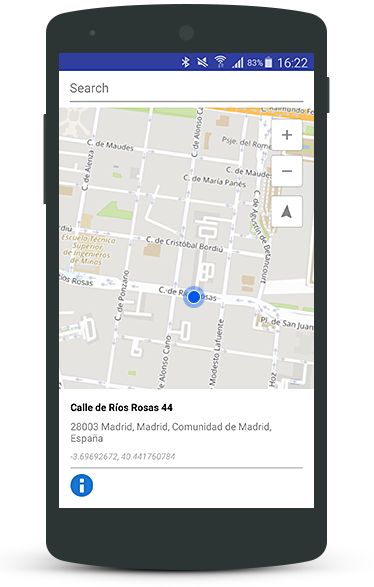
Where:

CodeDescription
nameSIGPAC parcel ID
infoSIGPAC parcel info, with this format:
field1|field2|field3|field4|field5
field1 = municipality ID (INE)
field2 = parcel usage
field3 = parcel extension (Ha)
field4 = vulnerable area type
field5 = vulnerable area code

Get the Time Zone from a coordinate

Request

Example:

https://lb.cercalia.com/services/v2/json?cmd=prox&mocs=gdd&mo=52.252025183,20.995254141&rqge=timezone&clientid=0123456789&datetime=2019-09-27T14:30:12Z&key=YOUR_API_KEY

Where:

CodeDescription
moY,X in case of geographical coordinate system (ex: London = 51.50015,-0.12624), X,Y for other coordinate systems (Mercator, UTM, etc).
datetimeDay and time to check (optional). If used, returns the local time in the region where the coordinates are located.

Response

{
    "cercalia": {
        "@cmd": "prox",
        "@version": "1",
        "proximity": {
            "@center": "20.99525414,52.25202518",
            "@num": "1",
            "@type": "timezone",
            "gelist": {
                "@num": "1",
                "@type": "timezone",
                "ge": [
                    {
                        "@daylightsavingtime": "3600000",
                        "@dist": "0",
                        "@id": "Europe/Warsaw",
                        "@localdatetime": "2019-09-27T16:30:12+02:00",
                        "@name": "Central European Summer Time",
                        "@pos": "1",
                        "@utcdatetime": "2019-09-27T14:30:12Z",
                        "@utctimeoffset": "3600000"
                    }
                ]
            }
        },
        "server": {
            "value": "lb.cercalia.com"
        },
        "instance": {
            "value": "http://master-cercalia-lbs-both-lines"
        }
    }
}
Where:

CodeDescription
idTime zone ID
nameTime zone name
localdatetimeLocal time
utcdatetimeUTC time
utctimeoffsetOffset between local time and UTC time
daylightsavingtimeReturns if this date is in summer or winter time

3.8 - Route Optimization

Optimize complex delivery routes with multi-vehicle support, advanced restrictions, prioritizations, and seamless integration for logistics and distribution.

Route Optimization API Overview

The Route Optimization API—powered by RoutingReparto by Nexus Geographics—redefines how logistics and distribution businesses plan and execute their operations. This robust solution is engineered to tackle the most demanding route planning scenarios, helping you minimize travel time, reduce operational costs, and maximize delivery efficiency.

Key Features

  • Multi-Vehicle Optimization: Effortlessly plan routes for fleets of any size, assigning stops to the most suitable vehicles.
  • Advanced Restrictions: Incorporate vehicle-specific constraints (capacity, dimensions, weight, etc.), driver schedules, and custom business rules.
  • Time Windows: Guarantee on-time deliveries by respecting customer and depot time constraints.
  • Priority Management: Assign and honor delivery priorities to ensure critical shipments are always on schedule.
  • Capacity & Load Handling: Optimize routes based on vehicle load limits and delivery requirements.
  • Flexible Integration: Designed for seamless integration into your existing systems and workflows.

Who Is It For?

  • Logistics providers
  • Distribution companies
  • E-commerce and retail businesses
  • Field service and maintenance teams
  • Any organization seeking to streamline complex delivery or service routes

Why Choose RoutingReparto?

  • Proven Technology: Trusted by leading logistics operators.
  • Scalable: Handles everything from small fleets to large-scale operations.
  • Customizable: Adaptable to your unique business logic and operational needs.
  • Cost-Efficient: Reduce mileage, fuel consumption, and labor hours.

Get Started

For a deep dive into the API’s capabilities—including real-world use cases, vehicle configuration examples, restriction management, and step-by-step integration guides—download the comprehensive documentation:

Download the Route Optimization PDF Documentation

This PDF covers everything you need to unlock the full potential of RoutingReparto, from technical details to practical implementation strategies.


Ready to revolutionize your logistics?
Integrate the Route Optimization API and start delivering smarter, faster, and more efficiently.

3.9 - Routing API

Comprehensive documentation for integrating Cercalia’s Routing API into your applications.

API Access

The Routing API calculates optimal routes between points with support for real-time traffic, toll avoidance, time windows, waypoint optimization, and alternative routes. It is available via HTTP-JSON and XML services.

Base Service URLs:

  • Supported methods: GET or POST
  • Response formats: JSON / XML

Route Calculation (Car)

Request Parameters

Example:

https://lb.cercalia.com/services/v2/json?cmd=route&report=0&mo_o=41.120380332,1.244894304&mo_d=39.584958220,2.663190407&mocs=gdd&weight=time&iweight=realtime,toll,ferry&stagegeometry=1&stagegeometrytolerance=0&stagegeometrysrs=EPSG:4326&key=YOUR_API_KEY
ParameterDescription
report0 = no instructions, 1 = include turn-by-turn text instructions (optional).
mo_oOrigin coordinates (format: Y,X for geographical, X,Y for projected).
mo_dDestination coordinates (format: Y,X for geographical, X,Y for projected).
mo_1...mo_nWaypoints coordinates (format: Y,X for geographical, X,Y for projected).
weightRoute optimization: time (fastest), distance (shortest), money (fastest avoiding tolls), realtime (fastest with live traffic).
iweightAdditional info (comma-separated): realtime (current traffic times), toll (toll road detection), ferry (ferry detection).
stagegeometry1 = include route geometry (polyline) in WKT format, 0 = no geometry.
stagegeometrytoleranceGeometry simplification distance in meters (default: 100m).
stagegeometrysrsGeometry coordinate system (e.g., EPSG:4326 for WGS84).

Routing Based on Departure Time

ParameterDescription
weightsptime (fastest based on departure time) or spmoney (fastest avoiding tolls based on departure time).
departuretimeDeparture date/time in ISO 8601 format (e.g., 2019-10-16T07:30:12Z). Required when using sptime/spmoney.

Temporary Restrictions Parameters

ParameterDescription
trstartStart date/time in milliseconds since epoch (for avoiding temporary closures).
trdeparturetimeStart date/time in ISO 8601 format (converted to trstart internally).
trinfodateStart date for restriction info in YYYYMMDD format.
trinfodaysNumber of days from trinfodate to report restrictions (default: 1).

Optional Parameters

ParameterDescription
alternativesGet alternative routes (works only with time/distance weight). Default: false.
directionDeparture/arrival direction: default (intelligent selection), both (all directions).
blockrealtimeBlock roads with real-time closures (returns error if no alternative). Default: false.
avoidblockrealtimeAvoid roads with real-time closures (only if alternatives exist). Default: true.
blockferriesNever use ferries (returns error if unavoidable). Default: false.
avoidferriesAvoid ferries when possible. Default: true.
langReport language (if report=1). Options: es, fr, de, it, ca, pt, en, nl.

Advanced Parameters: Route Optimization

Use reorder=1 to optimize waypoint order based on travel time or distance (up to 100 waypoints).

Time Window Restrictions:

ParameterDescription
startwindowx_1First time window START for waypoint x (ISO 8601 format, e.g., 2021-10-21T07:30:00Z). Requires reorder=1.
endwindowx_1First time window END for waypoint x (ISO 8601 format). Requires reorder=1.
startwindowx_2Second time window START for waypoint x (ISO 8601 format). Requires reorder=1.
endwindowx_2Second time window END for waypoint x (ISO 8601 format). Requires reorder=1.
duration_xStop duration in seconds for waypoint x (default: 0).
priority_xPriority (0-100) for including waypoint x in the optimized route. Higher priority waypoints are included first when capacity is limited. Requires reorder=1.

Response Structure

{
    "cercalia": {
        "@cmd": "route",
        "@version": "1",
        "route": {
            "@breaktime": "00:00:00",
            "@dest": "%",
            "@dist": "356.287",
            "@hasferries": "1",
            "@hastolls": "1",
            "@icost": "21518210,271,4",
            "@id": "26040302,25956694@22|0.5203993802719917,0.48620132441937836||**********",
            "@iweight": "realtime,toll,ferry",
            "@orig": "%",
            "@realtime": "05:58:38",
            "@time": "05:58:38",
            "@totaltime": "05:58:38",
            "@weight": "time",
            "stoplist": {
                "stop": [
                    {
                        "@by": "false",
                        "@id": "o",
                        "mo": {
                            "@id": "",
                            "coord": {
                                "@x": "1.2448943",
                                "@y": "41.12038033"
                            }
                        }
                    },
                    {
                        "@by": "false",
                        "@id": "d",
                        "mo": {
                            "@id": "",
                            "coord": {
                                "@x": "2.66319041",
                                "@y": "39.58495822"
                            }
                        }
                    }
                ]
            },
            "getpoicats": {},
            "stages": {
                "stage": [
                    {
                        "@dest": "%",
                        "@dest_stop_id": "d",
                        "@dist": "356.287",
                        "@hasferries": "1",
                        "@hastolls": "1",
                        "@icost": "21518210,271,4",
                        "@iweight": "realtime,toll,ferry",
                        "@orig": "%",
                        "@orig_stop_id": "o",
                        "@realtime": "05:58:38",
                        "@time": "05:58:38",
                        "@weight": "time",
                        "wkt": {
                            "@cs": "EPSG:4326",
                            "@tolerance": "0.0",
                            "value": "LINESTRING (1.2448045620496127 41.12035676856242, 1.2446876913703264 41.12061129929349, 1.2445619272305497 41.120889817145695, 1.244436163090773 41.121175126881376, 1.244292432645314 41.12140609099015, 1.2443103989509963 41.121453642322635, 1.2442654831867903 41.12154195184803, 1.243978022295872 41.12215332220151, 1.2439061570731424 41.12232314628127, 1.2438792076146188 41.122635621431066, 1.2438702244617776 41.12273072226605, 1.2439420896845073 41.12278506553799, 1.2439510728373484 41.122825822962184, 1.2439241233788247 41.122920923519445, 1.2438612413089365 41.12295488797052, 1.2437893760862069 41.12296168085862, 1.2437175108634775 41.12305678121751, 1.2436815782521127 41.12311791708918, 1.243600729876542 41.123260567233245, 1.2435378478066534 41.12338283853662, 1.2434749657367652 41.12351869527116, 1.2432953026799412 41.12389909262019, 1.2431785216930056 41.124164010890084, 1.2431066564702762 41.124333829727085, 1.2430797070117525 41.12443572081673, 1.2430797070117525 41.12449685539401, 1.2431695385401644 41.12457157535496, 1.2432234374572115 41.12466667336311, 1.2432234374572115 41.12474818583099, 1.2431785216930056 41.124870454341526, 1.2431246227759585 41.124924795828086, 1.2430168249418643 41.12498592994626, 1.2429090271077698 41.1250063079729, 1.2428012292736756 41.1250063079729, 1.2426574988282162 41.12530518496436, 1.2423700379372982 41.12596406803237, 1.242226307491839 41.12629690333659, 1.2421095265049036 41.126527849282695, 1.24208257704638 41.12660256691344, 1.2420556275878563 41.126670491957896, 1.2419927455179678 41.12680634183427, 1.2419298634480795 41.126935398954345, 1.241911897142397 41.12698294624988, 1.2418220656139851 41.12717313508493, 1.2415885036401142 41.127696151517206, 1.241265110137831 41.128429725928775, 1.241130362845213 41.12872858720872, 1.2409057840241833 41.12923121444987, 1.2407800198844066 41.1294961110293, 1.2406093399804237 41.1298560969612, 1.2405374747576943 41.13003269310582, 1.2404206937707587 41.13029079430181, 1.2402679801724585 41.13063719166742, 1.2401422160326818 41.13091566664471, 1.2399625529758578 41.131302812805025, 1.2394774627224332 41.13236235894634, 1.2393067828184505 41.13274949650467, 1.2390283050803734 41.133374345251454, 1.2388486420235496 41.133761476792394, 1.2388037262593437 41.133883728379715, 1.2385881305911548 41.13434556563788, 1.238129989796254 41.13535072952191, 1.2380132088093185 41.13562239277249, 1.2379233772809064 41.13581255637338, 1.2377616805297649 41.136226839437775, 1.2377347310712414 41.1363830438432, 1.237716764765559 41.13649170755635, 1.2377077816127178 41.136566413753926, 1.237716764765559 41.1368380719315, 1.2377347310712414 41.13700785771681, 1.2377886299882885 41.137204808673, 1.2378784615167004 41.13742892455349, 1.2379323604337475 41.13752400378484, 1.2382018550189835 41.13793148463198, 1.2387228778837729 41.13867173497841, 1.2387857599536614 41.13878718610847, 1.2388396588707085 41.13881435105049, 1.2388755914820733 41.13886188967174, 1.2389744061633263 41.13907920864108, 1.2391271197616265 41.13946630625803, 1.2391810186786738 41.139697205494855, 1.2392528839014032 41.13985340157298, 1.2393606817354978 41.139968850607204, 1.2396122100150513 41.14017258369751, 1.2396661089320984 41.14022012132682, 1.239791873071875 41.14034915185995, 1.239836788836081 41.140451017889646, 1.2398637382946045 41.14060721215888, 1.2398547551417634 41.140702286747945, 1.239791873071875 41.14087206245444, 1.2397020415434632 41.1409943006889, 1.2396391594735747 41.14105541972006, 1.239513395333798 41.14113012068019, 1.2393606817354978 41.14118444859734, 1.239243900748562 41.14122519450545, 1.239190001831515 41.14123198548766, 1.2389654230104852 41.14123877646916, 1.2388396588707085 41.14122519450545, 1.2386689789667258 41.141198030569555, 1.2378874446695416 41.1410282557133, 1.237716764765559 41.141007882700784, 1.2376179500843059 41.1409943006889, 1.2374742196388469 41.1409943006889, 1.2374113375689584 41.140973927665776, 1.2370250619967869 41.1409943006889, 1.2368184494814396 41.14102146470984, 1.2365579380490448 41.14108258371547, 1.2362255613939206 41.14118444859734, 1.2357135216819723 41.14138817788282, 1.235641656459243 41.14142213270173, 1.2354709765552603 41.141503624194854, 1.2351745325115007 41.14165981593817, 1.2350218189132003 41.14174809806206, 1.234914021079106 41.141816007306645, 1.2348691053149001 41.14184996190237, 1.234536728659776 41.14208764357648, 1.23426723407454 41.14231174264566, 1.2342941835330636 41.14242718731956, 1.23426723407454 41.1425222592502, 1.234177402546128 41.1426105402043, 1.2340606215591925 41.14266486688576, 1.2340426552535102 41.142855009913795, 1.2340426552535102 41.143119851062835, 1.2340426552535102 41.14322171275629, 1.2340067226421454 41.14352729688008, 1.2339348574194158 41.14375139099231, 1.233809093279639 41.14399585641654, 1.2337192617512271 41.14413167014433, 1.2337012954455446 41.14431501822728, 1.2337192617512271 41.14455269089936, 1.2337821438211154 41.14471566594429, 1.2339168911137335 41.1448922217824, 1.2340426552535102 41.144994080701885, 1.2343750319086344 41.14515705464148, 1.2346175770353467 41.14522496032918, 1.234770290633647 41.145252122584424, 1.2350128357603591 41.145272494268426, 1.2352553808870717 41.145279284828334, 1.2360279320314143 41.14525891314647, 1.2366837021888215 41.14522496032918, 1.2375460848615762 41.14517742635523, 1.2377526973769237 41.14516384521344, 1.2382108381718246 41.14512989234656, 1.238507282215584 41.14517063578468, 1.2394415301110686 41.1451027300403, 1.2397828899190337 41.14506198655964, 1.2406542557446296 41.144953337153225, 1.2422352906446803 41.14473603779621, 1.242828178732199 41.14465455035027, 1.243340218444147 41.1445730628023, 1.2455321077373989 41.144185995556086, 1.2476700981136033 41.143792135293445, 1.2489636721227355 41.14356125058304, 1.249592492821619 41.143459389421004, 1.2507153869267684 41.14329641123015, 1.2514969212239524 41.14320134043035, 1.2524221859665956 41.14309947870502, 1.2534193159319682 41.14301798920997, 1.2544254290501822 41.14297724442419, 1.2556920536007905 41.14294329041655, 1.2566442678019574 41.142950081219496, 1.2579378418110894 41.14299082602228, 1.2586654771912262 41.14303157079957, 1.2600219332702467 41.14314701419668, 1.2619353448254214 41.143384691134194, 1.263300784057283 41.14361557647096, 1.263947571061849 41.143744600272974, 1.264872835804492 41.14393474014657, 1.2665437022329544 41.144348971519285, 1.2693015301552013 41.14509593946195, 1.270801716679681 41.14547621075762, 1.2721581727587015 41.14575462226158, 1.2733798815451038 41.145958337241574, 1.2743770115104767 41.14608056592348, 1.2749698995979957 41.14612809923777, 1.2757065181309737 41.14620958483865, 1.276694664943505 41.14625711805871, 1.277889424271384 41.14627748942811, 1.2785721438873148 41.146263908515884, 1.2796501222282581 41.146189213448, 1.2797938526737174 41.146175632517355, 1.28161743270048 41.146019451611224, 1.2824798153732349 41.145931175281085, 1.2837194904653195 41.14580894631859, 1.284051867120444 41.14578857480253, 1.2847345867363746 41.14576141277118, 1.2858664639943653 41.145795365308594, 1.2862617227193778 41.14582252732576, 1.2869264760296264 41.14588364182295, 1.287600212492716 41.14598549919073, 1.2889117528075305 41.14625711805871, 1.28981006809165 41.146549107077384, 1.2902861751922334 41.14674602916421, 1.2907083833757695 41.146902208326594, 1.2913282209218122 41.147180613729915, 1.2921277215246785 41.14758803412445, 1.2933314640053986 41.14826027219876, 1.294121981455424 41.14868805644846, 1.2947867347656723 41.148993614905024, 1.295415555464556 41.14924485078331, 1.2960892919276457 41.149496085691574, 1.2967091294736879 41.14969978895916, 1.297490663770872 41.149910281665704, 1.2982362654566912 41.15007324329345, 1.2987123725572745 41.15016830405449, 1.2996196709942354 41.15030410490077, 1.3001496770118657 41.15035842515993, 1.3011378238243971 41.150426325420106, 1.3024403809863705 41.150439905463635, 1.3037429381483439 41.15035842515993, 1.304398708305751 41.1502769447542, 1.305171259450094 41.15015472395427, 1.30581804645466 41.15002571286086, 1.306464833459226 41.14986275111407, 1.3076865422456283 41.14951645604704, 1.308575874376907 41.149183739442734, 1.3088543521149838 41.14905472642416, 1.3090609646303313 41.14898003455965, 1.3120164219150847 41.1476151953934, 1.3130315181861396 41.14715345227959, 1.3137771198719588 41.1468478851822, 1.3146484856975549 41.14653552622184, 1.3156995145799746 41.14622316576221, 1.3161935879862403 41.14608735639907, 1.3180800500828915 41.14563918348985, 1.3188705675329166 41.1454354675108, 1.3199126132624952 41.14512989234656, 1.3208827937693444 41.14482431574749, 1.3212241535773097 41.14468850346515, 1.3221943340841589 41.14427427425348, 1.3232633292722609 41.143737809552924, 1.3239460488881918 41.143337155816134, 1.3246647011154873 41.142855009913795, 1.3251587745217532 41.14250188670532, 1.3260391235001903 41.141802425463396, 1.3276650741644467 41.14057325691484, 1.3283837263917424 41.14005034391985, 1.328787968269596 41.13977869914759, 1.3293000079815442 41.139445932756644, 1.3297311993179217 41.13918786785367, 1.3304049357810113 41.13880755981604, 1.3309259586458004 41.13854270112014, 1.3316176614145725 41.138250676180654, 1.3325249598515334 41.13792469330542, 1.3331178479390522 41.137748118566414, 1.3334053088299704 41.137673413724954, 1.333800567554983 41.13758512607452, 1.3345102366294375 41.13744250730932, 1.335228888856733 41.137340636571466, 1.3355792318175397 41.13729988823168, 1.3361811030578996 41.13723876567418, 1.3365044965601829 41.13722518287583, 1.3371692498704313 41.13721839147559, 1.3379328178619327 41.137231974275366, 1.338867065757417 41.13729988823168, 1.3400438587796137 41.1374696728125, 1.3410409887449863 41.13769378778113, 1.341723708360917 41.13788394533124, 1.3422087986143416 41.13805372838873, 1.3429005013831137 41.13830500650114, 1.3435203389291561 41.13858344868196, 1.344104243863834 41.13887547212859, 1.3449037444667002 41.139350856332484, 1.3456493461525194 41.13984661044694, 1.3462871500042444 41.140369525078654, 1.34655664458948 41.140614003205556, 1.3469878359258576 41.14104862871944, 1.3472303810525699 41.141327059164134, 1.3476166566247412 41.14178205269321, 1.3479939490440713 41.14225062479422, 1.3481646289480542 41.14248151415407, 1.3483802246162429 41.14273956599874, 1.348532938214543 41.142950081219496, 1.3488114159526203 41.143276038927596, 1.3496198997083277 41.14413167014433, 1.3501588888787996 41.144607015959686, 1.3511919514555368 41.145381143142025, 1.3513716145123607 41.145503372908, 1.3521261993510212 41.145951546752514, 1.3529346831067288 41.146379346179444, 1.3533748575959472 41.14657626877996, 1.3538958804607366 41.14680035239364, 1.3543989370198437 41.14699048333953, 1.3564650621733185 41.14767630820707, 1.3570759165665198 41.14788680745929, 1.3574442258330088 41.14802940334003, 1.3582167769773514 41.148362125846624, 1.3588725471347587 41.14868805644846, 1.3593217047768187 41.14892571314978, 1.3598966265586552 41.14926522121742, 1.3605164641046976 41.149679418661094, 1.3611003690393753 41.150113983636615, 1.3613698636246112 41.15032447500327, 1.361872920183718 41.15075903567073, 1.3627173365507903 41.15158740890369, 1.363337174096833 41.15221886666132, 1.3640019274070814 41.15286389782814, 1.3646487144116475 41.15342065643004, 1.3651517709707544 41.15382124808654, 1.3657177095997495 41.154208258022315, 1.3662566987702214 41.154547738526674, 1.366562125966822 41.15472426768886, 1.3672807781941176 41.155104482719004, 1.3680533293384605 41.155471116536454, 1.3684306217577904 41.15562727475719, 1.369275038124863 41.15594637952088, 1.3700296229635234 41.156184009711076, 1.3708381067192308 41.15640127083965, 1.3716825230863032 41.15658458435251, 1.372221512256775 41.156679635600256, 1.3726616867459935 41.15673395053661, 1.3731377938465767 41.15678826542762, 1.37383847976819 41.156849369625796, 1.3742247553403615 41.156869737679095, 1.3750422222489103 41.15689689507359, 1.375446464126764 41.15689010572603, 1.3765873245375957 41.15684258027328, 1.3786893823024353 41.156686424969784, 1.379363118765525 41.15665247811506, 1.3801266867570265 41.156645688741996, 1.381294496626382 41.156679635600256, 1.3817077216570772 41.15672037180677, 1.382399424425849 41.15681542285612, 1.3831989250287156 41.1569647885102, 1.383863678338964 41.15712773246897, 1.3844296169679593 41.15728388671314, 1.3851482691952548 41.15752151201766, 1.3854986121560613 41.15765729751623, 1.3862442138418807 41.15798318155641, 1.3865047252742753 41.158098598429135, 1.3877893161305663 41.15866210139655, 1.388472035746497 41.15892008907789, 1.389163738515269 41.15914413018158, 1.3898374749783589 41.15934101415081, 1.3908885038607786 41.15959899913952, 1.391696987616486 41.159755147451385, 1.3923168251625286 41.15984340502707, 1.3932600562108541 41.15994524054251, 1.3946614280540806 41.16006065393395, 1.3952632992944407 41.16012175505828, 1.3962783955654956 41.160257535129055, 1.397068913015521 41.160400103898326, 1.3979133293825932 41.160596984065975, 1.3987577457496656 41.160821019393936, 1.3999075893133386 41.16122835437685, 1.4004465784838103 41.16143202091171, 1.4016054052003244 41.16187329621612, 1.402503720484444 41.16219237034043, 1.403464917838452 41.16247749908459, 1.4049740875157728 41.162803358975914, 1.4056837565902272 41.16291876729593, 1.4061508805379692 41.162973077022706, 1.408540399193727 41.16322425891921, 1.4095375291590997 41.16338039852809, 1.4105166928187902 41.16359084697306, 1.4110017830722148 41.163719831167256, 1.4114419575614332 41.1638556037269, 1.4123312896927116 41.16418145671361, 1.4126367168893121 41.16431043973647, 1.4132116386711486 41.16457519356094, 1.4138763919813973 41.16492819698368, 1.4145501284444868 41.1653490831758, 1.415205898601894 41.16580390874051, 1.41607726442749 41.16643522850604, 1.416715068279215 41.16686968155881, 1.416957613405927 41.16702581241568, 1.417227107991163 41.16717515462367, 1.417963726524141 41.16756208511254, 1.4184398336247241 41.167779308237584, 1.4188350923497368 41.167949013299136, 1.4194998456599854 41.16820696414448, 1.421053931101512 41.168770379537825, 1.4215839371191425 41.16899438671141, 1.4220690273725671 41.16921839311331, 1.4228775111282748 41.16965961558738, 1.423533281285682 41.17008047115741, 1.4240722704561537 41.170474172289175, 1.424629225932308 41.170949325652884, 1.424961602587432 41.17126156740128, 1.425518558063586 41.17185889526363, 1.425832968413028 41.17226616111438, 1.4259856820113281 41.17247658080441, 1.426255176596564 41.17291099349411, 1.426704334238624 41.173718721873094, 1.4273151886318252 41.17521876223925, 1.4276385821341082 41.175978950477116, 1.4279260430250265 41.17653551122903, 1.428087739776168 41.17680700254966, 1.428500964806863 41.17740427946396, 1.4288423246148285 41.17783865922752, 1.429237583339841 41.17827303608846, 1.4295699599949652 41.17859881682933, 1.4301179323182782 41.17907391081637, 1.430486241584767 41.17936575254389, 1.4308994666154622 41.179657592961114, 1.431321674798998 41.179935858185154, 1.4318696471223111 41.18024805677458, 1.4320133775677701 41.18032271273686, 1.4324984678211947 41.18056704074113, 1.43291169285189 41.18076385985444, 1.4333698336467906 41.18094710470005, 1.4341873005553394 41.18123893801728, 1.434941885394 41.181456115449485, 1.435507824022995 41.18159185097611, 1.435912065900849 41.18167329215602, 1.4366846170451917 41.18180224048219, 1.4374751344952168 41.1818904681369, 1.4381488709583066 41.181931188552525, 1.4386878601287783 41.18194476201874, 1.4393975292032326 41.181931188552525, 1.4405024570026999 41.18185653443772, 1.4408977157277123 41.18180224048219, 1.4416523005663726 41.18168686567609, 1.44208349190275 41.181598637745005, 1.4438801224709892 41.18119143035725, 1.4446347073096495 41.181042120342546, 1.4453533595369452 41.18091317050836, 1.4460720117642407 41.18082494152704, 1.446862529214266 41.18075707299838, 1.4478416928739561 41.18071635184718, 1.4480752548478273 41.18071635184718, 1.4486591597825051 41.18072313870748, 1.4493598457041184 41.180750286141624, 1.4502401946825554 41.18082494152704, 1.451461903468958 41.18098103887403, 1.4517673306655585 41.181014973030294, 1.4526746291025194 41.18111677539278, 1.453492096011068 41.181177856733726, 1.4540131188758572 41.18119821716795, 1.4549743162298652 41.18119143035725, 1.4564655196015037 41.18112356221127, 1.457444683261194 41.18109641493304, 1.4582621501697428 41.18110320175364, 1.459007751855562 41.18113713584614, 1.4598072524584282 41.18120500397795, 1.4602833595590117 41.181272872038896, 1.4610738770090368 41.18138824757988, 1.4626638950619284 41.18163935834346, 1.4632298336909237 41.181714012707715, 1.4638496712369662 41.18177509348742, 1.4647390033682444 41.18181581397532, 1.465277992538716 41.18181581397532, 1.4662571561984064 41.18176151998578, 1.4668680105916077 41.181707225950866, 1.4686736243126879 41.18151040969415, 1.4692844787058892 41.181469689014904, 1.4698863499462493 41.181456115449485, 1.4704882211866095 41.18146290223255, 1.4709014462173042 41.18147647579655, 1.4713775533178877 41.18151040969415, 1.4717368794315355 41.18154434357404, 1.4721231550037068 41.181598637745005, 1.4726980767855433 41.18168686567609, 1.4734885942355687 41.181842960953084, 1.47409944862877 41.181999055855215, 1.4748181008560655 41.182216230747585, 1.4755547193890435 41.18248091166653, 1.4757792982100733 41.182569138399984, 1.4760757422538329 41.18269808494883, 1.4765787988129395 41.182935617395444, 1.4772705015817118 41.18330888091475, 1.4778723728220717 41.18368214229036, 1.4783215304641315 41.18399432288555, 1.478752721800509 41.184326861435366, 1.4789952669272213 41.18452366916335, 1.4793725593465514 41.18485620500464, 1.4803427398534006 41.18573164836897, 1.4805224029102244 41.185887733931615, 1.4807200322727307 41.18606417802926, 1.481250038290361 41.18651207243331, 1.4816632633210562 41.186837811879144, 1.4820764883517512 41.18713640493681, 1.482750224814841 41.18758429195082, 1.483729388474531 41.18810682289888, 1.4842953271035264 41.18837826588892, 1.4855978842654998 41.188975436475744, 1.48612789028313 41.1892333038962, 1.4866758626064431 41.18953867188645, 1.487223834929756 41.18986439616094, 1.4878436724757986 41.190271549207914, 1.4885443583974118 41.19080763016208, 1.489011482345154 41.19120799153392, 1.4895145389042608 41.191682993351655, 1.490808112913393 41.19305369341375, 1.491266253708294 41.19349475411576, 1.4917693102674008 41.193922240861795, 1.4924879624946965 41.19449221881437, 1.4930359348180093 41.19487898672, 1.4934222103901806 41.19512326000036, 1.4939342501021289 41.1954286003092, 1.4946079865652186 41.195781436212094, 1.4952368072641022 41.19607998817161, 1.4958117290459387 41.196324256936144, 1.496296819299363 41.19650067269487, 1.4967369937885817 41.19664994719345, 1.497204117736324 41.196799221349, 1.4977880226710016 41.1969552803267, 1.5000877097983476 41.19750487635005, 1.500653648427343 41.19766771872327, 1.5013273848904325 41.19788484125256, 1.5019741718949986 41.1980544677236, 1.5027467230393414 41.19831908413398, 1.5032048638342423 41.19850906448178, 1.5036270720177785 41.198699044273965, 1.5041930106467738 41.198984012920434, 1.5047679324286103 41.19930968984273, 1.5053338710576056 41.19966928954757, 1.5058009950053477 41.1999881781864, 1.5071754173900507 41.200985543185276, 1.5073820299053982 41.20112802264923, 1.5077054234076812 41.201317994781654, 1.5080916989798525 41.20151475104734, 1.5084061093292944 41.201643660001686, 1.508720519678736 41.20175899937555, 1.5089989974168132 41.201847199935, 1.5093313740719374 41.20192861572975, 1.5096188349628556 41.20198289286953, 1.5100410431463918 41.202037169963965, 1.510463251329928 41.20207109312495, 1.5111100383344942 41.20207109312495, 1.5115502128237128 41.202037169963965, 1.511658010657807 41.20202360069461, 1.5121520840640728 41.20194896966248, 1.5126192080118148 41.20183363062596, 1.5135265064487757 41.20152153573553, 1.5139846472436767 41.20133834890574, 1.5143888891215305 41.20116194628506, 1.5155028000738384 41.200612381203236, 1.5159789071744219 41.200368128563206, 1.5161316207727222 41.200286710812414, 1.516212469148293 41.20025278671947, 1.5171826496551422 41.19975070807227, 1.5173802790176483 41.199730353450676, 1.5176497736028842 41.19952002198724, 1.5179192681881202 41.19926219539326, 1.5183324932188151 41.19894330319035, 1.5184852068171155 41.19884152875347, 1.518934364459175 41.198583699466404, 1.5195092862410116 41.1982851590134, 1.5201021743285306 41.198000187301055, 1.5205153993592255 41.19776270991913, 1.5208387928615086 41.19752523166903, 1.521045405376856 41.19736238893863, 1.521359815726298 41.19707741317817, 1.5218089733683577 41.196704228744245, 1.5223659288445117 41.19626997506784, 1.5227701707223655 41.195984994515136, 1.5232103452115842 41.19569322741604, 1.5237673006877384 41.195353961699574, 1.5241625594127508 41.19513683071123, 1.5246296833604929 41.194899342861774, 1.5247284980417461 41.194858630571844, 1.52490816109857 41.194777205915436, 1.5254740997275653 41.19452614591576, 1.5263095329417964 41.19421401591461, 1.5266239432912383 41.194112234068264, 1.52693835364068 41.19401045206247, 1.5276929384793405 41.193806887572514, 1.5284205738594772 41.19365082103158, 1.5286900684447131 41.19359653692947, 1.5293458386021204 41.19348796858918, 1.5297680467856565 41.19342689881803, 1.5301183897464632 41.1933929711426, 1.530890940890806 41.193331901282164, 1.5316006099652604 41.193318330194266, 1.5322384138169853 41.193318330194266, 1.5330738470312164 41.19336582898949, 1.5334870720619114 41.1933997566791, 1.5341697916778423 41.19348796858918, 1.5346548819312666 41.193555823823125, 1.5352298037131031 41.19365760654116, 1.5360203211631285 41.19384760052152, 1.5367569396961063 41.19405116488392, 1.5377361033557968 41.19439722283619, 1.538122378927968 41.19453971675136, 1.5385535702643456 41.19471613735617, 1.538679334404122 41.194770420522794, 1.5391913741160703 41.19498755273577, 1.5395956159939241 41.19517075747599, 1.5398381611206364 41.19528610834367, 1.5402603693041728 41.195469312241954, 1.5408263079331679 41.19573393918295, 1.5409071563087386 41.19577465092434, 1.5414910612434163 41.19607320291504, 1.5421737808593472 41.196446390973975, 1.542667854265613 41.1967110139349, 1.5440871924145216 41.197565942287845, 1.5449046593230704 41.19810196305612, 1.5458748398299196 41.19878046401481, 1.546862986642451 41.19952002198724, 1.547321127437352 41.19987962052767, 1.5498274270800456 41.20195575430531, 1.5511479505477013 41.203007365375264, 1.5519923669147735 41.203638323844274, 1.5527559349062752 41.20418107891326, 1.5541573067495016 41.20508339917671, 1.5546603633086087 41.205375124098865, 1.555325116618857 41.20574147447052, 1.5560976677631997 41.20611460698392, 1.5570408988115252 41.20648773735339, 1.557669719510409 41.2067183986913, 1.5578224331087092 41.20675910354824, 1.5592507544104592 41.20715258251655, 1.5602119517644673 41.207349321106655, 1.5611372165071102 41.207471434414494, 1.561541458384964 41.20751213879942, 1.5622601106122598 41.20755284315883, 1.563472836245821 41.20757319532896, 1.5642633536958463 41.20755284315883, 1.5651616689799657 41.20751892286109, 1.5660420179584027 41.20748500254564, 1.5671649120635522 41.20745786628052, 1.5683237387800666 41.207444298143706, 1.5701113861954643 41.20749178661015, 1.5709468194096956 41.20754605910069, 1.5719080167637034 41.20763425180109, 1.572491921698381 41.20769530821582, 1.573183624467153 41.20774958053627, 1.5734082032881829 41.20776993264475, 1.574791608825727 41.20799380541698, 1.57736977369115 41.20844154864603, 1.579121488495183 41.208726474547994, 1.5802623489060148 41.20888928878781, 1.5817535522776531 41.20905888652016, 1.5829483116055323 41.20916064494697, 1.5841161214748878 41.209228483809575, 1.584816807396501 41.20925561933477, 1.5862630950039334 41.20928275484862, 1.5866403874232633 41.209289538725315, 1.58743988802613 41.20928275484862, 1.5901168675728061 41.20924883545453, 1.5916440035558093 41.209228483809575, 1.5917607845427448 41.209235267691945, 1.5937191118621254 41.209187780500514, 1.5957043886400295 41.20917421272516, 1.597204575164509 41.20915386105681, 1.5984532334094352 41.20916064494697, 1.5996569758901553 41.209235267691945, 1.5999983356981207 41.209262403214304, 1.6003576618117688 41.20930989035114, 1.6007529205367812 41.209364161322156, 1.6013098760129354 41.209445567693635, 1.6019297135589778 41.20955410936351, 1.6030346413584446 41.20979832745735, 1.6036724452101696 41.209967922815444, 1.6042294006863236 41.21014430151795, 1.604750423551113 41.2103138959724, 1.6053343284857908 41.21051740873301, 1.6066279024949228 41.2109990530586, 1.606771632940382 41.21104653892537, 1.6082179205478144 41.2115688811679, 1.608846741246698 41.21177917361156, 1.609439629334217 41.21195554739398, 1.6098259049063883 41.212064084868096, 1.6101133657973066 41.21213870427629, 1.6103379446183363 41.212179405735526, 1.6105894728978898 41.21224045787655, 1.6109937147757436 41.21230829352145, 1.6119818615882753 41.212457531690774, 1.6126376317456823 41.21252536710889, 1.6134730649599136 41.212579635392345, 1.6141647677286857 41.21259320245611, 1.614730706357681 41.212579635392345, 1.6149463020258696 41.21256606832573, 1.6150271504014404 41.21256606832573, 1.6157907183929419 41.21250501649089, 1.6164644548560316 41.21243718105152, 1.617587348961181 41.212281159272, 1.6180454897560819 41.21221332359874, 1.6184676979396182 41.212165838585285, 1.619015670262931 41.21211156995596, 1.6194019458351023 41.21209121920827, 1.6200217833811448 41.21209121920827, 1.620345176883428 41.212098002791535, 1.6207763682198053 41.21211156995596, 1.6218184139493839 41.2122540250112, 1.622366386272697 41.212362561986346, 1.6231209711113572 41.212545717720495, 1.623983353784112 41.21283740911931, 1.6248098038455019 41.21319015045565, 1.6252050625705146 41.21333938659795, 1.6259326979506514 41.213664991535886, 1.626363889287029 41.21384814359587, 1.6271633898898952 41.21412626240266, 1.6278011937416201 41.21430941316136, 1.6284300144405037 41.21444508005692, 1.6287983237069925 41.21450613006742, 1.6294900264757646 41.21458752999214, 1.6300829145632836 41.214628229916215, 1.6305230890525022 41.2146417965519, 1.6309542803888795 41.214635013234414, 1.631717848380381 41.21458752999214, 1.6322568375508528 41.214533263387, 1.6328227761798482 41.21443151338011, 1.633146169682131 41.2143636799536, 1.633694142005444 41.214228012887936, 1.634888901333323 41.21386849379285, 1.635302126364018 41.21372604227996, 1.635903997604378 41.21349540583448, 1.636550784608944 41.213230851255744, 1.6370448580152097 41.21301378002704, 1.6376197797970464 41.21273565645461, 1.6383114825658183 41.21237612909548, 1.6390211516402728 41.211969114588165, 1.6398745511601862 41.21144677556548, 1.6406920180687352 41.21089729751284, 1.6411232094051125 41.21065308355238, 1.6419676257721847 41.210198571791565, 1.642677294846639 41.20986616565375, 1.6430635704188106 41.20970335386334, 1.6439259530915653 41.209364161322156, 1.6443571444279428 41.209214916042725, 1.6452105439478562 41.208957127933914, 1.6454261396160448 41.208896072705606, 1.6460639434677697 41.20873325848281, 1.6462166570660701 41.20869933880167, 1.6463873369700528 41.20865863516093, 1.6468724272234774 41.20855687594743, 1.6474653153109962 41.20846190053763, 1.6476539615206613 41.20842798071475, 1.6480851528570386 41.20836692498892, 1.6488487208485403 41.20825159735015, 1.649441608936059 41.208183757466955, 1.6507441660980324 41.20804129348157, 1.6512651889628218 41.20799380541698, 1.6515257003952164 41.20797345337868, 1.6521545210941002 41.20794631731767, 1.6528641901685546 41.20793953330065, 1.653528943478803 41.20794631731767, 1.6546608207367937 41.20798023739216, 1.6549303153220294 41.20800058942834, 1.6553525235055657 41.20804129348157, 1.6557208327720545 41.208095565512856, 1.656295754553891 41.20819054145847, 1.6566820301260625 41.20827873328357, 1.6574186486590405 41.20849582034278, 1.657580345410182 41.208550091994205, 1.6578767894539417 41.20865185121832, 1.6581732334977008 41.20877396207678, 1.6588739194193143 41.209099589910025, 1.6592332455329621 41.20930310647658, 1.659655453716498 41.20957446090641, 1.6598800325375282 41.209716921528134, 1.6603112238739053 41.21004932842998, 1.660616651070506 41.210327463509614, 1.6609220782671066 41.21063273234754, 1.6610029266426773 41.21072770458219, 1.6613263201449606 41.2111008084449, 1.6615239495074667 41.21133145339678, 1.6621258207478269 41.212016599745496, 1.6628983718921697 41.212688171823174, 1.6632576980058176 41.21294594511923, 1.663599057813783 41.21316980004604, 1.6639494007745896 41.21338008730449, 1.6643985584166492 41.21360394073441, 1.6645422888621082 41.21367855837286, 1.665072294879739 41.213895627378925, 1.6657100987314637 41.214119479031304, 1.6665275656400125 41.21434332991183, 1.667893004871874 41.21468249644197, 1.6686475897105346 41.21490634538122, 1.6692404777980534 41.215123410282175, 1.6697615006628428 41.21534047445737, 1.6703274392918381 41.21561180365573, 1.6705789675713916 41.21574746782967, 1.670965243143563 41.21596452991828, 1.6715940638424467 41.21637830251429, 1.672124069860077 41.2167649400975, 1.6725193285850897 41.21709052785517, 1.6727798400174843 41.2173143684913, 1.6731391661311321 41.21764673649681, 1.6733817112578444 41.21789770712843, 1.674145279249346 41.218698093471936, 1.6745674874328822 41.219200025635324, 1.6749807124635774 41.21972230227949, 1.6754658027170017 41.220441273642564, 1.6759958087346323 41.22131623748271, 1.676175471791456 41.22166215016624, 1.6763551348482801 41.222014843553296, 1.6764539495295332 41.222265797296316, 1.676489882140898 41.22232683995196, 1.6767773430318162 41.22302543514493, 1.6771097196869404 41.22401566399128, 1.6771995512153524 41.224354779986164, 1.6773522648136527 41.22505335335077, 1.6774510794949058 41.22567053327082, 1.6775319278704766 41.226348746194255, 1.6776127762460475 41.227440654108946, 1.6777295572329831 41.228308741701476, 1.6777475235386654 41.22839012431788, 1.6777654898443477 41.22851219805113, 1.6779900686653777 41.229244635627936, 1.678196681180725 41.22973970449253, 1.6783493947790256 41.23003131863134, 1.678645838822785 41.230539944806765, 1.6790500807006388 41.23110960138985, 1.6793824573557627 41.23150293277837, 1.6802897557927234 41.23245912500282, 1.6806670482120538 41.232913480908074, 1.6810353574785428 41.23341530313545, 1.6812779026052551 41.2338493084182, 1.6815743466490145 41.23449352965647, 1.6817450265529974 41.23501568322953, 1.681825874928568 41.235368304044336, 1.6818977401512976 41.23581585847226, 1.681960622221186 41.23665670995663, 1.6820324874439154 41.237422960285606, 1.6821133358194862 41.237870500538534, 1.6821672347365333 41.23806036516757, 1.6822301168064218 41.23829769517238, 1.682418763016087 41.23879269495966, 1.6827241902126875 41.23938940201067, 1.682885886963829 41.23965384997105, 1.683074533173494 41.23992507752841, 1.6834518255928244 41.24039972302478, 1.6839099663877253 41.240887926197516, 1.684448955558197 41.24134900359772, 1.6847992985190037 41.24161344356885, 1.685140658326969 41.241850760573726, 1.685607782274711 41.242135539833384, 1.686245586126436 41.24245421990333, 1.6866228785457662 41.24261694954788, 1.6872427160918089 41.24285426288098, 1.6880601830003574 41.24314581807292, 1.6887339194634472 41.24339669009597, 1.6894435885379016 41.24371536396925, 1.689838847262914 41.243925552262716, 1.6902700385992915 41.24418320149962, 1.690530550031686 41.244359487229836, 1.6909527582152224 41.244657815835524, 1.6923361637527663 41.2456951750772, 1.6930188833686972 41.246162998325765, 1.6934051589408687 41.24642063867374, 1.6940519459454348 41.24680031732086, 1.6945999182687475 41.24709863469841, 1.6950131432994426 41.24730203212355, 1.695956374347768 41.247742724356115, 1.6964863803653984 41.24795967943201, 1.6971780831341705 41.24821731264185, 1.6980584321126075 41.24850884372378, 1.698534539213191 41.24864443912926, 1.6992981072046927 41.24884105196357, 1.6998550626808469 41.248963087216055, 1.70055574860246 41.24909190195562, 1.7009869399388373 41.24916647879314, 1.7012205019127085 41.249200377327305, 1.7022445813366047 41.24932241190354, 1.7029811998695827 41.2493902087911, 1.703322559677548 41.249430886889606, 1.7063139495736661 41.24960715835493, 1.707409894220292 41.249702073560854, 1.708011765460652 41.2497766496966, 1.7084429567970294 41.24983088683238, 1.7093682215396726 41.249966479473315, 1.709718564500479 41.25002749606924, 1.7098533117930972 41.25004783492178, 1.7104731493391396 41.25016986790309, 1.7113534983175767 41.250359696528605, 1.712512325034091 41.250664777083884, 1.7139406463358409 41.251098666956665, 1.714362854519377 41.25124781592985, 1.714865911078484 41.25143764139953, 1.7161235524762513 41.25193932032267, 1.7179291661973315 41.2527053901077, 1.7189262961627043 41.253098590552874, 1.7195461337087468 41.25330874843363, 1.7199593587394415 41.25343755453996, 1.721082252844591 41.25373584138264, 1.7214595452639214 41.253823971323534, 1.7226812540503238 41.254054464448686, 1.7230046475526068 41.2541086980061, 1.7237682155441085 41.25424428170116, 1.724585682452657 41.25442054008082, 1.7251067053174465 41.25455612312372, 1.7256546776407595 41.25471882240092, 1.7260858689771368 41.254867963046316, 1.726741639134544 41.25512556880753, 1.7274872408203632 41.25545774314654, 1.7281430109777705 41.25576957873224, 1.7281969098948176 41.25579669479924, 1.7288526800522248 41.25611530773689, 1.7297959111005505 41.2564949296182, 1.7305504959392108 41.25675930782949, 1.7312242324023004 41.2569491171624, 1.7320686487693728 41.25715248368809, 1.7328052673023508 41.25727450329726, 1.7337484983506763 41.257382964979264, 1.734467150577972 41.25743041690808, 1.7347725777745726 41.25742363806324, 1.7355900446831212 41.257410080371415, 1.7359583539496104 41.25739652267675, 1.7365961578013351 41.25734907072313, 1.7371081975132834 41.257288061017434, 1.7380244791030852 41.25713892593955, 1.7386263503434454 41.2570033482983, 1.738940760692887 41.25692878047474, 1.7392821205008526 41.2568406547545, 1.739668396073024 41.256711855409414, 1.7400007727281481 41.256610171535165, 1.7406206102741908 41.25637968749637, 1.7417255380736576 41.25587804293219, 1.7426957185805068 41.25534927824339, 1.742929280554378 41.255206917782616, 1.7438455621441797 41.254603577121756, 1.7441420061879391 41.25439342343822, 1.7449325236379643 41.25379685443141, 1.7453277823629771 41.25348500935673, 1.7459476199090194 41.25294266652374, 1.7463788112453968 41.252542685777684, 1.7469267835687097 41.252007114474026, 1.747861031464194 41.251003753795096, 1.7482652733420478 41.25054952459837, 1.749100706556279 41.249634276999366, 1.7496127462682272 41.249085122238874, 1.7503673311068875 41.24835290865694, 1.7507895392904238 41.24796645926642, 1.7509332697358828 41.24785120198479, 1.7515620904347664 41.247335931632385, 1.7516698882688608 41.24724779287255, 1.7522178605921737 41.246834217091966, 1.7531341421819755 41.24620367844876, 1.7541043226888247 41.245593473924416, 1.7546163624007727 41.245295149622834, 1.7550116211257853 41.24506462535896, 1.7555955260604632 41.24476629862462, 1.7561973973008231 41.24447475071744, 1.756799268541183 41.244203542185254, 1.7576347017554146 41.24385096939785, 1.7586048822622635 41.24348483408991, 1.7595660796162713 41.24315259841062, 1.7604464285947086 41.24288816471482, 1.7614974574771283 41.24261694954788, 1.7624676379839774 41.24239319618137, 1.763177307058432 41.242257587704756, 1.7640396897311865 41.242108418053, 1.7653422468931599 41.24193212620407, 1.76594411813352 41.24187788246184, 1.7667166692778629 41.24183719962541, 1.7670849785443516 41.24183719962541, 1.767704816090394 41.2418643215192, 1.7683066873307542 41.24191856527277, 1.7686031313745139 41.24195246759571, 1.7693217836018094 41.242060954910045, 1.7696451771040924 41.24212197894461, 1.7709477342660658 41.24240675701343, 1.7718999484672322 41.242664412283965, 1.7722143588166743 41.242752557273114, 1.7729150447382875 41.24297630939988, 1.7731126741007937 41.243050893270606, 1.7738582757866128 41.24331532630293, 1.7739750567735484 41.24335600821222, 1.77436133234572 41.24350517499458, 1.7752057487127921 41.243864529925105, 1.7760591482327057 41.24427812464466, 1.7768227162242074 41.24467137619409, 1.7773796717003614 41.24499004380403, 1.7778467956481037 41.24527480927958, 1.7785384984168757 41.24572907542602, 1.7796793588277076 41.2465765783871, 1.780487842583415 41.24724779287255, 1.7813322589504874 41.248034257571696, 1.7824731193613192 41.24915291937452, 1.7830839737545205 41.24971563286464, 1.7833175357283915 41.24991902208124, 1.7838565248988631 41.2503461373595, 1.7845572108204764 41.25082070659115, 1.7850602673795835 41.25111900547321, 1.7856711217727848 41.25143764139953, 1.7860214647335912 41.25160712795639, 1.786515538139857 41.2518172906716, 1.7868029990307752 41.25193254090364, 1.787575550175118 41.25219015832859, 1.7879528425944482 41.252305407897836, 1.7886086127518555 41.252474892186335, 1.788958955712662 41.252556244487444, 1.7893452312848335 41.25263081734045, 1.7897135405513225 41.252691831429125, 1.7900189677479232 41.252732507456344, 1.7908274515036309 41.252834197412724, 1.791671867870703 41.25288843199091, 1.7920581434428744 41.25289521131, 1.7926600146832345 41.252901990628374, 1.7933517174520066 41.25287487335061, 1.7938457908582723 41.25284775606152, 1.7944207126401088 41.252793521449306, 1.7945913925440915 41.252773183458025, 1.795444792064005 41.252671493405956, 1.7960466633043652 41.252583361898466, 1.7968371807543901 41.252440995364076, 1.7977714286498745 41.25221727589273, 1.7983373672788698 41.25206812914963, 1.7989302553663886 41.25189864379783, 1.7996578907465255 41.25166136356101, 1.8003675598209803 41.25140374403499, 1.800646037559057 41.251295272349374, 1.8015443528431767 41.2509020609678, 1.8025953817255964 41.25037325569487, 1.8032152192716389 41.25006139415327, 1.8040865850972347 41.2496410566587, 1.8050477824512425 41.24919359762189, 1.805829316748427 41.248847831705845, 1.8060179629580917 41.24876647475176, 1.806386272224581 41.24861054030447, 1.807302553814383 41.24823765206219, 1.8091171506883041 41.24751898867385, 1.8094405441905872 41.247403730596886, 1.8102220784877712 41.24712575439195, 1.810770050811084 41.246935916298966, 1.8112551410645084 41.24676641753203, 1.8114527704270151 41.24669183793423, 1.8117941302349805 41.24656301842691, 1.8121444731957872 41.24643419866371, 1.813482962969125 41.24592569709971, 1.8140938173623264 41.24572229535767, 1.814264497266309 41.24566127471066, 1.814453143475974 41.24560025400623, 1.8145250086987037 41.24557991375866, 1.8149023011180339 41.24547821242513, 1.815459256594188 41.245349390507016, 1.8157197680265826 41.24530870984813, 1.8164384202538784 41.24524090869329, 1.8168246958260499 41.24522056833302, 1.8173277523851565 41.24522056833302, 1.8180194551539286 41.24525446892993, 1.818270983433482 41.2452815893947, 1.8186482758528122 41.245329050180764, 1.8188908209795245 41.24537651093209, 1.8190794671891897 41.24540363134583, 1.8196633721238675 41.24554601333187, 1.820696434700605 41.24581721625001, 1.821307289093806 41.245959597328024, 1.821540851067677 41.24601383765647, 1.8222056043779256 41.246129098203774, 1.82253798103305 41.24615621830279, 1.82269069463135 41.246162998325765, 1.8231757848847747 41.24619011841059, 1.8238495213478645 41.2461765583696, 1.8245951230336837 41.246129098203774, 1.8251251290513142 41.24606807793954, 1.8254305562479147 41.24602739773149, 1.8263468378377168 41.24585789658991, 1.8273439678030894 41.24564093448223, 1.8280446537247024 41.24546465223527, 1.8284488956025562 41.24536973082688, 1.829257379358264 41.24518666771838, 1.8300838294196538 41.24505106508263, 1.830964178398091 41.24495614306888, 1.8317277463895925 41.244915462163334, 1.8325721627566651 41.24490868200992, 1.8330931856214543 41.24492224231602, 1.8341262481981915 41.2449764835121, 1.834835917272646 41.245037504803456, 1.8369289918846445 41.24526124904718, 1.838195616435253 41.245390071140385, 1.8393185105404024 41.24551889297768, 1.84140260199956 41.24574263556058, 1.8428129569956273 41.24588501680234, 1.8435316092229233 41.24593925719316, 1.8439717837121414 41.245959597328024, 1.845004846288879 41.24598671749792, 1.8451036609701321 41.24597993745651, 1.845885195267316 41.24596637737156, 1.8463972349792641 41.24593247714679, 1.8477087752940788 41.245837556423155, 1.8482567476173917 41.24576975582121, 1.8485711579668336 41.24571551528862, 1.8486340400367218 41.245701955148384, 1.8488496357049105 41.245668054785384, 1.8490652313730995 41.2456273743264, 1.8497210015305068 41.24548499251899, 1.8503498222293902 41.245322270070595, 1.8507989798714497 41.24520700808929, 1.8515715310157927 41.24502394452145, 1.8516972951555695 41.24499004380403, 1.8518769582123933 41.24494936291973, 1.85200272235217 41.24492224231602, 1.8521913685618352 41.24487478123225, 1.852362048465818 41.24484088043686, 1.8529639197061778 41.2446984969027, 1.8534220605010787 41.24459001400018, 1.8537364708505208 41.24452221209397, 1.8540868138113276 41.24444084971294, 1.8545090219948637 41.24434592680607, 1.8548144491914642 41.24427134442462, 1.8552366573750005 41.24416964103897, 1.855551067724442 41.24408827821563, 1.8557397139341074 41.244047596765675, 1.8563775177858322 41.243939112774385, 1.8565302313841328 41.24391877200582, 1.8571590520830161 41.243878090449535, 1.8575093950438228 41.243878090449535, 1.8577788896290586 41.24389843123087, 1.8582729630353245 41.243945893029164, 1.8585604239262425 41.24399335479272, 1.858955682651255 41.24408149797575, 1.8593689076819504 41.244196761957404, 1.8596923011842332 41.244312025734224, 1.8602492566603872 41.24454933286496, 1.86041993656437 41.244637475292365, 1.8608690942064297 41.244901901855805, 1.8611296056388245 41.24509174590312, 1.8614709654467898 41.24536295072097, 1.8618302915604374 41.24572907542602, 1.861983005158738 41.24590535695421, 1.8626387753161453 41.24681387723143, 1.8628364046786514 41.247085074847384, 1.8633484443905997 41.247654586149196, 1.8636089558229945 41.24789188104876, 1.863995231395166 41.24821053283365, 1.8644623553429078 41.24854952237519, 1.8647228667753026 41.24871223672567, 1.8650372771247443 41.2488885101446, 1.8654055863912333 41.249085122238874, 1.8657469461991987 41.24924783524536, 1.8661152554656877 41.24939698847595, 1.8666542446361594 41.24959359902845, 1.867318997946408 41.249783429341065, 1.8678939197282443 41.24991224245097, 1.868244262689051 41.249966479473315, 1.8692324095015826 41.25008173299517, 1.869771398672054 41.25010207183072, 1.8702385226197966 41.25010885144114, 1.8705170003578733 41.25009529221957, 1.870732596026062 41.25008851260773, 1.8710739558340277 41.25005461453788, 1.8788264167359792 41.249519022682165, 1.8804523674002356 41.2493902087911, 1.8832371447810061 41.24920715703201, 1.8838659654798895 41.24915291937452, 1.8843780051918377 41.249125800528766, 1.8853841183100517 41.24905122364446, 1.8863363325112181 41.249010545307776, 1.8868304059174839 41.24902410475617, 1.8883755082061693 41.2492207164393, 1.8892289077260829 41.24945800560777, 1.8901541724687263 41.249790208984805, 1.8906302795693097 41.25002749606924, 1.8911962181983046 41.25035291694441, 1.8914387633250171 41.25052240633672, 1.8916902916045704 41.25072579302269, 1.8919957188011713 41.25099697427824, 1.892121482940948 41.251125784977305, 1.8923460617619776 41.251383405607754, 1.8925526742773253 41.25169526079087, 1.8930108150722265 41.25241387789352, 1.8934420064086035 41.25290876994604, 1.8938192988279337 41.25324773492552, 1.8941157428716933 41.25347823009932, 1.8943582879984056 41.25364093208156, 1.8950949065313833 41.2540680228423, 1.8956608451603787 41.254332410950894, 1.8977988355365834 41.25509167337112, 1.898562403528085 41.25543740599102, 1.89935292097811 41.25587804293219, 1.8995954661048222 41.256033959901664, 1.9002242868037063 41.2565220453818, 1.9005386971531477 41.25681353912417, 1.9006824275986067 41.2569491171624, 1.9013651472145379 41.257654118390334, 1.9014998945071555 41.257762579437184, 1.9016795575639798 41.25791171308029, 1.9018951532321684 41.2580811827128, 1.9023622771799105 41.25838622693483, 1.9029910978787943 41.258698048433665, 1.9035750028134717 41.25888785208985, 1.9043206044992913 41.25903698314411, 1.9044643349447503 41.25907087651768, 1.9048865431282862 41.25912510587854, 1.9058207910237706 41.25915899920603, 1.9066741905436841 41.25911832721091, 1.9086504841687473 41.25897597502701, 1.9101057549290208 41.2589217455414, 1.9108423734619986 41.25893530291706, 1.9116598403705474 41.25900308975282, 1.9126120545717142 41.25914544187716, 1.913025279602409 41.25921322849316, 1.9136810497598162 41.25935558015602, 1.9143458030700649 41.2595386032632, 1.9150644552973604 41.259762297470175, 1.9158549727473857 41.26006055521195, 1.9169060016298054 41.260548610374535, 1.9179121147480194 41.26105021879554, 1.9181995756389376 41.26119934487481, 1.9183253397787143 41.26126712934288, 1.9188014468792978 41.261490817584544, 1.919322469744087 41.26170772665739, 1.9195829811764815 41.2618026241485, 1.9202657007924127 41.262012753812925, 1.9206789258231076 41.26212120756673, 1.9208675720327728 41.26215509932758, 1.9215682579543858 41.26228388785716, 1.9219904661379221 41.26234489286082, 1.922538438461235 41.26239234115728, 1.9230235287146593 41.26241945445395, 1.924290153265268 41.262446567739275, 1.926688655073867 41.26247368101327, 1.927784599720493 41.262548242458244, 1.928476302489265 41.26262958211858, 1.9287278307688185 41.26267025191047, 1.9288985106728014 41.26270414338421, 1.9289524095898485 41.26271092167683, 1.9293656346205434 41.262799039416414, 1.9299405564023797 41.262948161472, 1.9300753036949978 41.262988831063986, 1.9303088656688687 41.263056613660574, 1.9304256466558045 41.26309728318448, 1.9314497260797003 41.26342263845715, 1.9326355022547383 41.263808995722044, 1.9337673795127288 41.26417501626948, 1.9344231496701363 41.2643715820066, 1.9355370606224445 41.26466304045049, 1.936309611766787 41.26482571436084, 1.9369653819241943 41.26494094146694, 1.9378996298196787 41.265076502505956, 1.939022523924828 41.265218841291734, 1.940441862073737 41.265367957779624, 1.9418432339169633 41.2655170739244, 1.9429571448692715 41.26563907778765, 1.9445471629221631 41.26580852721668, 1.946137180975055 41.26598475415287, 1.9477092327222638 41.26614742474554, 1.949002806731396 41.26628298326085, 1.9515450389854545 41.26658798888352, 1.9543837152832721 41.26692688233616, 1.956638486646412 41.26717088452467, 1.9593783482629763 41.267475885968324, 1.9603215793113018 41.26756399722924, 1.9611210799141685 41.26766566391987, 1.961929563669876 41.26780121925926, 1.9624685528403478 41.267902885577726, 1.9631872050676433 41.26805199588959, 1.96391484044778 41.26824177215394, 1.9645885769108697 41.26845865863262, 1.9652173976097536 41.268675544385374, 1.9657923193915898 41.26891276234624, 1.9663852074791086 41.269177089908254, 1.9672745396103872 41.26963118858718, 1.9678764108507474 41.269990398720616, 1.9681998043530302 41.27018694681865, 1.968325568492807 41.270281831893975, 1.968882523968961 41.27068170318475, 1.9701132159082049 41.27158987627133, 1.9707600029127708 41.27203040340748, 1.971325941541766 41.27236249111469, 1.9716134024326843 41.27251159116427, 1.9720356106162205 41.27272846335114, 1.972430869341233 41.27291144869415, 1.9731495215685289 41.273196091533826, 1.974532927106073 41.27367049348762, 1.974757505927103 41.273745042050244, 1.9752246298748448 41.27389413891815, 1.976527187036818 41.27428721083429, 1.978216019770963 41.27482259805609, 1.9790245035266705 41.27508690150903, 1.9791682339721295 41.275134340476185, 1.9808121509420682 41.27566294376011, 1.9818272472131233 41.2760153435532, 1.9828153940256548 41.276381295155495, 1.9834981136415855 41.27665236908366, 1.9836687935455684 41.27672013738847, 1.9844054120785466 41.277031870677476, 1.98503423277743 41.277302941883335, 1.9863098404808797 41.277919624651, 1.9872171389178404 41.27840076866733, 1.9875854481843296 41.27860406788188, 1.9883669824815136 41.27907843023452, 1.9890137694860792 41.27949180030923, 1.989822253241787 41.28002036803698, 1.9915649848929788 41.281213017832684, 1.9927327947623343 41.28199229418895, 1.9932358513214414 41.2823311070716, 1.9942060318282901 41.28298839900945, 1.995077397653886 41.2835846993265, 1.99758369729658 41.28527192843273, 1.9983742147466048 41.28582077661851, 1.9996767719085784 41.286688082787045, 1.9997666034369903 41.286749064814934, 2.0004852556642856 41.2872030403287, 2.0017159476035298 41.28794836635993, 2.0022549367740012 41.28825326999109, 2.003207150975168 41.288781766217475, 2.004213264093382 41.28930348262044, 2.0049408994735187 41.289689685561804, 2.005345141351372 41.28991327568556, 2.0065937995962986 41.29058404142439, 2.006818378417328 41.29070599808489, 2.0081658513435077 41.29144450851076, 2.0092528128372926 41.29206105663475, 2.0109775781828017 41.293084107051534, 2.011759112479986 41.29355836335015, 2.0129808212663884 41.294330716172055, 2.0131245517118472 41.29441879090858, 2.0132054000874184 41.29446621571708, 2.0143103278868852 41.29515725898538, 2.0162057731363774 41.29634285525172, 2.017418498769939 41.29708130138094, 2.019251061949543 41.298232989539265, 2.0199697141768382 41.29872753169525, 2.0204278549717394 41.29907303150758, 2.0206704000984517 41.29928304029628, 2.020841080002434 41.29943207837814, 2.0209129452251635 41.29949982284736, 2.021802277356442 41.30034662273042, 2.0223053339155492 41.30084114873815, 2.0227185589462437 41.301247605641585, 2.0232216155053506 41.30174212476555, 2.0237067057587756 41.302195995156815, 2.0245421389730067 41.3030427597667, 2.0255213026326966 41.30403854077331, 2.0260692749560096 41.30462109942865, 2.0266891125020523 41.305339129626084, 2.0275514951748073 41.30636874393123, 2.0279557370526606 41.306849676579226, 2.0288271028782567 41.30798087026641, 2.0304800030010366 41.31021610503728, 2.030623733446496 41.310398984464996, 2.0313064530624265 41.311306600643036, 2.0313603519794734 41.31138110588324, 2.0326090102244 41.313026972489716, 2.0333725782159013 41.314009054017355, 2.033480376049996 41.314178376911954, 2.0340193652204674 41.31486243689447, 2.0346661522250336 41.31564130826622, 2.0351871750898227 41.31622376246808, 2.035932776775642 41.3170026174501, 2.0364088838762253 41.31747669850022, 2.036929906741015 41.317964321098515, 2.036992788810903 41.318025273664844, 2.037397030688757 41.31840453278711, 2.038510941641065 41.31933912613267, 2.0392206107155197 41.319874140883215, 2.039885364025768 41.32038883444154, 2.0401009596939566 41.3205445961585, 2.04080164561557 41.32107282875345, 2.0423018321400495 41.32217668550551, 2.0425174278082383 41.32235275907348, 2.044448805669095 41.32378841797002, 2.0455537334685623 41.32461458458647, 2.0462723856958576 41.32514278394161, 2.047673757539084 41.326097594905015, 2.0489403820896928 41.32689664572689, 2.051329900745451 41.32824417517112, 2.052084485584111 41.32867077411798, 2.0540697623620154 41.32978804373605, 2.055255538537053 41.330458396240516, 2.0554441847467184 41.33056673538686, 2.056270634808108 41.331033945876015, 2.056405382100726 41.331101657261016, 2.0573126805376867 41.33162980363043, 2.0576630234984936 41.33180585146154, 2.058139130599077 41.33202252505718, 2.0587859176036427 41.33227305299696, 2.059396771996844 41.3324490990766, 2.0599267780144745 41.33259128979098, 2.0605286492548345 41.33271993826311, 2.0608430596042764 41.33277410596427, 2.061462897150319 41.33286212838185, 2.061947987403743 41.3329095250186, 2.0622264651418205 41.3329298378523, 2.0627385048537685 41.33294337973788, 2.0634841065395877 41.3329298378523, 2.065145989815209 41.33289598312594, 2.068128396558486 41.33282827362004, 2.0694399368733003 41.332807960754444, 2.069835195598313 41.3327944188405, 2.070571814131291 41.33282150266555, 2.071263516900063 41.33289598312594, 2.071730640847805 41.33296369256092, 2.07236844469953 41.3330855693652, 2.0727637034245423 41.333180362276366, 2.0730242148569373 41.33325484232335, 2.0736440524029796 41.33344442751032, 2.0748118622723353 41.33385745045707, 2.0763569645610205 41.33443296983535, 2.0771923977752516 41.334744425244715, 2.0773181619150285 41.3347850497527, 2.0774259597491227 41.33482567423517, 2.0794292028327095 41.33555691055429, 2.08154024375039 41.3363490738997, 2.0821421149907504 41.33656573226947, 2.0837141667379595 41.33716153904223, 2.084289088519796 41.33741881754195, 2.08499875759425 41.33775734032363, 2.0858791065726874 41.33823126923972, 2.086301314756224 41.33846823239475, 2.0866336914113477 41.33867811332094, 2.086966068066472 41.338901534203224, 2.0871547142761373 41.33903017011847, 2.0877835349750207 41.33949731944728, 2.0884033725210633 41.34001185682974, 2.0886908334119814 41.340269123985024, 2.0889423616915352 41.340512849819156, 2.089490334014848 41.34109508003621, 2.0898676264341782 41.34158929459344, 2.089948474809749 41.341697615087384, 2.0899754242682724 41.34173146520452, 2.0901910199364613 41.34190071552424, 2.0905413628972678 41.342347534238804, 2.090747975412615 41.34263187181251, 2.0908557732467097 41.342733420642816, 2.090999503692169 41.34285527902859, 2.091143234137628 41.34294328771986, 2.0913139140416104 41.34302452640544, 2.091637307543894 41.34313284449403, 2.091897818976288 41.3431802336007, 2.0920415494217472 41.34320054320721, 2.0923469766183485 41.34319377333909, 2.092616471203584 41.34315315411543, 2.0928410500246137 41.34309899511085, 2.093164443526897 41.34297036729307, 2.093281224513832 41.34290266833878, 2.0942783544792047 41.3421985950105, 2.094781411038312 41.34187363550286, 2.094970057247977 41.34176531530391, 2.0956437937110666 41.34139973329221, 2.096021086130397 41.34122371158612, 2.0963983785497273 41.34108153985817, 2.0969104182616753 41.340946137921776, 2.0974404242793057 41.340824275936484, 2.098006362908301 41.34074303448532, 2.098365689021949 41.340709183850535, 2.0991023075549267 41.34069564359166, 2.0998119766293812 41.340702413721445, 2.1000185891447285 41.340702413721445, 2.1010696180271484 41.340688873461154, 2.1013211463067023 41.34068210332993, 2.1015187756692084 41.340688873461154, 2.1018511523243326 41.34072272410658, 2.1019230175470622 41.34071595397891, 2.102003865922633 41.340709183850535, 2.102183528979457 41.34069564359166, 2.1028842149010702 41.340675333198014, 2.103072861110735 41.340668563065385, 2.103216591556194 41.34065502279799, 2.1035040524471125 41.34064148252777, 2.103656766045413 41.34064148252777, 2.1039621932420136 41.34062117211712, 2.1048694916789743 41.34058055127666, 2.1050581378886393 41.3405737811341, 2.105489329225017 41.34053993041067, 2.1058127227272996 41.340526390116324, 2.1080135951733925 41.34043837813401, 2.108866994693306 41.34038421685455, 2.109235303959795 41.3403571361978, 2.1102054844666442 41.3402894345063, 2.1111936312791757 41.340194652019065, 2.111400243794523 41.3401675712829, 2.1124333063712606 41.34005924822476, 2.113008228153097 41.33996446539998, 2.113394503725268 41.33989676329718, 2.1135292510178862 41.33987645265252, 2.114032307576993 41.33978166955969, 2.1143197684679116 41.339727507729954, 2.1146790945815592 41.33966657561726, 2.114894690249748 41.33963272441871, 2.1152540163633957 41.339571792216674, 2.1157031740054557 41.33951763021108, 2.116466741996957 41.33945669790054, 2.116781152346399 41.339443157379286, 2.1173470909753944 41.33943638711759, 2.1182903220237197 41.3394634681601, 2.118469985080544 41.339483778934536, 2.1191167720851096 41.339544711219546, 2.1197815253953585 41.33964626490026, 2.1207247564436837 41.33983583134405, 2.121057133098808 41.33991707393547, 2.12167697064485 41.340093099199926, 2.1226920669159055 41.340418067659535, 2.123042409876712 41.34053316026385, 2.1239227588551493 41.340851356397515, 2.125252265475646 41.34129818236643, 2.1264200753450013 41.341697615087384, 2.1329148948491854 41.34392491499946, 2.135034918919708 41.344656048388536, 2.135142716753802 41.34469666666764, 2.136292560317475 41.34508930871604, 2.137577151173766 41.3455361053866, 2.139041405086881 41.346043825126294, 2.140370911707378 41.34652446280442, 2.1404876926943133 41.34656507990918, 2.140891934572167 41.34671400907491, 2.141727367786398 41.347025405312316, 2.142877211350071 41.34749926627274, 2.1430658575597366 41.34758049923135, 2.145356561534241 41.34852820953647, 2.146829798600197 41.34915098302613, 2.1469465795871323 41.34919836771984, 2.147063360574068 41.34925252161296, 2.148410833500247 41.34980759640071, 2.1488689742951483 41.350003902196484, 2.1490216878934483 41.35007159371191, 2.149318131937208 41.35021374566347, 2.1494708455355087 41.350281436959065, 2.1496145759809675 41.35031528258027, 2.150791369003164 41.35071465957157, 2.151024930977035 41.35078911941559, 2.151743583204331 41.351032805577816, 2.152354437597532 41.35121556959638, 2.152812578392433 41.351357719031164, 2.1533425844100633 41.3514930991545, 2.153504281161205 41.35153371313619, 2.1536569947595057 41.351560789109804, 2.1551302318254613 41.35189923782255, 2.155220063353873 41.351926313642984, 2.155426675869221 41.35202784786855, 2.1559566818868516 41.35218353337119, 2.156576519432894 41.35242721427435, 2.156711266725512 41.352488134356534, 2.1568370308652884 41.35254228549248, 2.1572143232846184 41.352725045241215, 2.157690430385202 41.35299579947426, 2.157959924970438 41.35315825146946, 2.1582024700971503 41.35332747186343, 2.1586336614335275 41.3536659113217, 2.158921122324446 41.353956967837846, 2.159073835922746 41.354105879966966, 2.159531976717647 41.35461353237304, 2.1597385892329948 41.354830129518874, 2.159936218595501 41.35503318868358, 2.160969281172238 41.35601463231547, 2.162020310054658 41.35696221891566, 2.1622179394171646 41.35713142934589, 2.1623976024739884 41.35730063933289, 2.162577265530812 41.35746984887666, 2.1631252378541252 41.357923328268306, 2.164032536291086 41.35860692551374, 2.1650386494092997 41.35933112460485, 2.165496790204201 41.35962892374439, 2.166143577208767 41.360014706951965, 2.1665568022394615 41.36028543063412, 2.1683983485719067 41.36160519233554, 2.1688025904497605 41.361923284712525, 2.1689822535065844 41.36207894636866, 2.1692607312446617 41.36236319712054, 2.1694134448429616 41.36254592908614, 2.1707788840748234 41.364393523252744, 2.1712460080225657 41.365049981713774, 2.1713987216208657 41.365307149188716, 2.171704148817467 41.365882388517456, 2.171964660249861 41.366342576291224, 2.1720634749311145 41.36651176214832, 2.1721622896123676 41.366572668948365, 2.1728809418396633 41.3674862640557, 2.1734199310101348 41.36812915656842, 2.1735456951499112 41.36829157050628, 2.1735995940669586 41.36839307900999, 2.1736085772198 41.36848782013615, 2.1736085772198 41.368596095538706, 2.1735816277612763 41.36878557705631, 2.173563661455594 41.368860016071814, 2.173527728844229 41.36911040122147, 2.1735367119970705 41.36922544272146, 2.173635526678323 41.36956379888645, 2.173698408748212 41.36984801669488, 2.173976886486289 41.371194650733166, 2.1743721452113016 41.37168863507302, 2.174497909351078 41.37185104005788, 2.1746057071851728 41.37197961038116, 2.174722488172108 41.37212848096197, 2.1748752017704085 41.372317952113804, 2.175602837150545 41.373217932491876, 2.1757555507488457 41.37331266653873, 2.1758274159715754 41.37333973338374, 2.1759262306528284 41.37335326680198, 2.1762047083909053 41.37333296667355, 2.176411320906253 41.373360033510046, 2.1765640345045534 41.37340740044659, 2.1766628491858064 41.37346830074252, 2.1768245459369475 41.37363070125082, 2.1768694617011537 41.37374573469703, 2.177076074216501 41.373772801360474, 2.1771748888977545 41.37375926803017, 2.1772198046619606 41.37374573469703, 2.1772647204261664 41.37373220136105, 2.1773725182602606 41.37367806798879, 2.1774533666358318 41.37361040120962, 2.177570147622767 41.373644234608065, 2.177624046539814 41.37367130131406, 2.177659979151179 41.373725434692005, 2.1776779454568613 41.37381340133436, 2.177659979151179 41.37384046796943, 2.177615063386973 41.37388783455349, 2.17751624870572 41.37394196774988, 2.1774623497886725 41.37396226768683, 2.177426417177308 41.37397580097458, 2.177570147622767 41.374165266705184, 2.1775791307756083 41.374172033328136, 2.177615063386973 41.374151733457154, 2.177659979151179 41.37412466695258, 2.1778126927494794 41.37404346737077, 2.177875574819368 41.3740164008208, 2.1779923558063032 41.37388783455349, 2.1785043955182513 41.373928434455046, 2.1786032101995048 41.37390813450746, 2.1822413871001887 41.372926962764524, 2.1830229213973724 41.372500655912205, 2.1832924159826086 41.37222998343388, 2.183534961109321 41.371810438849955, 2.183624792637733 41.37132998928435, 2.183624792637733 41.3707683324427, 2.1833822475110205 41.369827715464346, 2.1831486855371494 41.36927281269129, 2.1829690224803255 41.36895475651289, 2.1812622234404984 41.364921397592276, 2.1785672775881397 41.36050877681769, 2.1743721452113016 41.35400434900706, 2.1734019647044525 41.352779196178595, 2.1719287276384964 41.350443895779144, 2.171479569996437 41.34959775161471, 2.171039395507218 41.34882605847603, 2.170644136782206 41.34775650362467, 2.1691529334105675 41.343992612882964, 2.1676796963446114 41.33693811214596, 2.1673203702309634 41.33450067766068, 2.16706884195141 41.332523579965994, 2.166718498990603 41.329077056212725, 2.166565785392303 41.326889874151234, 2.1708237998390296 41.31344689882935, 2.1734109478572936 41.31100857882429, 2.1774174340244667 41.30842114988841, 2.1829690224803255 41.302670184703196, 2.19126945570559 41.294378141045065, 2.2496419828676766 41.217687434502984, 2.3666655149299265 41.05602417055577, 2.5211937101041664 40.84253458286445, 2.54234005189234 40.813493509172, 2.5505776030477163 40.802012747089975, 2.569855449044921 40.77621810266886, 2.6882803529503976 40.61233921003173, 2.9999957565398714 40.1810529595676, 3.0797122548526374 40.108915168179585, 3.1894504499606784 40.0096134919515, 3.2016136389076566 39.99433877996815, 3.2174239879081603 39.97338658306793, 3.2248800047663524 39.9566035715026, 3.227673765299964 39.91372860839869, 3.2258142526618365 39.89415618392564, 3.205305714725388 39.83729572915144, 3.1969154499717116 39.82703862623987, 3.1633633741098475 39.81492342216861, 3.145019776008127 39.814971914983566, 3.140573115351735 39.81776365747423, 3.1366205281016093 39.825334731076985, 3.1377883379709646 39.83238553287026, 3.141345666496078 39.835585164964584, 3.1415163464000604 39.83576522637483, 3.141615161081314 39.83584833148063, 3.141938554583597 39.83605609380168, 3.142540425823957 39.83671400363926, 3.142666189963734 39.83687328611849, 3.1427560214921457 39.837067194721094, 3.1427919541035103 39.837240326935685, 3.142800937256352 39.837302654425244, 3.142818903562034 39.837558889061135, 3.142890768784764 39.837558889061135, 3.142971617160334 39.83757273955454, 3.1430794149944283 39.83764199197935, 3.143106364452952 39.83767661816536, 3.1431243307586345 39.837752795712646, 3.143097381300111 39.83786359926576, 3.143007549771699 39.837946701812335, 3.142890768784764 39.83798825304761, 3.142908735090446 39.838133682171566, 3.1429267013961284 39.838424539488244, 3.1429267013961284 39.83849379104732, 3.1429177182432873 39.838909298923596, 3.142818903562034 39.83938712984878, 3.142684156269416 39.83980263227716, 3.142558392129639 39.84010733244753, 3.142459577448386 39.840308156814785, 3.1418666893608673 39.8413676686765, 3.1412558349676662 39.84241331455467, 3.1407168457971943 39.84335507458891, 3.1404563343647993 39.84377747743382, 3.1402317555437698 39.844096008994455, 3.139863446277281 39.844525331784794, 3.13962988430341 39.84473306764747, 3.1394412380937444 39.84489925588149, 3.139225642425556 39.8450585192253, 3.139001063604526 39.84520393325751, 3.1385608891153076 39.84546706262197, 3.1383093608357537 39.84558477806121, 3.1379230852635827 39.84574403980228, 3.13752782653857 39.845868679165974, 3.1372852814118577 39.8459309987623, 3.1369618879095746 39.8460071670804, 3.136342050363532 39.846104108452955, 3.136018656861249 39.84612488158628, 3.135093392118606 39.846173352206044, 3.1346801670879114 39.84619412531824, 3.133853717026521 39.84623567152363, 3.1326589576986423 39.84629106642473, 3.132470311488977 39.84629106642473, 3.1322367495151062 39.84629106642473, 3.131877423401458 39.84627029334211, 3.1311947037855274 39.846187200948215, 3.1311587711741624 39.84624952025314, 3.1310958891042744 39.84627721770368, 3.1310060575758625 39.84629106642473, 3.130907242894609 39.84626336897982, 3.130853343977562 39.846207974056185, 3.1308443608247205 39.84615950346106, 3.130853343977562 39.84611103283144, 3.1301346917502664 39.84595869634238, 3.129793331942301 39.84588945237109, 3.1294879047457003 39.84584098154931, 3.1290207807979584 39.845806359512636, 3.1287063704485165 39.845806359512636, 3.128347044334869 39.84582713273675, 3.1282572128064565 39.84583405714338, 3.1281673812780446 39.84584098154931, 3.1261461718887755 39.846041789015004, 3.1258497278450164 39.846062562167326, 3.125697014246716 39.84606948655002, 3.1256431153296687 39.84606948655002, 3.125283789216021 39.84607641093202, 3.124915479949532 39.84604871339982, 3.124861581032485 39.846138730338296, 3.12482564842112 39.8461664278339, 3.1247537831983903 39.84620104968757, 3.124690901128502 39.846207974056185, 3.124556153835884 39.846207974056185, 3.1244842886131545 39.846187200948215, 3.1244303896961076 39.84615950346106, 3.1243675076262187 39.84606948655002, 3.124313608709172 39.84603486462949, 3.1242058108750776 39.8460071670804, 3.1241519119580303 39.84597946952004, 3.1236039396347173 39.845951771948414, 3.123082916769928 39.8459309987623, 3.121843241677843 39.845861754762865, 3.1211784883675944 39.84581328392138, 3.120432886681775 39.84572326655282, 3.119804065982892 39.84562632463825, 3.1194177904107203 39.8455570803291, 3.1187350707947896 39.84539089369994, 3.1181691321657943 39.84523855560038, 3.1167587771697267 39.84482308632456, 3.11031785658259 39.842953443225305, 3.109635136966659 39.84275262665556, 3.108386478721733 39.84240638980033, 3.1076857928001194 39.842233270712825, 3.1072096856995364 39.842129399049156, 3.106293404109734 39.84197705365598, 3.1057993307034684 39.84191473044239, 3.104945931183555 39.841838557548364, 3.1043710094017185 39.84181085829306, 3.1036343908687405 39.84180393347747, 3.103337946824981 39.84181085829306, 3.1022779347897202 39.84186625679241, 3.1017569119249306 39.84191473044239, 3.1014065689641237 39.841963204057876, 3.1009035124050173 39.842032452020185, 3.0991338312953016 39.84242716406126, 3.098648741041877 39.842544884753586, 3.0986128084305125 39.84257258371045, 3.0980648361071994 39.84268337942529, 3.0980199203429932 39.84273185249388, 3.097939071967423 39.84275955137471, 3.0975078806310457 39.842953443225305, 3.0974270322554744 39.84298806671198, 3.097364150185586 39.84298114201606, 3.097310251268539 39.84300884079554, 3.0968700767793207 39.84320273193662, 3.0962771886918015 39.84345894438377, 3.0957292163684884 39.843694381999136, 3.095091412516764 39.843950592597196, 3.094588355957657 39.844144481057896, 3.094498524429245 39.84420680223164, 3.0941930972326444 39.844324519848705, 3.093995467870138 39.84443531271423, 3.0939325858002498 39.84444916180975, 3.0938697037303613 39.84444223726235, 3.0938697037303613 39.84449070907942, 3.093842754271838 39.84453225632375, 3.0937619058962667 39.84460842620588, 3.0936720743678547 39.84464997337842, 3.093618175450808 39.8446638224303, 3.09348342815819 39.8446638224303, 3.093303765101366 39.84462227526621, 3.0929264726820356 39.844546105399566, 3.0924952813456583 39.844539180862014, 3.0923605340530402 39.844518407245126, 3.0920012079393926 39.84451148270476, 3.0913903535461915 39.84445608635646, 3.0910849263495908 39.84440068996311, 3.0906986507774197 39.844303746166354, 3.0901506784541066 39.844144481057896, 3.0895937229779524 39.84397829098252, 3.089333211545558 39.843902120395796, 3.0883091321216614 39.84359051256325, 3.0875904798943656 39.843375848560555, 3.087141322252306 39.8432373552966, 3.085524354740891 39.842745701935705, 3.0850482476403074 39.84260028265606, 3.084230780731759 39.84234406697951, 3.0832067013078626 39.84199782804783, 3.0830989034737684 39.841956279257786, 3.0824161838578377 39.8417000611592, 3.0822814365652196 39.8416446625247, 3.0821377061197603 39.841596188682566, 3.0820568577441896 39.84160311351927, 3.0817783800061127 39.84152694027682, 3.0815538011850827 39.84149924089482, 3.0814460033509885 39.84152001543238, 3.0813022729055293 39.84149924089482, 3.081194475071435 39.84145076694921, 3.081149559307229 39.84142306753623, 3.0811226098487055 39.84138151839566, 3.0810956603901816 39.84130534490544, 3.081113626695864 39.841229171330056, 3.080314126092998 39.84093832598613, 3.0802153114117443 39.840903701457705, 3.0791912319878483 39.84049513069354, 3.078490546066235 39.84018350727721, 3.0784186808435057 39.840155807349, 3.0777808769917807 39.839837257365154, 3.0770352753059615 39.839442530318976, 3.0764064546070777 39.83908935154973, 3.0761818757860477 39.83895777467744, 3.0755620382400055 39.83861151853618, 3.0749062680825983 39.83824448510527, 3.074582874580315 39.83805750505011, 3.0742235484666676 39.83785667404896, 3.0738642223530195 39.83765584245587, 3.0735408288507364 39.83746886078535, 3.0729838733745827 39.83715722352758, 3.0728581092348057 39.83708104531444, 3.0713489395574847 39.83622922858534, 3.070163163382447 39.83556438861741, 3.0690851850415037 39.83494802076936, 3.068132970840337 39.83441475420031, 3.0676748300454357 39.83414465655376, 3.06718075663917 39.83381222721146, 3.0669561778181404 39.83364601193219, 3.066794481066999 39.83352827586409, 3.0662734582022093 39.833071180965995, 3.065644637503326 39.832440939033184, 3.065195479861266 39.83194920776312, 3.0647642885248887 39.83148517640937, 3.0644858107868114 39.8311804376822, 3.0635605460441684 39.830176175414316, 3.0628957927339204 39.82944894177573, 3.0620783258253716 39.8285623988447, 3.0616112018776294 39.82797367255826, 3.061341707292393 39.827571950526426, 3.061054246401475 39.82706633150036, 3.060910515956016 39.82678927838863, 3.060533223536686 39.82597889157263, 3.0602547457986087 39.82537629000233, 3.060200846881562 39.8252654661451, 3.0599583017548495 39.82473212381219, 3.059248632680395 39.82312514506258, 3.058925239178112 39.82241861655487, 3.0586826940513996 39.82189217878869, 3.0582694690207046 39.821026318358165, 3.058125738575246 39.82078387546701, 3.057999974435469 39.82058992053335, 3.0579011597542154 39.8204375269841, 3.05658063628656 39.8186503408496, 3.055565540015505 39.817264893008414, 3.0547031573427503 39.81613573219711, 3.05387670728136 39.815131248275605, 3.0527448300233693 39.813801150245915, 3.051981262031868 39.81295597030976, 3.05131650872162 39.81224240860235, 3.0503912439789764 39.811300218599875, 3.048935973218703 39.809796844362694, 3.048028674781742 39.80886154873849, 3.0477232475851412 39.808570565261824, 3.047417820388541 39.80831422164674, 3.0470584942748933 39.808037092330466, 3.0468069659953394 39.80787081420022, 3.046402724117486 39.807628324533695, 3.0459715327811083 39.80739969062995, 3.0454774593748426 39.80718491262833, 3.045369661540748 39.807143342614424, 3.045252880553813 39.807122557597964, 3.043752694029333 39.806616786912066, 3.043384384762844 39.806492075755614, 3.043060991260561 39.806381221202926, 3.0414619900548283 39.80579230337101, 3.0413901248320987 39.80575073250841, 3.0407882535917388 39.80554287781537, 3.040204348657061 39.80534195101006, 3.0385783979928047 39.804773809944145, 3.0373207565950375 39.804309593609375, 3.0364044750052357 39.80392851813777, 3.035676839625099 39.803609798835886, 3.034509029755743 39.803055500851094, 3.034221568864825 39.8029099968838, 3.033907158515383 39.802750635039736, 3.033071725301152 39.80230026259823, 3.0326764665761394 39.80207161083619, 3.031607471388037 39.801427224474665, 3.030565425658459 39.80073432912314, 3.029613211457292 39.80004835579331, 3.0290113402169316 39.799584107303275, 3.028328620601001 39.79902284744809, 3.028139974391336 39.79886347652415, 3.027412339011199 39.79823984759126, 3.0269182656049334 39.79781023323281, 3.026675720478221 39.79760235434633, 3.0264960574213973 39.79744298010447, 3.0260019840151315 39.797027219460475, 3.025427062233295 39.79654216217403, 3.025382146469089 39.79652830334375, 3.02494197197987 39.796223408365506, 3.0243041681281455 39.79581456977925, 3.0241245050713217 39.79571062737526, 3.0236483979707383 39.79548888305091, 3.022902796284919 39.79514933565777, 3.022579402782636 39.794976096540985, 3.0219146494723876 39.7945741800963, 3.021564306511581 39.79432471352621, 3.02133074453771 39.7941861205932, 3.0209714184240624 39.79397823066595, 3.0207648059087147 39.79386042609272, 3.017755449706914 39.79200324477098, 3.0151772848414913 39.79043707497331, 3.0141621885704364 39.78982029912748, 3.0131021765351753 39.789161936737585, 3.012230810709579 39.788683753757326, 3.011871484595931 39.788468916834965, 3.0115121584822835 39.78827487000128, 3.0110899502987474 39.788080822615946, 3.0101646855561044 39.7877065868149, 3.0068678684633854 39.78662544964172, 3.00442445089058 39.785856168533854, 3.0040920742354564 39.78573834994096, 3.0031847757984957 39.78535717074722, 3.0026098540166593 39.78508687875643, 3.001945100706411 39.78471262654081, 3.001280347396162 39.784296788339255, 3.00058864462739 39.783832432687234, 3.000525762557502 39.783790848444895, 3.0004359310290902 39.78372847203389, 3.000301183736472 39.783638372672954, 2.998890828740404 39.78266806432683, 2.9958275736215567 39.7805749236474, 2.995342483368132 39.780276888463995, 2.99284516687828 39.77854409999994, 2.9906712438907106 39.77706079814188, 2.988146977942335 39.77534179119461, 2.986368313679778 39.77412182452781, 2.9851825375047403 39.77333160721554, 2.9848232113910926 39.7731236537715, 2.984436935818921 39.77292263150702, 2.9838709971899258 39.77265229028735, 2.9834937047705954 39.772506721495034, 2.9829996313643297 39.77233342490914, 2.9825145411109055 39.77218785543716, 2.982038434010322 39.77206308135709, 2.9815982595211032 39.77196603469275, 2.980852657835284 39.77182739636163, 2.979963325704006 39.771674893872344, 2.9791907745596635 39.77150852713203, 2.9788134821403327 39.77140454771352, 2.9782116108999728 39.77121045237543, 2.977852284786325 39.771071812510506, 2.9774929586726775 39.770919308334044, 2.9771426157118706 39.77075293975315, 2.976513795012987 39.77039940517317, 2.9762802330391156 39.77023996741091, 2.975965822689674 39.7700250724468, 2.975175305239649 39.769394247840154, 2.9742859731083704 39.76866636605427, 2.9738817312305166 39.768361346618654, 2.973234944225951 39.76789688258911, 2.972606123527067 39.767487874336005, 2.971869504994089 39.767064998821326, 2.9711059370025876 39.766655985587, 2.969192525447413 39.76574782880245, 2.9685726879013705 39.76543586376214, 2.9679977661195336 39.76512389729712, 2.96721623182235 39.76461781533479, 2.9667311415689253 39.76425038361571, 2.9660933377172007 39.763716564200706, 2.965850792590488 39.76347391763311, 2.965671129533664 39.763272866967064, 2.965105190904669 39.7626489128567, 2.964862645777957 39.762316135001036, 2.9646560332626093 39.762024953047636, 2.9644673870529443 39.76171990395583, 2.964323656607485 39.76147031732217, 2.9640182294108843 39.76085327978664, 2.963856532659743 39.760478894745354, 2.9637217853671247 39.76007677519372, 2.963173813043812 39.758253341322856, 2.962940251069941 39.75753227419879, 2.962715672248911 39.75689440078455, 2.9625809249562933 39.75656159490025, 2.96241024505231 39.75618025283178, 2.9620419357858214 39.755417562310456, 2.9616466770608088 39.754703398923304, 2.961493963462509 39.75445378665888, 2.9607124291653246 39.753302784977905, 2.9603531030516765 39.75283821856727, 2.959535636143128 39.75184667073973, 2.959391905697669 39.75168718967625, 2.9592302089465274 39.75150690628678, 2.958888849138562 39.75115327210304, 2.9584935904135494 39.75077189985423, 2.9583049442038845 39.750591614050364, 2.9576222245879533 39.749988346556364, 2.955232705932196 39.74802595684252, 2.9542715085781874 39.74721463438625, 2.9475880428643384 39.7416668723787, 2.943294095806247 39.7381160684224, 2.942305948993716 39.737304628352845, 2.9419376397272265 39.73699946891204, 2.940976442373219 39.7362018866697, 2.940347621674335 39.7357025260955, 2.9373921643895815 39.73323341188891, 2.936880124677634 39.732789516734876, 2.9365118154111447 39.7324288498007, 2.936368084965686 39.73229013124264, 2.9357751968781667 39.7317005742319, 2.9354428202230425 39.731332965523414, 2.935002645733824 39.730826633312596, 2.9346163701616526 39.73036191414888, 2.9342839935065284 39.72994574505365, 2.9330083858030784 39.72828104335019, 2.9321190536718 39.727025554015675, 2.931103957400745 39.725541133581956, 2.9302954736450375 39.724299467450585, 2.9289120681074934 39.72207273598672, 2.92783408976655 39.72028297405033, 2.927322050054602 39.71949213409453, 2.9268818755653836 39.718840031114574, 2.926576448368783 39.7184237919204, 2.9260194928926286 39.717743929124566, 2.9255613520977275 39.717216683938446, 2.925489486874998 39.7171473092694, 2.9253637227352214 39.7170224346879, 2.9251301607613502 39.71678655985663, 2.9247438851891787 39.71640499590812, 2.9239264182806304 39.71566961211479, 2.923450311180047 39.71526722895825, 2.9227855578697985 39.7147538401165, 2.921878259432838 39.714129443091295, 2.92136621972089 39.71379642901507, 2.920818247397577 39.713463413318344, 2.9203960392140407 39.71321365048237, 2.9197402690566334 39.71286675614246, 2.9193899260958265 39.712679432467795, 2.9182400825321535 39.71214521028316, 2.916802778077562 39.71154854161486, 2.916227856295726 39.71131264791587, 2.9158505638763956 39.71116694846032, 2.911269155927386 39.70935608648692, 2.9096791378744946 39.708710825240914, 2.909005401411405 39.70846104506098, 2.907900473611938 39.70802392755281, 2.90340889719134 39.70624073673432, 2.903067537383375 39.706101965072676, 2.9024027840731264 39.70583829814049, 2.901136159522518 39.70535259323851, 2.8995820740809912 39.704748926628575, 2.8978034098184344 39.704027295190166, 2.8977135782900225 39.70399260117937, 2.89754289838604 39.70392321310502, 2.897012892368409 39.70370810962759, 2.8949108346035697 39.70286156679776, 2.8943089633632098 39.702625643160395, 2.893769974192738 39.702410535605985, 2.8932040355637425 39.70218154940218, 2.8915421522881215 39.701522342418265, 2.8888292401300806 39.7004537197182, 2.8880926215971026 39.70015533507645, 2.8871134579374123 39.69975286070908, 2.8858558165396446 39.69920465905808, 2.8841849501111825 39.69842051489023, 2.8832327359100156 39.69793475736144, 2.8831159549230803 39.697879241995885, 2.882235605944643 39.697421238512575, 2.8811486444508585 39.69684526008644, 2.8799179525116148 39.6961860017249, 2.8798191378303617 39.69613048494155, 2.879765238913315 39.6960957869291, 2.8793609970354606 39.6958806588595, 2.8777080969126807 39.69499238096418, 2.8768636805456085 39.694527418409315, 2.8753006119512405 39.69368770191593, 2.8744651787370095 39.69325742997109, 2.873989071636426 39.69302841315617, 2.873611779217096 39.692861854991584, 2.8733333014790188 39.692743876046585, 2.8728751606841176 39.692563437267, 2.8719409127886335 39.6922303182711, 2.870719204002231 39.69186249749757, 2.8703419115829005 39.691751456875856, 2.870216147443124 39.69171675664465, 2.8685362978618207 39.69128647231709, 2.8675391678964477 39.690988047728155, 2.866721700987899 39.69070350214168, 2.866119829747539 39.690474476786584, 2.8655538911185436 39.69023157027011, 2.8647094747514714 39.68983597781367, 2.8642782834150937 39.68960694955774, 2.8637572605503046 39.6893154579426, 2.863074540934374 39.688912919863284, 2.8626343664451555 39.688621425294585, 2.8621402930388897 39.68826746593631, 2.861870798453654 39.68806619411293, 2.861143163073517 39.68746237509429, 2.8605143423746333 39.68690019398186, 2.859526195562102 39.68595627457688, 2.8588524590990123 39.685345496266265, 2.85838533515127 39.68495681632417, 2.8576936323824977 39.68443625937573, 2.856822266556902 39.68385323089746, 2.855852086050053 39.683291020165655, 2.8553310631852638 39.68302032446409, 2.853974607106243 39.68236787401846, 2.852582218415858 39.68177788688291, 2.849977104091911 39.68072283839804, 2.84891709205665 39.680292485008955, 2.844955521653683 39.678682106410115, 2.8413892099757287 39.677266052576975, 2.8343464181482316 39.6743783227061, 2.8337984458249186 39.674177010076924, 2.833187591431717 39.6739201620708, 2.83253182127431 39.67364248746778, 2.831004685291307 39.67292747018657, 2.8303489151338996 39.67258037172942, 2.830079420548664 39.672462357853526, 2.82967517867081 39.67223327151435, 2.8294056840855744 39.67209443093612, 2.829154155806021 39.67194170597519, 2.828228891063378 39.671427992245405, 2.826513108870709 39.67046997527438, 2.82599208600592 39.67019228669261, 2.8257315745735254 39.670053441979825, 2.8256147935865896 39.66998401951796, 2.8247793603723585 39.66949111801685, 2.8239169776996036 39.669012097668876, 2.820889655192121 39.66729731622876, 2.819685912711401 39.666630830894185, 2.819173872999453 39.66633229890343, 2.816505876605618 39.6648396194483, 2.8147092460373786 39.66383291030138, 2.813801947600418 39.66333996456893, 2.8135863519322295 39.663208048912594, 2.8134605877924526 39.66313861951784, 2.809436135319597 39.66086823956794, 2.809130708122997 39.660694660025484, 2.8077922183496584 39.65985452882942, 2.8064088128121143 39.6589241235915, 2.805330834471171 39.65813951831754, 2.804962525204682 39.6578617797859, 2.804684047466605 39.65765347514891, 2.8038216647938503 39.65693134750821, 2.8035072544444084 39.65670220926365, 2.802986231579619 39.65626476139788, 2.802025034225611 39.65539680102197, 2.8016387586534397 39.65504267003316, 2.8007045107579556 39.65419552573831, 2.800497898242608 39.65400804157028, 2.8002373868102133 39.653765005774815, 2.7990516106351753 39.65268175004057, 2.798683301368687 39.65234149310568, 2.7975693904163785 39.65131376803254, 2.796626159368053 39.65048046612736, 2.7959883555163283 39.64995964729546, 2.7954583494986975 39.64951521209835, 2.7950990233850495 39.64924438298802, 2.794470202686166 39.64874438797491, 2.793553921096364 39.64804994441041, 2.792853235174751 39.647542996168895, 2.7914608464843655 39.646577700802325, 2.790230154545122 39.645772120170285, 2.789080310981449 39.645056812197026, 2.78848742289393 39.644709572627676, 2.7873555456359393 39.64406370235383, 2.786511129268867 39.64359839419471, 2.7848402628404045 39.64273721853013, 2.784382122045504 39.64251497789417, 2.784121610613109 39.64238996722009, 2.7835107562199077 39.6420982747614, 2.7832861773988777 39.64199409858276, 2.780016309764683 39.64050088930653, 2.7795941015811465 39.6403133677053, 2.7793156238430696 39.64018140775277, 2.7767733915890114 39.63902153830404, 2.776243385571381 39.63878539481647, 2.775839143693527 39.63858397767016, 2.7757313458594326 39.63854230508331, 2.774276075099159 39.637951940717436, 2.774231159334953 39.63793110423524, 2.7737281027758462 39.63773663009645, 2.773269961980945 39.63759077413065, 2.7725423266008082 39.63739629902732, 2.771563162941118 39.63717404109148, 2.7709972243121226 39.63708374859943, 2.7702067068620977 39.63697261921533, 2.7696946671501497 39.63693094564989, 2.7689580486171717 39.63688232645823, 2.7682034637785113 39.636868435254286, 2.767511761009739 39.63688232645823, 2.767062603367679 39.636910108857684, 2.7665056478915253 39.63695178243577, 2.765930726109689 39.63702123834302, 2.7649335961443158 39.63716709551939, 2.7620320377766103 39.63763244729537, 2.7609630425885077 39.63776441215002, 2.7601096430685943 39.63783386723474, 2.759597603356646 39.637854703746456, 2.758609456544115 39.637854703746456, 2.758097416832167 39.63784081273934, 2.7575494445088538 39.63780608520929, 2.7567589270588284 39.63772968458129, 2.7564534998622277 39.637688011475625, 2.7555282351195847 39.63752826433611, 2.7547556839752416 39.637361571272294, 2.753983132830899 39.63713931322398, 2.7530309186297326 39.63683370723212, 2.7526626093632434 39.63669479496772, 2.7518900582189008 39.63636835003949, 2.751485816341047 39.63617387147175, 2.750973776629099 39.63590993539111, 2.750668349432498 39.63573629267918, 2.7501652928733913 39.63543762618687, 2.749662236314284 39.63510422949732, 2.7483237465409465 39.634117921473965, 2.7481530666369633 39.63401373317894, 2.748045268802869 39.633930382429035, 2.747766791064792 39.633680329571916, 2.7474164481039858 39.633478897441115, 2.7468505094749904 39.63309686936224, 2.7463205034573597 39.632770407318866, 2.745287440880622 39.63220777759983, 2.7443082772209317 39.63174238903817, 2.7438231869675076 39.63153400507729, 2.7433291135612414 39.631346458971535, 2.7426284276396284 39.63110334288654, 2.7422960509845042 39.630992203818, 2.741316887324814 39.6306935166796, 2.740993493822531 39.63061710813309, 2.7399514480929525 39.630387881983175, 2.739304661088386 39.63027674175614, 2.7386848235423438 39.63017949390986, 2.7380829523019834 39.630110031078154, 2.7371576875593404 39.63003362188209, 2.7364570016377274 39.63000583669879, 2.7363402206507916 39.63000583669879, 2.7358191977860025 39.629984997803945, 2.734929865654724 39.62997805150425, 2.734804101514947 39.629984997803945, 2.7340135840649222 39.629984997803945, 2.732935605723979 39.629991944102926, 2.7323606839421424 39.629991944102926, 2.7320462735927005 39.629991944102926, 2.7297376033125134 39.63001278299567, 2.726521634595365 39.63002667558732, 2.7257850160623875 39.63003362188209, 2.7245094083589376 39.629984997803945, 2.7238536382015304 39.629936373691336, 2.723188884891282 39.62987385692453, 2.7226768451793335 39.629797447465556, 2.7222905696071624 39.62973493057221, 2.721589883685549 39.629602950277054, 2.7210598776679187 39.629484862429436, 2.720673602095747 39.62938066710106, 2.7201885118423226 39.62924868612472, 2.7194698596150273 39.62898472341072, 2.7190386682786496 39.62880411675838, 2.7187332410820493 39.628679081105304, 2.717933740479183 39.6283039727795, 2.7172600040160932 39.62792886240385, 2.716703048539939 39.62758153615424, 2.716164059369467 39.627213368410885, 2.715840665867184 39.62696329108172, 2.71535557561376 39.62658122673633, 2.7145111592466873 39.625837931826375, 2.7132714841546024 39.6247125541226, 2.711358072599428 39.623031399979794, 2.711277224223857 39.62296192991463, 2.711007729638621 39.622753519297355, 2.7104687404681496 39.6223019607896, 2.7091033012362877 39.62121820825365, 2.7080253228953444 39.6204262244284, 2.7076659967816967 39.62016917508287, 2.7057166526151573 39.61881443965885, 2.7041266345622654 39.617758422226615, 2.7029588246929106 39.617042822235476, 2.7014496550155895 39.61609794092041, 2.6998955695740627 39.61515999440402, 2.6994464119320027 39.61487513403701, 2.698036056935935 39.614006650015625, 2.6954219594591478 39.61239471456324, 2.695170431179594 39.61223490855626, 2.6940475370744448 39.61154704367277, 2.6935085479039733 39.61121353094641, 2.6923587043403 39.610504811025756, 2.6906878379118377 39.60946951093915, 2.6887384937452983 39.608267431529555, 2.688163571963462 39.60791305728411, 2.6869867789412654 39.607190406098795, 2.6858818511417986 39.606509439370946, 2.683600130320135 39.60509884396086, 2.6834114841104695 39.60498071396684, 2.680114667017751 39.60292382974664, 2.679153469663743 39.602298413552106, 2.678650413104636 39.60195095765069, 2.677814979890405 39.60133943099649, 2.6770963276631092 39.60078349295132, 2.676754967855144 39.600491623676916, 2.6760542819335305 39.599866185342556, 2.6756769895142005 39.59950481837669, 2.6754344443874882 39.59924074131515, 2.674913421522699 39.598636140010456, 2.6743834155050683 39.597962038030786, 2.674329516588021 39.59789254260532, 2.6740240893914207 39.5973991230635, 2.6738354431817553 39.59708639053358, 2.673628830666408 39.596711109618994, 2.6732784877056015 39.59600224007753, 2.673089841495936 39.59554355588952, 2.673026959426048 39.59534201186906, 2.6728383132163827 39.59477907543947, 2.6726676333124 39.59423698414906, 2.6725149197141 39.59377133821643, 2.6724161050328465 39.59340298919894, 2.672335256657276 39.59330568912885, 2.6722274588231816 39.593076338418605, 2.672056778919199 39.59286088705421, 2.6719579642379454 39.592770536281044, 2.6718232169453278 39.59268713546192, 2.671643553888504 39.592617634702016, 2.6714998234430447 39.59258983437837, 2.671338126691903 39.59255508395801, 2.6710596489538263 39.59256898412826, 2.67086201959132 39.5926037345416, 2.670646423923131 39.59266628524133, 2.6703948956435775 39.592701035605465, 2.67026014835096 39.59272883588413, 2.67018828312823 39.592749686085746, 2.670143367364024 39.592791386470005, 2.669828957014582 39.59290953742134, 2.6696942097219645 39.59297208784275, 2.6696852265691233 39.59305548831608, 2.6696582771106 39.59311108857541, 2.6696133613463937 39.5931736388134, 2.6695145466651407 39.593208388921006, 2.6694157319838876 39.59322923897714, 2.669343866761158 39.59322923897714, 2.6692360689270638 39.593208388921006, 2.6692001363156987 39.59318753885855, 2.669110304787287 39.59311108857541, 2.6690653890230807 39.593013788092065, 2.6690564058702395 39.59297208784275, 2.6690653890230807 39.59290953742134, 2.6688947091190984 39.59254813387182, 2.6688048775906865 39.59247168287745, 2.6686701302980684 39.59231878063356, 2.6685533493111326 39.59217977829847, 2.6683197873372615 39.59194347368366, 2.668059275904867 39.59168631773853, 2.667547236192919 39.59108164996846, 2.667322657371889 39.59081059027577, 2.666810617659941 39.59019896447783, 2.6665590893803874 39.58989314953791, 2.666370443170722 39.58963598592165, 2.6661458643496925 39.58930931723799, 2.665445178428079 39.58840575747411, 2.6652026333013668 39.58816943988416, 2.6649151724104487 39.58789836870704, 2.66469957674226 39.587696802266976, 2.664007873973488 39.587106000675604, 2.6637293962354107 39.58689748125456, 2.6632532891348273 39.58650824330965, 2.6628310809512916 39.58613290463264, 2.66266938420015 39.58596608678506, 2.662588535824579 39.58586182542474, 2.6625436200603727 39.58573671158365, 2.662534636907532 39.58499297460616, 2.6622292097109312 39.58521540146146, 2.6615015743307944 39.58583402236862, 2.661061399841576 39.585792317763364, 2.661070382994417 39.58566025301311, 2.6610973324529406 39.58495126949069, 2.6625615863660554 39.58449251155055, 2.6626873505058324 39.58444385522582, 2.6632919852020693 39.58487241784516)"
                        }
                    }
                ]
            }
        },
        "server": {
            "value": "lb.cercalia.com"
        },
        "instance": {
            "value": "http://master-cercalia-lbs-both-lines"
        }
    }
}
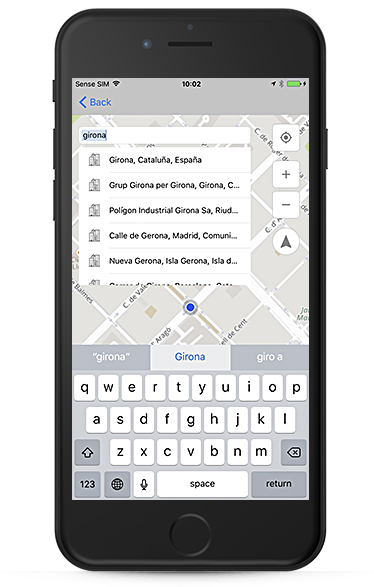
Where:

ValueDescription
idRoute ID
distRoute distance, in km
timeRoute time (HH:MM:SS)
realtimeRoute time, including real-time traffic (HH:MM:SS), if iweight=realtime
hasferriesInforms if the route includes some ferry (only if request includes &iweight=ferry and &report=0)
hastollsInforms if the route includes some toll roads (only if request includes &iweight=toll and &report=0)

Stagegeometry:

Response includes a WKT with the route polyline, using standard Well-known Text Representation for Geometry".

Geometry TypeText Literal RepresentationComment
Point‘POINT (10 10)’a Point
LineString‘LINESTRING ( 10 10, 20 20, 30 40)’a LineString with 3 points
Polygon‘POLYGON ((10 10, 10 20, 20 20, 20 15, 10 10))’a Polygon with 1 exteriorRing and 0 interiorRings
Multipoint‘MULTIPOINT (10 10, 20 20)’a MultiPoint with 2 points
MultiLineString‘MULTILINESTRING ((10 10, 20 20), (15 15, 30 15))’a MultiLineString with 2 linestrings
MultiPolygon‘MULTIPOLYGON ( ((10 10, 10 20, 20 20, 20 15, 10 10)), ((60 60, 70 70, 80 60, 60 60 ) ))’a MultiPolygon with 2 polygons
GeomCollection‘GEOMETRYCOLLECTION (POINT (10 10), POINT (30 30), LINESTRING (15 15, 20 20))’a GeometryCollection consisting of 2 Point values and a LineString value

More info: OpenGIS® Implementation Specification for Geographic information - Simple feature access - Part 1: Common architecture.

In case of route polyline, geometry type can be LineString or MultiLineString.

Route report:

In case of &report=1, response includes the textual route description. You can get it in several languages, using &lang= parameter.

https://lb.cercalia.com/services/v2/json?cmd=route&report=1&mo_o=41.450136756,2.247414161&mo_d=41.387913581,2.169916501&mocs=gdd&weight=time&iweight=realtime,toll,ferry&stagegeometry=1&stagegeometrytolerance=0&stagegeometrysrs=EPSG:4326&key=07de1b67aa00baf5f1284298f88132e3914e4fb380fce9d91c815aa372fe67c4
{
    "cercalia": {
        "@cmd": "route",
        "@version": "1",
        "route": {
            "@breaktime": "00:00:00",
            "@coste_v1": "0.0",
            "@coste_v2": "0.0",
            "@coste_v3": "0.0",
            "@dest": "%",
            "@dist": "10.173",
            "@hasferries": "0",
            "@hastolls": "0",
            "@icost": "1349663,0,0",
            "@id": "26380911,26351346@21|0.9687500000000001,0.026229508196721228||**********",
            "@iweight": "realtime,toll,ferry",
            "@lang": "es",
            "@mindist": "1000",
            "@orig": "%",
            "@realtime": "00:22:29",
            "@time": "00:22:30",
            "@totaltime": "00:22:29",
            "@weight": "time",
            "stoplist": {
                "stop": [
                    {
                        "@by": "false",
                        "@id": "o",
                        "mo": {
                            "@id": "",
                            "coord": {
                                "@x": "2.24741416",
                                "@y": "41.45013676"
                            }
                        }
                    },
                    {
                        "@by": "false",
                        "@id": "d",
                        "mo": {
                            "@id": "",
                            "coord": {
                                "@x": "2.1699165",
                                "@y": "41.38791358"
                            }
                        }
                    }
                ]
            },
            "getpoicats": {},
            "stages": {
                "stage": [
                    {
                        "@coste_v1": "0.0",
                        "@coste_v2": "0.0",
                        "@coste_v3": "0.0",
                        "@dest": "%",
                        "@dest_stop_id": "d",
                        "@dist": "10.173",
                        "@hasferries": "0",
                        "@hastolls": "0",
                        "@icost": "1349663,0,0",
                        "@id": "1,2,3,4,5,6,7,8,9,10,11,12,13,14",
                        "@iweight": "realtime,toll,ferry",
                        "@orig": "%",
                        "@orig_stop_id": "o",
                        "@realtime": "00:22:30",
                        "@time": "00:22:30",
                        "wkt": {
                            "value": "LINESTRING (2.2474186525394804 41.450133376580176, 2.2472794136704417 41.450028617340486, 2.24718958214203 41.44997454798879, 2.2468212728755406 41.44979206359164, 2.2467404244999702 41.44974475273758, 2.246632626665876 41.44969744184876, 2.246084654342563 41.44943385197471, 2.245976856508469 41.44938654085747, 2.245869058674374 41.449345988443575, 2.2456534630061857 41.449264883539186, 2.2455097325607265 41.44951495666627, 2.245357018962426 41.449785304900324, 2.2451953222112846 41.45005565199931, 2.244988709695937 41.449927237268824, 2.244809046639113 41.44982585703754, 2.244611417276607 41.44970420054929, 2.243874798743629 41.44931219474583, 2.242859702472574 41.44873094036862, 2.242689022568591 41.44862955825381, 2.2425273258174494 41.44853493480264, 2.242410544830514 41.44844707004491, 2.2421141007867544 41.44823078705355, 2.241961387188454 41.44813616301639, 2.2417098589089006 41.44816319846977, 2.2412427349611588 41.44816319846977, 2.2407845941662576 41.448129404151274, 2.2401737397730566 41.448210510485865, 2.2394011886287135 41.44837272284857, 2.238898132069607 41.44843355237923, 2.237927951562758 41.44850789950533, 2.237478793920698 41.44854169362519, 2.237281164558192 41.448548452447035, 2.2368140406104495 41.448582246545605, 2.2366882764706726 41.44861604062644, 2.236616411247943 41.44862955825381, 2.2365086134138488 41.44864983468954, 2.236212169370089 41.44867686992725, 2.236059455771789 41.448582246545605, 2.2357540285751885 41.44832541095165, 2.2351162247234635 41.4477171120376, 2.234954527972322 41.447561656948785, 2.234756898609816 41.44738592465735, 2.2334633246006836 41.44597328997, 2.2332297626268125 41.445594779718114, 2.2331309479455594 41.445493392665746, 2.2329962006529414 41.44535145052426, 2.232663823997817 41.445006732592454, 2.2325380598580407 41.44487830779316, 2.2311995700847027 41.443519692915494, 2.2305168504687716 41.44281671675241, 2.2302293895778535 41.4425193014505, 2.2301485412022823 41.44243818794798, 2.2299688781454585 41.44226244167542, 2.2293041248352106 41.44158649000397, 2.2291783606954336 41.44145129881839, 2.228378860092567 41.440646905397095, 2.228145298118696 41.44039679783221, 2.2278308877692545 41.44008585193784, 2.226815791498199 41.43903808841698, 2.2266361284413754 41.43884881318928, 2.2263576507032985 41.438531099949614, 2.226249852869204 41.438409422123684, 2.226213920257839 41.438362102907085, 2.226160021340792 41.438294503965935, 2.2260971392709035 41.438213385142895, 2.2260162908953327 41.43811198647045, 2.2256389984760028 41.43754415095513, 2.225441369113496 41.43720615124812, 2.2251269587640543 41.43660450738168, 2.225001194624278 41.436307063394494, 2.2248125484146124 41.435813573749954, 2.22464186851063 41.435178115762966, 2.224561020135059 41.4348333433811, 2.2242915255498232 41.43315677687011, 2.2242376266327764 41.43292016114768, 2.2241118624929994 41.43255509518557, 2.2238872836719694 41.43210214009786, 2.2237435532265106 41.43185199935621, 2.2236177890867337 41.43167622420003, 2.2234291428770683 41.43143960304021, 2.2232854124316095 41.43128410866203, 2.2230877830691034 41.43106776803335, 2.2226925243440907 41.43067564879241, 2.2217762427542884 41.42978323058986, 2.2212552198894993 41.4293099734975, 2.2205725002735686 41.42874882129812, 2.2200694437144617 41.42838373170106, 2.2196562186837667 41.428126815559466, 2.2193238420286425 41.42793074728856, 2.2189734990678356 41.427754961435035, 2.218560274037141 41.427565653056504, 2.2180572174780337 41.42732225575263, 2.2176529756001804 41.42714646823919, 2.2173385652507385 41.42700448566672, 2.2172936494865323 41.426977441331736, 2.216961272831408 41.42680841398093, 2.2167905929274254 41.42672051958329, 2.216718727704696 41.426686714013826, 2.2162965195211597 41.42643655224857, 2.2157305808921643 41.42603088245686, 2.2156227830580697 41.42594974819208, 2.215155659110328 41.42555083657113, 2.214778366690998 41.42518572885548, 2.2141764954506375 41.42446226856814, 2.2141225965335907 41.424408177753065, 2.2139968323938133 41.424272950516745, 2.2137542872671014 41.42397544959808, 2.213655472585848 41.42385374428099, 2.2129907192756 41.42306941561328, 2.212757157301729 41.42285980892201, 2.212649359467634 41.422765147612196, 2.212442746952287 41.42262991692842, 2.212218168131257 41.422454116615306, 2.2117690104891974 41.422109276146784, 2.2114096843755497 41.421832050118574, 2.210457470174383 41.42110855218441, 2.2098555989340225 41.420669040128296, 2.2074660802782646 41.418877152268024, 2.204995713246936 41.41701759332929, 2.2048250333429533 41.416889112730516, 2.2040973979628165 41.41634137677876, 2.2035494256395034 41.41593564344364, 2.2018336434468355 41.414650804369074, 2.201600081472964 41.414474982293385, 2.2014383847218224 41.414353259037014, 2.198384112755816 41.41207428675143, 2.198276314921722 41.41199989757437, 2.1970186735239547 41.4110869325019, 2.195796964737552 41.41017395450209, 2.1949974641346857 41.40957205823173, 2.19472796954945 41.40938269644548, 2.1944674581170553 41.409193334103136, 2.194090165697725 41.40887547463546, 2.1936589743613477 41.40855085058315, 2.193452361846 41.408408827046365, 2.1932996482476996 41.408293855382716, 2.192985237898258 41.40805038530066, 2.1926977770073397 41.407820440490205, 2.192616928631769 41.40775957260901, 2.1925091307976747 41.40768517845395, 2.192428282422104 41.407617547329444, 2.1914042029982075 41.40685331069304, 2.191287422011272 41.40676538908314, 2.1911706410243363 41.40667746735338, 2.1906765676180706 41.40629872622401, 2.1902094436703288 41.40594027274917, 2.1894099430674623 41.40541273382273, 2.189131465329385 41.405209833086566, 2.189041633800973 41.405135435990026, 2.188655358228802 41.40485813696498, 2.1884756951719777 41.40471610529528, 2.188349931032201 41.404621417341694, 2.188251116350948 41.40454025612797, 2.1880984027526478 41.404418514115875, 2.187981621765712 41.40431706226357, 2.1878917902373 41.40425619107559, 2.187783992403206 41.40418179287892, 2.1874336494423994 41.40393154376935, 2.186795845590675 41.403518968792945, 2.1867149972151037 41.403458096851686, 2.186122109127585 41.40301170086026, 2.185672951485525 41.40266675638706, 2.1855382041929072 41.402545010838395, 2.184981248716753 41.402044498946125, 2.1845859899917404 41.4017401317071, 2.184514124769011 41.40167925808693, 2.1838673377644446 41.40120579463556, 2.1834810621922736 41.400921714896484, 2.183409196969544 41.40096906160655, 2.183355298052497 41.40100288066389, 2.182897157257596 41.400637633906214, 2.1827354605064544 41.40050912066625, 2.182295286017236 41.40019798228805, 2.182385117545648 41.40011681550777, 2.182456982768377 41.400069468172106, 2.18262766267236 41.399947717720806, 2.183705641013303 41.399102222136456, 2.183921236681492 41.39893988571605, 2.184828535118453 41.39824318727274, 2.183741573624668 41.39743825445959, 2.1836966578604624 41.397397669345885, 2.183508011650797 41.39725562124685, 2.1834361464280674 41.39720827181098, 2.182465965921218 41.39650479038429, 2.1822413871001887 41.39632891882894, 2.1816664653183517 41.39586218045351, 2.1814059538859576 41.39567954277869, 2.181343071816069 41.395632192186, 2.1802111945580784 41.394779875574535, 2.1790703341472466 41.39394107680442, 2.178917620548946 41.39382607934877, 2.1780103221119855 41.39312932567538, 2.17789354112505 41.393041385356575, 2.176833529089789 41.392229622907614, 2.1757016518317984 41.39137726134396, 2.175405207788039 41.39114725708806, 2.1745787577266493 41.39052488852002, 2.1735995940669586 41.389834864177146, 2.1734109478572936 41.38969956442108, 2.1728450092282983 41.38927336833513, 2.1725665314902214 41.3890704168286, 2.172512632573174 41.38900276618457, 2.172449750503286 41.38893511546962, 2.1723509358220325 41.388799813826935, 2.1720365254725906 41.38869833740873, 2.1719556770970203 41.38866451190054, 2.1718299129572434 41.38861715615927, 2.1709944797430123 41.38831272556419, 2.170617187323682 41.388170657461636, 2.1703566758912873 41.38808271038426, 2.1702488780571927 41.38803535421603, 2.1701859959873047 41.38801505870472, 2.1701320970702573 41.387994763187024, 2.1699883666247985 41.387940641775295, 2.1699434508605924 41.38792711141527, 2.1699147047715006 41.387916287125215)"
                        },
                        "sub_stage": [
                            {
                                "@angle": "344.0",
                                "@hasferries": "0",
                                "@hastolls": "0",
                                "@icost": "272993,0,0",
                                "@id": "1,2,3,4,5",
                                "@name": "Rambla de Sant Joan",
                                "@pkFi": "",
                                "@pkIni": "",
                                "@realtime": "00:04:33",
                                "@type": "L",
                                "start": {
                                    "@x": "2.24741416",
                                    "@y": "41.45013676"
                                },
                                "end": {
                                    "@x": "2.23621217",
                                    "@y": "41.44867687"
                                },
                                "time": {
                                    "value": "00:04:33"
                                },
                                "time_sum": {
                                    "value": "00:04:33"
                                },
                                "dist": {
                                    "value": "1.087"
                                },
                                "dist_sum": {
                                    "value": "1.087"
                                },
                                "time_seconds": {
                                    "value": "273"
                                },
                                "dist_meters": {
                                    "value": "1088"
                                },
                                "view": {
                                    "value": "0"
                                },
                                "desc": {
                                    "value": "Partir de <b>%</b> por carretera N-II hasta llegar al cruce con  Avinguda de Martí Pujol.<br>Girar hacia la derecha y seguir por  Avinguda de Martí Pujol hasta llegar al cruce con  Carrer d'Anselm Clavé.<br>Girar hacia la izquierda y seguir por  Carrer d'Anselm Clavé hasta llegar al cruce con  Plaça de l'Alcalde Xifré.<br>Seguir recto por  Plaça de l'Alcalde Xifré hasta llegar al cruce con  Rambla de Sant Joan.<br>Girar hacia la derecha y seguir por  Rambla de Sant Joan hasta llegar al cruce con  Carrer de la Concòrdia"
                                },
                                "municipios": {
                                    "municipio": [
                                        {
                                            "@id": "ESP080155",
                                            "@name": "Badalona"
                                        }
                                    ]
                                },
                                "poilist": {},
                                "arealist": {}
                            },
                            {
                                "@angle": "349.0",
                                "@hasferries": "0",
                                "@hastolls": "0",
                                "@icost": "533304,0,0",
                                "@id": "6,7",
                                "@name": "C-31",
                                "@pkFi": "",
                                "@pkIni": "",
                                "@realtime": "00:08:53",
                                "@type": "B",
                                "start": {
                                    "@x": "2.23621217",
                                    "@y": "41.44867687"
                                },
                                "end": {
                                    "@x": "2.18348106",
                                    "@y": "41.40092171"
                                },
                                "time": {
                                    "value": "00:08:53"
                                },
                                "time_sum": {
                                    "value": "00:13:26"
                                },
                                "dist": {
                                    "value": "6.960"
                                },
                                "dist_sum": {
                                    "value": "8.047"
                                },
                                "time_seconds": {
                                    "value": "534"
                                },
                                "dist_meters": {
                                    "value": "6961"
                                },
                                "view": {
                                    "value": "0"
                                },
                                "desc": {
                                    "value": "Girar hacia la izquierda y seguir por  Carrer de la Concòrdia hasta encontrar Autovía C-31.<br>Seguir por Autovía C-31 hasta llegar al cruce con  Carrer de Padilla"
                                },
                                "municipios": {
                                    "municipio": [
                                        {
                                            "@id": "ESP080155",
                                            "@name": "Badalona"
                                        },
                                        {
                                            "@id": "ESP081944",
                                            "@name": "Sant Adrià de Besòs"
                                        },
                                        {
                                            "@id": "ESP080193",
                                            "@name": "Barcelona"
                                        }
                                    ]
                                },
                                "poilist": {},
                                "arealist": {},
                                "signal": {
                                    "data": {
                                        "@type": "9D",
                                        "@value": "Barcelona"
                                    }
                                }
                            },
                            {
                                "@angle": "271.0",
                                "@hasferries": "0",
                                "@hastolls": "0",
                                "@icost": "458259,0,0",
                                "@id": "8,9,10,11",
                                "@name": "Carrer d'Ausiàs March",
                                "@pkFi": "",
                                "@pkIni": "",
                                "@realtime": "00:07:38",
                                "@type": "L",
                                "start": {
                                    "@x": "2.18348106",
                                    "@y": "41.40092171"
                                },
                                "end": {
                                    "@x": "2.17341095",
                                    "@y": "41.38969956"
                                },
                                "time": {
                                    "value": "00:07:38"
                                },
                                "time_sum": {
                                    "value": "00:21:05"
                                },
                                "dist": {
                                    "value": "1.774"
                                },
                                "dist_sum": {
                                    "value": "9.821"
                                },
                                "time_seconds": {
                                    "value": "459"
                                },
                                "dist_meters": {
                                    "value": "1775"
                                },
                                "view": {
                                    "value": "0"
                                },
                                "desc": {
                                    "value": "Salir de Autovía C-31 y seguir por  Carrer de Padilla hasta llegar al cruce con  Gran Via de les Corts Catalanes.<br>Girar hacia la izquierda y seguir por  Gran Via de les Corts Catalanes hasta llegar al cruce con  Carrer de Lepant.<br>Girar hacia la izquierda y seguir por  Carrer de Lepant hasta llegar al cruce con  Carrer d'Ausiàs March.<br>Girar hacia la derecha y seguir por  Carrer d'Ausiàs March hasta llegar al cruce con  Plaça d'Urquinaona"
                                },
                                "municipios": {
                                    "municipio": [
                                        {
                                            "@id": "ESP080193",
                                            "@name": "Barcelona"
                                        }
                                    ]
                                },
                                "poilist": {},
                                "arealist": {}
                            },
                            {
                                "@angle": "5.0",
                                "@hasferries": "0",
                                "@hastolls": "0",
                                "@icost": "85107,0,0",
                                "@id": "12,13,14",
                                "@name": "Plaça de Catalunya",
                                "@pkFi": "",
                                "@pkIni": "",
                                "@realtime": "00:01:25",
                                "@type": "L",
                                "start": {
                                    "@x": "2.17341095",
                                    "@y": "41.38969956"
                                },
                                "end": {
                                    "@x": "2.1699165",
                                    "@y": "41.38791358"
                                },
                                "time": {
                                    "value": "00:01:25"
                                },
                                "time_sum": {
                                    "value": "00:22:30"
                                },
                                "dist": {
                                    "value": "0.352"
                                },
                                "dist_sum": {
                                    "value": "10.173"
                                },
                                "time_seconds": {
                                    "value": "86"
                                },
                                "dist_meters": {
                                    "value": "353"
                                },
                                "view": {
                                    "value": "0"
                                },
                                "desc": {
                                    "value": "Seguir recto por  Plaça d'Urquinaona hasta llegar al cruce con  Ronda de Sant Pere.<br>Girar hacia la derecha y seguir por  Ronda de Sant Pere hasta llegar al cruce con  Plaça de Catalunya.<br>Seguir recto por  Plaça de Catalunya en dirección a <b>%</b>."
                                },
                                "municipios": {
                                    "municipio": [
                                        {
                                            "@id": "ESP080193",
                                            "@name": "Barcelona"
                                        }
                                    ]
                                },
                                "poilist": {},
                                "arealist": {}
                            }
                        ]
                    }
                ]
            }
        },
        "server": {
            "value": "lb.cercalia.com"
        },
        "instance": {
            "value": "http://master-cercalia-lbs-both-lines"
        }
    }
}
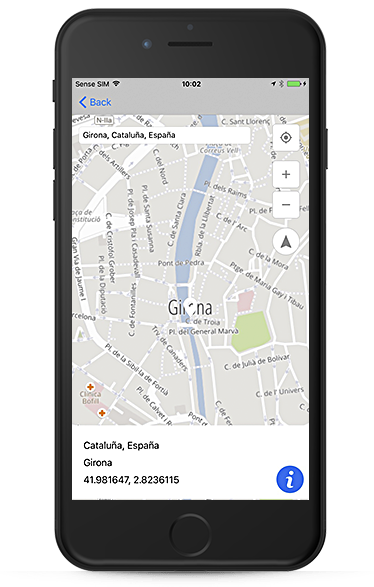
Route (walking)

Request

Example:

https://lb.cercalia.com/services/v2/json?cmd=route&mo_o=[2.825707,41.973398|o]&mo_d=[2.825536,41.970830|d]&mocs=4326&weight=time&stagegeometry=true&stagegeometrysrs=EPSG:4326&net=espw&direction=both&report=0&key=YOUR_API_KEY

Where:

ValueDescription
report0 route report text instructions not available
mo_oOrigin (Y,X)
mo_dDestination (Y,X)
mo_1,nWaypoints (Y,X) -> 1, … n
weightRoute type:
time (quickest)
distance (shortest)
stagegeometry1/0 Include or not the geometry of the path (polyline) in WKT format. In case the request includes waypoints, the geometry is divided for each stage
stagegeometrysrsEPSG:4326 indicates that the geometry of the polyline will be returned in geographic coordinates
stagegeometrytoleranceRoute geometry simplification, in meters. Default: 100 m
stagegeometrysrsEPSG:4326 Route geometry coordinate system (EPSG:4326 = geographic coordinate system)
netCountry (espw, or usaw)
directionboth (mandatory)

Advanced parameters: route optimization:

ValueDescription
reorder1 Optimize the route considering the travel time or distance. Up to 100 waypoints.
startwindowx_1First date and time (FROM) restriction for every waypoint, in ISO 8601 format. Only used if reorder=1. Example: &startwindow1_1=2021-10-21T07:30:00Z
endwindowx_1First date and time (TO) restriction for every waypoint, in ISO 8601 format. Only used if reorder=1. Example: &endwindow1_1=2021-10-21T07:40:00Z
startwindowx_2Second date and time (FROM) restriction for every waypoint, in ISO 8601 format. Only used if reorder=1. Example: &startwindow1_2=2021-10-21T17:30:00Z
endwindowx_2Second date and time (TO) restriction for every waypoint, in ISO 8601 format. Only used if reorder=1. Example: &endwindow1_2=2021-10-21T22:40:00Z
duration_xStop duration, in seconds. Default value: 0
priority_xValue from 0 to 100, meaning the priority including every waypoint in the optimized route. It only will be used if some waypoints can’t be attended. Only used if reorder=1.

Response

{
    "cercalia": {
        "@cmd": "route",
        "@version": "1",
        "route": {
            "@breaktime": "00:00:00",
            "@dest": "d",
            "@dist": "0.315",
            "@id": "12313803,1354563@12|0.4023076923076923,0.19352612344622439|espw|**********",
            "@orig": "o",
            "@time": "00:04:12",
            "@totaltime": "00:04:11",
            "@weight": "time",
            "stoplist": {
                "stop": [
                    {
                        "@by": "false",
                        "@id": "o",
                        "mo": {
                            "@id": "o",
                            "coord": {
                                "@x": "2.82570463",
                                "@y": "41.97339606"
                            }
                        }
                    },
                    {
                        "@by": "false",
                        "@id": "d",
                        "mo": {
                            "@id": "d",
                            "coord": {
                                "@x": "2.82553395",
                                "@y": "41.97082858"
                            }
                        }
                    }
                ]
            },
            "getpoicats": {},
            "stages": {
                "stage": [
                    {
                        "@dest": "d",
                        "@dest_stop_id": "d",
                        "@dist": "0.315",
                        "@orig": "o",
                        "@orig_stop_id": "o",
                        "@time": "00:04:12",
                        "@weight": "time",
                        "wkt": {
                            "@cs": "EPSG:4326",
                            "@tolerance": "100.0",
                            "value": "LINESTRING (2.8257129863572614 41.97339435550023, 2.8255519115167016 41.97295362775434, 2.825578860975225 41.97238382776469, 2.8255608946695427 41.97237712420483, 2.825569877822384 41.97230338499955, 2.825587844128066 41.9722497564326, 2.8258483555604608 41.970929138619645, 2.825857338713302 41.97087550888706, 2.825534763830058 41.97082465562768)"
                        }
                    }
                ]
            }
        },
        "server": {
            "value": "lb.cercalia.com"
        },
        "instance": {
            "value": "http://master-cercalia-lbs-both-lines"
        }
    }
}

Where:

ParameterDescription
idRoute ID
distRoute distance, in km
timeRoute time (HH:MM:SS)

Stagegeometry:

Response includes a WKT with the route polyline, using standard Well-known Text Representation for Geometry".

Geometry TypeText Literal RepresentationComment
Point‘POINT (10 10)’a Point
LineString‘LINESTRING ( 10 10, 20 20, 30 40)’a LineString with 3 points
Polygon‘POLYGON ((10 10, 10 20, 20 20, 20 15, 10 10))’a Polygon with 1 exteriorRing and 0 interiorRings
Multipoint‘MULTIPOINT (10 10, 20 20)’a MultiPoint with 2 points
MultiLineString‘MULTILINESTRING ((10 10, 20 20), (15 15, 30 15))’a MultiLineString with 2 linestrings
MultiPolygon‘MULTIPOLYGON ( ((10 10, 10 20, 20 20, 20 15, 10 10)), ((60 60, 70 70, 80 60, 60 60 ) ))’a MultiPolygon with 2 polygons
GeomCollection‘GEOMETRYCOLLECTION (POINT (10 10), POINT (30 30), LINESTRING (15 15, 20 20))’a GeometryCollection consisting of 2 Point values and a LineString value

More info: OpenGIS® Implementation Specification for Geographic information - Simple feature access - Part 1: Common architecture.

In case of route polyline, geometry type can be LineString or MultiLineString.

Truck routing

Truck routing includes road logistic restrictions for providing better routes. Includes:

  • Route distance and route time
  • Route polyline (in WKT format).
  • Toll costs, available in Spain, Portugal and France.
  • Truck restrictions (weight, height, length, width, max speed).

The request & response format is the same as in the case of a normal route, but additionaly includes specific parameters to indicate the types of restrictions to take into account.

Request

Common route parameters:

ValueDescription
report0 / 1 route report with text instructions (optional).
mo_oOrigin - Y,X in case of geographical coordinate system (ex: London = 51.50015,-0.12624), X,Y for other coordinate systems (Mercator, UTM, etc).
mo_dDestination - Y,X in case of geographical coordinate system (ex: London = 51.50015,-0.12624), X,Y for other coordinate systems (Mercator, UTM, etc).
mo_1,nWaypoints - Y,X in case of geographical coordinate system (ex: London = 51.50015,-0.12624), X,Y for other coordinate systems (Mercator, UTM, etc) -> 1, … n
weightRoute type: time (quickest), distance (shortest), money (quickest avoiding toll roads), realtime (quickest, considering real time traffic data), timerimp (dangerous goods)
iweightProvides additional information on route calculation. It allows to indicate different parameters, separated by commas: realtime (Use this parameter to obtain the time of the route, based on the current traffic state), toll (Use this parameter to determine if the route passes through a toll road section. Use only if &report = 0), ferry (Use this parameter to obtain if the route passes through a ferry leg. Use only if &report = 0)
stagegeometry1/0 Include or not the geometry of the path (polyline) in WKT format. In case the request includes waypoints, the geometry is divided for each stage
stagegeometrytoleranceRoute geometry simplification, in meters. Default: 100 m
stagegeometrysrsEPSG:4326 Route geometry coordinate system (EPSG:4326 = geographic coordinate system)

Truck routing specific parameters:

  • net=logistics Routing specific for trucks
ParameterDescription
vweightVehicle weight, in tons
vaxleweightVehicle axle weight, in tons
vheightVehicle height, in meters
vlengthVehicle length, in meters
vwidthVehicle width, in meters
vmaxvelMaximum vehicle speed, in km/h
blockvweightPrevent usage of restricted roads with a maximum weight lower than that indicated in the vweight parameter. Default: false.
avoidvweightAvoid, if possible, the usage of restricted roads with a maximum weight lower than that indicated in the vweight parameter. Default: true.
blockvaxleweightPrevent usage of restricted roads with a maximum axle weight lower than that indicated in the vaxleweight parameter. Default: false.
avoidvaxleweightAvoid, if possible, the usage of restricted roads with a maximum axle weight lower than that indicated in the vaxleweight parameter. Default: true.
blockvheightPrevent usage of restricted roads with a maximum height lower than that indicated in the vheight parameter. Default: false.
avoidvheightAvoid, if possible, the usage of restricted roads with a maximum height lower than that indicated in the vheight parameter. Default: true.
blockvlengthPrevent usage of restricted roads with a maximum length lower than that indicated in the vlength parameter. Default: false.
avoidvlengthAvoid, if possible, the usage of restricted roads with a maximum length lower than that indicated in the vlength parameter. Default: true.
blockvwidthPrevent usage of restricted roads with a maximum width lower than that indicated in the vwidth parameter. Default: false.
avoidvwidthAvoid, if possible, the usage of restricted roads with a maximum width lower than that indicated in the vwidth parameter. Default: true.

Example:

https://lb.cercalia.com/services/v2/json?cmd=route&net=logistics&mo_o=40.418372,-3.676642&mo_d=40.432961,-3.649504&mo_1=40.429048,-3.666815&mo_2=40.429446,-3.653268&weight=time&VWEIGHT=12&mocs=gdd&key=YOUR_API_KEY

Routing based on departure time:

ValueDescription
weightRoute type:
sptime (quickest, based on departure time)
spmoney (quickest, based on departure time and avoiding toll roads)
departuretimeDeparture date and time, in ISO 8601 format. UTC time example: 2019-10-16T07:30:12Z. *Mandatory if using weight=sptime/spmoney

Specific parameters to include temporary restrictions (roads closed on certain days and/or time slots):

ParameterDescription
trstartStarting date and time measured in milliseconds since epoch (January 1, 1970 UTC). It is only taken into account to avoid temporary restrictions.
trdeparturetimeStarting date and time in ISO 8601 format. Example for UTC time: 2007-04-05T14:30:12Z. It is only taken into account to avoid temporary restrictions. It is converted to trstart format internally.
trinfodateStarting date. API informs (not avoids) temporary restrictions in YYYYMMDD format.
trinfodaysNumber of days from trinfodate on which will be reported the temporary restrictions. (Default 1)

Optional:

ValueDescription
alternativesUse this parameter for getting alternative routes. It only works on routes optimized by time and distance. Default: false
directionSpecify how to choose the direction of departure/arrival at the stops. Default: “default” value.
default: If it is a secondary road, uses both directions. If it is an important road, uses the one where the stop is located on the right. If an angle is specified, uses the direction closest to the angle.
both: Uses both road directions.
blockrealtimeLet you prevent the passage of roads blocked by works or other damages. This blocking is applied even if there are no alternative routes: if there is no possible route, returns an error. Default: false.
avoidblockrealtimeLet you prevent the passage of roads blocked by works or other damages. This blocking is only applied if there are alternative routes. Default: true.
blockferriesNever use ferries, returning error if there’s no possible route. Default: false.
avoidferriesTry to avoid ferries, but will take it if it’s the only way to get a route. Default: true.
showbreaktimesShow mandatory rest time along the route (tachograph). Default (truck routes): true.
langReport text language, if &report=1. Values:
es: Spanish
fr: French
de: German
it: Italian
ca: Catalan
pt: Portuguese
en: English
nl: Dutch

Advanced parameters: route optimization:

  • reorder=1 Optimize the route considering the travel time or distance. Up to 100 waypoints.
  • Time restrictions:
ValueDescription
reorder1 Optimize the route considering the travel time or distance. Up to 100 waypoints.
startwindowx_1First date and time (FROM) restriction for every waypoint, in ISO 8601 format. Only used if reorder=1. Example: &startwindow1_1=2021-10-21T07:30:00Z
endwindowx_1First date and time (TO) restriction for every waypoint, in ISO 8601 format. Only used if reorder=1. Example: &endwindow1_1=2021-10-21T07:40:00Z
startwindowx_2Second date and time (FROM) restriction for every waypoint, in ISO 8601 format. Only used if reorder=1. Example: &startwindow1_2=2021-10-21T17:30:00Z
endwindowx_2Second date and time (TO) restriction for every waypoint, in ISO 8601 format. Only used if reorder=1. Example: &endwindow1_2=2021-10-21T22:40:00Z
duration_xStop duration, in seconds. Default value: 0
priority_xValue from 0 to 100, meaning the priority including every waypoint in the optimized route. It only will be used if some waypoints can’t be attended. Only used if reorder=1.

Response

ElementElementElementElementElementDescription
@idRoute identifier
@origRoute origin name
@destRoute destination name
@langReport language
@distTotal calculated route distance
@timeTotal calculated route time
@weightCost used in route calculation
stoplist
stop
@idStop identifier (origin, destination, stage1, stage2)
geThe stop is a geo-entity
@idGeo-entity code
@nameGeo-entity name
@typeGeo-entity type (ctry, ct, st, …)
nameValueGeo-entity name
city@idCity code
ValueCity name
municipality@idMunicipality code
ValueMunicipality name
subregion@idSubregion code
ValueSubregion name
region@idRegion code
ValueRegion name
country@idCountry code
ValueCountry name
coord@xCoordinate x
@yCoordinate y
poiThe stop is a point of interest
@category_idPoint of interest category
@idPoint of interest identifier
nameValuePoint of interest name
infoValuePoint of interest information
coord@xCoordinate x
@yCoordinate y
moThe stop is a mobile object
@idMobile object identifier
statusValueStatus
descValueDescription
coord@xCoordinate x
@yCoordinate y
stages
stage
@origStage origin
@destStage destination
substage
@idSubstage identifier
@angleAngle formed with the previous stage
@nameSubstage name
@typeSubstage road type *
descValueSubstage description
timeValueTime to cross the substage
time_sumValueCumulative time
distValueDistance to cross the substage
dist_sumValueCumulative distance
start
@xStart coord. X of the substage
@yStart coord. Y of the substage
end
@xEnd coord. X of the substage
@yEnd coord. Y of the substage
restrictionsList of restrictions
restrictionSee 0 Logistical restriction elements
municipalitiesMunicipalities passed through
municipalityA municipality
@idMunicipality identifier
@nameMunicipality name

* @type values (substage road type):

ValueDescription
AHighway
GFerry
IMain road
KSecondary road
JLocal roads, with no name
LMain streets
MMinor streets
RRoundabout
SJunction
TService road

Logistic road restriction elements

Each substage of the route report includes the restrictions that have been found and their coordinates.

<restrictions>
	<restriction height="2.2" x="245771" y="5046066"/>
	<restriction height="2.2" x="246247" y="5046538"/>
</restrictions>
ElementElemDescription
restriction
@xCoord X
@yCoord Y
@weightMaximum vehicle weight (if reported).
@axleweightMaximum vehicle axle weight (if reported).
@heightMaximum vehicle height (if reported).
@widthMaximum vehicle width (if reported).
@lengthMaximum vehicle length (if reported).

Mandatory breaktimes (tachograph)

For truck routes, the showbreaktimes parameter is activated by default, which incorporates the following information in the response:

ParameterDescription
totaltimeTotal route time, including mandatory stops
breaktimeTotal time of mandatory stops accumulated along the route
breakpointsMandatory stops along the route, including duration, type and coordinates

Multipoint massive routing

Calculate the distance and driving time between all the points indicated, with all possible combinations respecting the order. For example, you can include:

  • Several assistance vehicles (with their current location) that can attend to an incident.
  • The location of an incident to attend (for example a damaged car).
  • The destination workshop where to take the car.
  • The return bases to which the vehicles have to finish the service.

In this way, it calculates all the route combinations, respecting the order vehicle assistance -> damaged vehicle -> destination workshop -> base where to return

Likewise, it can take into account the traffic state, as in the case of the generic route calculation.

Request

Example:

https://lb.cercalia.com/services/v2/json?cmd=route&molist_o=[40.390477919,-3.663617190,|Vehiculo1],[%2040.401144209,-3.692551925|Vehiculo2]&mo_1=[40.387970785,-3.722825150|Incidencia]&molist_2=[40.404172767,-3.698283176|Taller1],[%2040.352579254,-3.716509993|Taller2]&molist_d=[40.334976144,-3.761398808|Base1],[%2040.266864021,-3.752307858|Base2]&mocs=gdd&weight=time&key=YOUR_API_KEY

Where:

ParameterDescription
Starting point / points
mo_oStarting point [Y,X|ID]
molist_oList of starting points [Y,X|ID],[Y,X|ID] …
Route waypoint / waypoints
mo_1Waypoint [Y,X|ID]
molist_1List of waypoints [Y,X|ID],[Y,X|ID] …
Optional: 2nd waypoint / waypoints (and so on)
mo_2Waypoint [Y,X|ID]
molist_2List of waypoints [Y,X|ID],[Y,X|ID] …
Route destination point / points
mo_dDestination point [Y,X|ID]
molist_dList of destination points [Y,X|ID],[Y,X|ID] …
Coordinate System
mocsgdd coordinate system (gdd = geographical - lat, long)
Route type (weight)
weightRoute type: time (quickest), distance (shortest), money (quickest avoiding toll roads), realtime (quickest, considering real time traffic data), timerimp (dangerous goods)
Additional route information (iweight)
iweightProvides additional information on route calculation. It allows different parameters, separated by commas: realtime, toll, ferry
realtimeUse this parameter to obtain the time of the route, based on the current traffic state.
tollUse this parameter to determine if the route passes through a toll road section (only if &report = 0).
ferryUse this parameter to determine if the route passes through a ferry leg (only if &report = 0).

Routing based on departure time:

  • weight= route type:
    • sptime (quickest, based on departure time)
    • spmoney (quickest, based on departure time and avoiding toll roads)
  • departuretime= departure date and time, in ISO 8601 format. UTC time example:  2019-10-16T07:30:12Z  *Mandatory if using weight=sptime/spmoney.

Response

{
    "cercalia": {
        "@cmd": "route",
        "@version": "1",
        "route": [
            {
                "@breaktime": "00:00:00",
                "@dest": "Base1",
                "@dist": "24.185",
                "@id": "7133706,7111774,7115353,7078353@2311|0.46953064369354214,1.0,0.9397763453489508,0.5097888675623801|",
                "@orig": "Vehiculo1",
                "@time": "00:46:53",
                "@totaltime": "00:46:53",
                "@weight": "*",
                "stoplist": {
                    "stop": [
                        {
                            "@by": "false",
                            "@id": "o",
                            "mo": {
                                "@id": "Vehiculo1",
                                "coord": {
                                    "@x": "-3.66361719",
                                    "@y": "40.39047792"
                                }
                            }
                        },
                        {
                            "@by": "false",
                            "@id": "1",
                            "mo": {
                                "@id": "Incidencia",
                                "coord": {
                                    "@x": "-3.72282515",
                                    "@y": "40.38797079"
                                }
                            }
                        },
                        {
                            "@by": "false",
                            "@id": "2",
                            "mo": {
                                "@id": "Taller1",
                                "coord": {
                                    "@x": "-3.69828318",
                                    "@y": "40.40417277"
                                }
                            }
                        },
                        {
                            "@by": "false",
                            "@id": "d",
                            "mo": {
                                "@id": "Base1",
                                "coord": {
                                    "@x": "-3.76139881",
                                    "@y": "40.33497614"
                                }
                            }
                        }
                    ]
                },
                "getpoicats": {},
                "stages": {
                    "stage": [
                        {
                            "@dest": "Incidencia",
                            "@dest_stop_id": "0",
                            "@dist": "8.390",
                            "@duration": "00:00:00",
                            "@orig": "Vehiculo1",
                            "@orig_stop_id": "o",
                            "@time": "00:17:06",
                            "@wait_time": "00:00:00",
                            "@weight": "time"
                        },
                        {
                            "@dest": "Taller1",
                            "@dest_stop_id": "0",
                            "@dist": "4.800",
                            "@duration": "00:00:00",
                            "@orig": "Incidencia",
                            "@orig_stop_id": "o",
                            "@time": "00:13:51",
                            "@wait_time": "00:00:00",
                            "@weight": "time"
                        },
                        {
                            "@dest": "Base1",
                            "@dest_stop_id": "0",
                            "@dist": "10.995",
                            "@duration": "00:00:00",
                            "@orig": "Taller1",
                            "@orig_stop_id": "o",
                            "@time": "00:15:56",
                            "@wait_time": "00:00:00",
                            "@weight": "time"
                        }
                    ]
                }
            },
            {
                "@breaktime": "00:00:00",
                "@dest": "Base1",
                "@dist": "20.812",
                "@id": "7115299,7111774,7115353,7078353@2311|0.3499694616525608,1.0,0.9397763453489508,0.5097888675623801|",
                "@orig": "Vehiculo2",
                "@time": "00:41:58",
                "@totaltime": "00:41:57",
                "@weight": "*",
                "stoplist": {
                    "stop": [
                        {
                            "@by": "false",
                            "@id": "o",
                            "mo": {
                                "@id": "Vehiculo2",
                                "coord": {
                                    "@x": "-3.69255192",
                                    "@y": "40.40114421"
                                }
                            }
                        },
                        {
                            "@by": "false",
                            "@id": "1",
                            "mo": {
                                "@id": "Incidencia",
                                "coord": {
                                    "@x": "-3.72282515",
                                    "@y": "40.38797079"
                                }
                            }
                        },
                        {
                            "@by": "false",
                            "@id": "2",
                            "mo": {
                                "@id": "Taller1",
                                "coord": {
                                    "@x": "-3.69828318",
                                    "@y": "40.40417277"
                                }
                            }
                        },
                        {
                            "@by": "false",
                            "@id": "d",
                            "mo": {
                                "@id": "Base1",
                                "coord": {
                                    "@x": "-3.76139881",
                                    "@y": "40.33497614"
                                }
                            }
                        }
                    ]
                },
                "getpoicats": {},
                "stages": {
                    "stage": [
                        {
                            "@dest": "Incidencia",
                            "@dest_stop_id": "0",
                            "@dist": "5.017",
                            "@duration": "00:00:00",
                            "@orig": "Vehiculo2",
                            "@orig_stop_id": "1",
                            "@time": "00:12:10",
                            "@wait_time": "00:00:00",
                            "@weight": "time"
                        },
                        {
                            "@dest": "Taller1",
                            "@dest_stop_id": "0",
                            "@dist": "4.800",
                            "@duration": "00:00:00",
                            "@orig": "Incidencia",
                            "@orig_stop_id": "o",
                            "@time": "00:13:51",
                            "@wait_time": "00:00:00",
                            "@weight": "time"
                        },
                        {
                            "@dest": "Base1",
                            "@dest_stop_id": "0",
                            "@dist": "10.995",
                            "@duration": "00:00:00",
                            "@orig": "Taller1",
                            "@orig_stop_id": "o",
                            "@time": "00:15:56",
                            "@wait_time": "00:00:00",
                            "@weight": "time"
                        }
                    ]
                }
            },
            {
                "@breaktime": "00:00:00",
                "@dest": "Base1",
                "@dist": "26.115",
                "@id": "7133706,7111774,7101230,7078353@2321|0.46953064369354214,1.0,0.35687732342007444,0.5097888675623801|",
                "@orig": "Vehiculo1",
                "@time": "00:46:38",
                "@totaltime": "00:46:38",
                "@weight": "*",
                "stoplist": {
                    "stop": [
                        {
                            "@by": "false",
                            "@id": "o",
                            "mo": {
                                "@id": "Vehiculo1",
                                "coord": {
                                    "@x": "-3.66361719",
                                    "@y": "40.39047792"
                                }
                            }
                        },
                        {
                            "@by": "false",
                            "@id": "1",
                            "mo": {
                                "@id": "Incidencia",
                                "coord": {
                                    "@x": "-3.72282515",
                                    "@y": "40.38797079"
                                }
                            }
                        },
                        {
                            "@by": "false",
                            "@id": "2",
                            "mo": {
                                "@id": "Taller2",
                                "coord": {
                                    "@x": "-3.71650999",
                                    "@y": "40.35257925"
                                }
                            }
                        },
                        {
                            "@by": "false",
                            "@id": "d",
                            "mo": {
                                "@id": "Base1",
                                "coord": {
                                    "@x": "-3.76139881",
                                    "@y": "40.33497614"
                                }
                            }
                        }
                    ]
                },
                "getpoicats": {},
                "stages": {
                    "stage": [
                        {
                            "@dest": "Incidencia",
                            "@dest_stop_id": "0",
                            "@dist": "8.390",
                            "@duration": "00:00:00",
                            "@orig": "Vehiculo1",
                            "@orig_stop_id": "o",
                            "@time": "00:17:06",
                            "@wait_time": "00:00:00",
                            "@weight": "time"
                        },
                        {
                            "@dest": "Taller2",
                            "@dest_stop_id": "1",
                            "@dist": "9.595",
                            "@duration": "00:00:00",
                            "@orig": "Incidencia",
                            "@orig_stop_id": "o",
                            "@time": "00:17:13",
                            "@wait_time": "00:00:00",
                            "@weight": "time"
                        },
                        {
                            "@dest": "Base1",
                            "@dest_stop_id": "0",
                            "@dist": "8.130",
                            "@duration": "00:00:00",
                            "@orig": "Taller2",
                            "@orig_stop_id": "1",
                            "@time": "00:12:19",
                            "@wait_time": "00:00:00",
                            "@weight": "time"
                        }
                    ]
                }
            },
            {
                "@breaktime": "00:00:00",
                "@dest": "Base1",
                "@dist": "22.742",
                "@id": "7115299,7111774,7101230,7078353@2321|0.3499694616525608,1.0,0.35687732342007444,0.5097888675623801|",
                "@orig": "Vehiculo2",
                "@time": "00:41:43",
                "@totaltime": "00:41:42",
                "@weight": "*",
                "stoplist": {
                    "stop": [
                        {
                            "@by": "false",
                            "@id": "o",
                            "mo": {
                                "@id": "Vehiculo2",
                                "coord": {
                                    "@x": "-3.69255192",
                                    "@y": "40.40114421"
                                }
                            }
                        },
                        {
                            "@by": "false",
                            "@id": "1",
                            "mo": {
                                "@id": "Incidencia",
                                "coord": {
                                    "@x": "-3.72282515",
                                    "@y": "40.38797079"
                                }
                            }
                        },
                        {
                            "@by": "false",
                            "@id": "2",
                            "mo": {
                                "@id": "Taller2",
                                "coord": {
                                    "@x": "-3.71650999",
                                    "@y": "40.35257925"
                                }
                            }
                        },
                        {
                            "@by": "false",
                            "@id": "d",
                            "mo": {
                                "@id": "Base1",
                                "coord": {
                                    "@x": "-3.76139881",
                                    "@y": "40.33497614"
                                }
                            }
                        }
                    ]
                },
                "getpoicats": {},
                "stages": {
                    "stage": [
                        {
                            "@dest": "Incidencia",
                            "@dest_stop_id": "0",
                            "@dist": "5.017",
                            "@duration": "00:00:00",
                            "@orig": "Vehiculo2",
                            "@orig_stop_id": "1",
                            "@time": "00:12:10",
                            "@wait_time": "00:00:00",
                            "@weight": "time"
                        },
                        {
                            "@dest": "Taller2",
                            "@dest_stop_id": "1",
                            "@dist": "9.595",
                            "@duration": "00:00:00",
                            "@orig": "Incidencia",
                            "@orig_stop_id": "o",
                            "@time": "00:17:13",
                            "@wait_time": "00:00:00",
                            "@weight": "time"
                        },
                        {
                            "@dest": "Base1",
                            "@dest_stop_id": "0",
                            "@dist": "8.130",
                            "@duration": "00:00:00",
                            "@orig": "Taller2",
                            "@orig_stop_id": "1",
                            "@time": "00:12:19",
                            "@wait_time": "00:00:00",
                            "@weight": "time"
                        }
                    ]
                }
            },
            {
                "@breaktime": "00:00:00",
                "@dest": "Base2",
                "@dist": "30.857",
                "@id": "7133706,7111774,7115353,7069779@2311|0.46953064369354214,1.0,0.9397763453489508,0.3592592592592592|",
                "@orig": "Vehiculo1",
                "@time": "00:48:02",
                "@totaltime": "00:48:02",
                "@weight": "*",
                "stoplist": {
                    "stop": [
                        {
                            "@by": "false",
                            "@id": "o",
                            "mo": {
                                "@id": "Vehiculo1",
                                "coord": {
                                    "@x": "-3.66361719",
                                    "@y": "40.39047792"
                                }
                            }
                        },
                        {
                            "@by": "false",
                            "@id": "1",
                            "mo": {
                                "@id": "Incidencia",
                                "coord": {
                                    "@x": "-3.72282515",
                                    "@y": "40.38797079"
                                }
                            }
                        },
                        {
                            "@by": "false",
                            "@id": "2",
                            "mo": {
                                "@id": "Taller1",
                                "coord": {
                                    "@x": "-3.69828318",
                                    "@y": "40.40417277"
                                }
                            }
                        },
                        {
                            "@by": "false",
                            "@id": "d",
                            "mo": {
                                "@id": "Base2",
                                "coord": {
                                    "@x": "-3.75230786",
                                    "@y": "40.26686402"
                                }
                            }
                        }
                    ]
                },
                "getpoicats": {},
                "stages": {
                    "stage": [
                        {
                            "@dest": "Incidencia",
                            "@dest_stop_id": "0",
                            "@dist": "8.390",
                            "@duration": "00:00:00",
                            "@orig": "Vehiculo1",
                            "@orig_stop_id": "o",
                            "@time": "00:17:06",
                            "@wait_time": "00:00:00",
                            "@weight": "time"
                        },
                        {
                            "@dest": "Taller1",
                            "@dest_stop_id": "0",
                            "@dist": "4.800",
                            "@duration": "00:00:00",
                            "@orig": "Incidencia",
                            "@orig_stop_id": "o",
                            "@time": "00:13:51",
                            "@wait_time": "00:00:00",
                            "@weight": "time"
                        },
                        {
                            "@dest": "Base2",
                            "@dest_stop_id": "1",
                            "@dist": "17.667",
                            "@duration": "00:00:00",
                            "@orig": "Taller1",
                            "@orig_stop_id": "o",
                            "@time": "00:17:06",
                            "@wait_time": "00:00:00",
                            "@weight": "time"
                        }
                    ]
                }
            },
            {
                "@breaktime": "00:00:00",
                "@dest": "Base2",
                "@dist": "27.484",
                "@id": "7115299,7111774,7115353,7069779@2311|0.3499694616525608,1.0,0.9397763453489508,0.3592592592592592|",
                "@orig": "Vehiculo2",
                "@time": "00:43:07",
                "@totaltime": "00:43:06",
                "@weight": "*",
                "stoplist": {
                    "stop": [
                        {
                            "@by": "false",
                            "@id": "o",
                            "mo": {
                                "@id": "Vehiculo2",
                                "coord": {
                                    "@x": "-3.69255192",
                                    "@y": "40.40114421"
                                }
                            }
                        },
                        {
                            "@by": "false",
                            "@id": "1",
                            "mo": {
                                "@id": "Incidencia",
                                "coord": {
                                    "@x": "-3.72282515",
                                    "@y": "40.38797079"
                                }
                            }
                        },
                        {
                            "@by": "false",
                            "@id": "2",
                            "mo": {
                                "@id": "Taller1",
                                "coord": {
                                    "@x": "-3.69828318",
                                    "@y": "40.40417277"
                                }
                            }
                        },
                        {
                            "@by": "false",
                            "@id": "d",
                            "mo": {
                                "@id": "Base2",
                                "coord": {
                                    "@x": "-3.75230786",
                                    "@y": "40.26686402"
                                }
                            }
                        }
                    ]
                },
                "getpoicats": {},
                "stages": {
                    "stage": [
                        {
                            "@dest": "Incidencia",
                            "@dest_stop_id": "0",
                            "@dist": "5.017",
                            "@duration": "00:00:00",
                            "@orig": "Vehiculo2",
                            "@orig_stop_id": "1",
                            "@time": "00:12:10",
                            "@wait_time": "00:00:00",
                            "@weight": "time"
                        },
                        {
                            "@dest": "Taller1",
                            "@dest_stop_id": "0",
                            "@dist": "4.800",
                            "@duration": "00:00:00",
                            "@orig": "Incidencia",
                            "@orig_stop_id": "o",
                            "@time": "00:13:51",
                            "@wait_time": "00:00:00",
                            "@weight": "time"
                        },
                        {
                            "@dest": "Base2",
                            "@dest_stop_id": "1",
                            "@dist": "17.667",
                            "@duration": "00:00:00",
                            "@orig": "Taller1",
                            "@orig_stop_id": "o",
                            "@time": "00:17:06",
                            "@wait_time": "00:00:00",
                            "@weight": "time"
                        }
                    ]
                }
            },
            {
                "@breaktime": "00:00:00",
                "@dest": "Base2",
                "@dist": "29.879",
                "@id": "7133706,7111774,7101230,7069779@2321|0.46953064369354214,1.0,0.35687732342007444,0.3592592592592592|",
                "@orig": "Vehiculo1",
                "@time": "00:49:31",
                "@totaltime": "00:49:31",
                "@weight": "*",
                "stoplist": {
                    "stop": [
                        {
                            "@by": "false",
                            "@id": "o",
                            "mo": {
                                "@id": "Vehiculo1",
                                "coord": {
                                    "@x": "-3.66361719",
                                    "@y": "40.39047792"
                                }
                            }
                        },
                        {
                            "@by": "false",
                            "@id": "1",
                            "mo": {
                                "@id": "Incidencia",
                                "coord": {
                                    "@x": "-3.72282515",
                                    "@y": "40.38797079"
                                }
                            }
                        },
                        {
                            "@by": "false",
                            "@id": "2",
                            "mo": {
                                "@id": "Taller2",
                                "coord": {
                                    "@x": "-3.71650999",
                                    "@y": "40.35257925"
                                }
                            }
                        },
                        {
                            "@by": "false",
                            "@id": "d",
                            "mo": {
                                "@id": "Base2",
                                "coord": {
                                    "@x": "-3.75230786",
                                    "@y": "40.26686402"
                                }
                            }
                        }
                    ]
                },
                "getpoicats": {},
                "stages": {
                    "stage": [
                        {
                            "@dest": "Incidencia",
                            "@dest_stop_id": "0",
                            "@dist": "8.390",
                            "@duration": "00:00:00",
                            "@orig": "Vehiculo1",
                            "@orig_stop_id": "o",
                            "@time": "00:17:06",
                            "@wait_time": "00:00:00",
                            "@weight": "time"
                        },
                        {
                            "@dest": "Taller2",
                            "@dest_stop_id": "1",
                            "@dist": "9.595",
                            "@duration": "00:00:00",
                            "@orig": "Incidencia",
                            "@orig_stop_id": "o",
                            "@time": "00:17:13",
                            "@wait_time": "00:00:00",
                            "@weight": "time"
                        },
                        {
                            "@dest": "Base2",
                            "@dest_stop_id": "1",
                            "@dist": "11.894",
                            "@duration": "00:00:00",
                            "@orig": "Taller2",
                            "@orig_stop_id": "1",
                            "@time": "00:15:12",
                            "@wait_time": "00:00:00",
                            "@weight": "time"
                        }
                    ]
                }
            },
            {
                "@breaktime": "00:00:00",
                "@dest": "Base2",
                "@dist": "26.506",
                "@id": "7115299,7111774,7101230,7069779@2321|0.3499694616525608,1.0,0.35687732342007444,0.3592592592592592|",
                "@orig": "Vehiculo2",
                "@time": "00:44:36",
                "@totaltime": "00:44:35",
                "@weight": "*",
                "stoplist": {
                    "stop": [
                        {
                            "@by": "false",
                            "@id": "o",
                            "mo": {
                                "@id": "Vehiculo2",
                                "coord": {
                                    "@x": "-3.69255192",
                                    "@y": "40.40114421"
                                }
                            }
                        },
                        {
                            "@by": "false",
                            "@id": "1",
                            "mo": {
                                "@id": "Incidencia",
                                "coord": {
                                    "@x": "-3.72282515",
                                    "@y": "40.38797079"
                                }
                            }
                        },
                        {
                            "@by": "false",
                            "@id": "2",
                            "mo": {
                                "@id": "Taller2",
                                "coord": {
                                    "@x": "-3.71650999",
                                    "@y": "40.35257925"
                                }
                            }
                        },
                        {
                            "@by": "false",
                            "@id": "d",
                            "mo": {
                                "@id": "Base2",
                                "coord": {
                                    "@x": "-3.75230786",
                                    "@y": "40.26686402"
                                }
                            }
                        }
                    ]
                },
                "getpoicats": {},
                "stages": {
                    "stage": [
                        {
                            "@dest": "Incidencia",
                            "@dest_stop_id": "0",
                            "@dist": "5.017",
                            "@duration": "00:00:00",
                            "@orig": "Vehiculo2",
                            "@orig_stop_id": "1",
                            "@time": "00:12:10",
                            "@wait_time": "00:00:00",
                            "@weight": "time"
                        },
                        {
                            "@dest": "Taller2",
                            "@dest_stop_id": "1",
                            "@dist": "9.595",
                            "@duration": "00:00:00",
                            "@orig": "Incidencia",
                            "@orig_stop_id": "o",
                            "@time": "00:17:13",
                            "@wait_time": "00:00:00",
                            "@weight": "time"
                        },
                        {
                            "@dest": "Base2",
                            "@dest_stop_id": "1",
                            "@dist": "11.894",
                            "@duration": "00:00:00",
                            "@orig": "Taller2",
                            "@orig_stop_id": "1",
                            "@time": "00:15:12",
                            "@wait_time": "00:00:00",
                            "@weight": "time"
                        }
                    ]
                }
            }
        ],
        "server": {
            "value": "lb.cercalia.com"
        },
        "instance": {
            "value": "http://master-cercalia-lbs-both-lines"
        }
    }
}

Where:

ParameterDescription
idRoute ID
distRoute distance, in km
timeRoute time (HH:MM:SS)
realtimeRoute time, including real-time traffic (HH:MM:SS), if iweight=realtime
hasferriesInforms if the route includes some ferry (only if request includes &iweight=ferry and &report=0)
hastollsInforms if the route includes some toll roads (only if request includes &iweight=toll and &report=0)

3.10 - Shapefile format conversor

Massive geofencing service, using multiple polygons.

API Access

The Shapefile Conversor API is available via HTTP-JSON/XML service.

Base Service URLs:

  • Supported methods: GET or POST
  • Response formats: JSON / XML

Get a Shapefile from a List of WKT Geometries

Request Parameters

Example:

https://lb.cercalia.com/services/v2/json?cmd=shapefilegeoms&geoms=[POINT(3%2041)|1]&key=YOUR_API_KEY
ParameterDescription
geomsShape list, separated by commas. Shape format: `[wkt
srsCoordinate system used in geoms. Default: EPSG:4326.
toleranceGeometry simplification, in meters. Default: 0.

Response Structure

Response in ZIP file, including all the files (.dbf, .shp, .shx).

3.11 - Snap to Roads and Speeding Report

Adjust historical vehicle GPS tracking to the road (map matching).

API Access

The Snap to Road API adjusts historical vehicle GPS tracks to match roads accurately and provides speeding reports. The service is available via HTTP-JSON/XML.

Base Service URLs:

  • Supported methods: GET or POST
  • Response formats: JSON / XML

Get Route Polyline from GPS Track (Snap to Roads) and Speeding Report

Request Parameters

Example:

https://lb.cercalia.com/services/v2/json?cmd=geomtrack&mode=regular&TRACK=[2.825850,41.969279@0,45@@70@@@A],[2.822355,41.965995@0,45@@10@@@A],[2.828963,41.968589@0,45@@10@@@B],[2.828278,41.965013@0,45@@10@@@B]&SPEEDING=true&SPEEDTOLERANCE=10&SRS=EPSG:4326&key=YOUR_API_KEY
ParameterDescription
trackList of ordered points, separated by commas (max 5,000 points). Each point follows the format [coord{@<compass>}{@@speed}{@@@attribute}].
srsCoordinate system of the points list. Use EPSG:4326 for geographic coordinates.
weightRoute type (default: distance).
netOptional: Specifies the country net used.
geometrysrsCoordinate system of the resulting polyline. Defaults to the same as srs. Example: EPSG:4326.
geometrytoleranceGeometry tolerance (simplification) in meters.
pointsIf true, returns the original GPS track points displaced on the road route.
speedingBoolean. If true, returns separate route sections based on speed compliance.
speedtoleranceSpeed tolerance in km/h. Speeding is considered only if the vehicle exceeds the limit by more than this value (default: 0).

Low-Level Control Parameters:

ParameterDescription
onlytrackIf true, returns a multipoint geometry with the route points. Default: false.
maxdirectionsearchdistanceMaximum allowable deviation (in meters) between a GPS point and a road point, considering direction. Default: 10.
maxsearchdistanceMaximum allowable deviation (in meters) between a GPS point and a road point, ignoring direction. Default: 20.
factorFactor between route distance and straight-line distance. If exceeded, the route is ignored in favor of a straight line. Default: 2.

Response Structure

{
    "cercalia": {
        "@cmd": "geomtrack",
        "@version": "1",
        "track": {
            "geometry": [
                {
                    "@attribute": "A",
                    "@distance": "0.97",
                    "@speeding": "true",
                    "wkt": {
                        "value": "LINESTRING (2.825862 41.96928, 2.825857 41.969292, 2.825804 41.969421, 2.825552 41.970058, 2.824968 41.970032, 2.82469 41.970032, 2.824195 41.970066, 2.823971 41.970093, 2.823935 41.96957, 2.823845 41.96899, 2.823737 41.968475, 2.823549 41.96788, 2.823468 41.967857, 2.823414 41.967827, 2.823387 41.967777, 2.823369 41.967716, 2.823387 41.967651, 2.82345 41.967598, 2.823333 41.967449, 2.823127 41.967216, 2.823001 41.96711, 2.822551 41.966805, 2.822363 41.966705, 2.821779 41.966446, 2.821671 41.966412, 2.821563 41.966377, 2.821033 41.966251, 2.82098 41.966282, 2.82089 41.966305, 2.8208 41.966297, 2.820737 41.966255, 2.82071 41.966225, 2.82071 41.96611, 2.820746 41.966068, 2.820773 41.966034, 2.820872 41.966022, 2.820971 41.966042, 2.821051 41.966137, 2.82168 41.966305, 2.822057 41.966164, 2.822392 41.966072)"
                    }
                },
                {
                    "@attribute": "A",
                    "@distance": "0.77",
                    "@speeding": "false",
                    "wkt": {
                        "value": "LINESTRING (2.822392 41.966072, 2.822749 41.965977, 2.822848 41.965935, 2.823001 41.966183, 2.823144 41.966518, 2.823387 41.967094, 2.823495 41.96743, 2.823585 41.967598, 2.823684 41.967651, 2.82371 41.967724, 2.823701 41.967785, 2.823647 41.967838, 2.823863 41.968437, 2.824528 41.968376, 2.824815 41.968376, 2.825013 41.968403, 2.825444 41.968464, 2.826145 41.968555, 2.826998 41.968716, 2.82769 41.96875, 2.827977 41.968819, 2.828049 41.968819, 2.828121 41.968811, 2.828229 41.968796, 2.828373 41.968739, 2.828525 41.968689, 2.828687 41.968636, 2.828948 41.968616, 2.828942 41.96859)"
                    }
                },
                {
                    "@attribute": "B",
                    "@distance": "0.59",
                    "@speeding": "false",
                    "wkt": {
                        "value": "LINESTRING (2.828942 41.96859, 2.82893 41.968529, 2.829244 41.967705, 2.829478 41.966846, 2.829487 41.96674, 2.829918 41.96661, 2.829702 41.966316, 2.829657 41.966217, 2.829495 41.965553, 2.82946 41.96534, 2.829468 41.965256, 2.829504 41.965149, 2.829639 41.964951, 2.829468 41.96487, 2.829136 41.96476, 2.829082 41.964802, 2.828992 41.964821, 2.828948 41.964813, 2.828894 41.964787, 2.82884 41.964733, 2.828822 41.964653, 2.828705 41.96468, 2.828579 41.964733, 2.828204 41.964939)"
                    }
                }
            ]
        },
        "server": {
            "value": "lb.cercalia.com"
        },
        "instance": {
            "value": "http://master-cercalia-lbs-both-lines"
        }
    }
}

Response Parameters:

ParameterDescription
geomtrackRoute polyline in WKT format (LINESTRING/MULTILINESTRING).
speedingtrue: Speeding occurred in this road section. false: No speeding occurred.
speedinglevelReports the speeding zone if speeding=true. Links to the &SPEEDING= parameter value.
distanceProvides the distance of each track in meters. Helps generate statistics for sections, including speeding differentiation.

Visualization

The resulting polyline can be visualized as follows:

Snap to road

3.12 - Static maps

Get a PNG image map including markers, shapes and labels.

API Access

The Static Maps API generates PNG image maps including markers, shapes, and labels.

Base Service URLs:

  • Supported methods: GET or POST
  • Response formats: JSON / XML

You can get a static map using an image path or directly as a bit array.

The maximum image size is &width=1680&height=1280 (in pixels).

Paint Markers in the Map

Request Parameters

Example:

https://lb.cercalia.com/services/v2/json?cmd=map&ctn=girona&ctryc=ESP&key=YOUR_API_KEY
ParameterDescription
cmdMap (fixed parameter - request type = static map)
width & heightImage size (in pixels)
mocsgdd coordinate system (gdd = geographical lat,long). Optional
extentY,X upper left | Y,X lower right. Optional
molistList of markers. Format: `[Y,X

Icons: The icon is specified by an integer numeric code (1, 2, 3…). These icons must be published on the Cercalia platform servers.

Optional:

ParameterDescription
imgReturns the image, instead of a JSON/XML response

Response Structure

If request includes &img= parameter, the response is the image (array of bits).

Otherwise, the response is in JSON/XML format, including the path for downloading the image:

{
    "cercalia": {
        "@cmd": "map",
        "@version": "1",
        "proximity": {
            "@center": "2.82360257,41.98164077",
            "@num": "1",
            "@op": "3"
        },
        "map": {
            "@cmode": "rf",
            "@smap": "0",
            "@style": "default",
            "img": {
                "@center": "2.82360257,41.98164077",
                "@format": "gif",
                "@height": "250",
                "@href": "/MapesNG/Cercalia/map/map48/90110337341.gif",
                "@scale": "4",
                "@width": "350",
                "extent": {
                    "coord": [
                        {
                            "@x": "2.79240408",
                            "@y": "41.99826097"
                        },
                        {
                            "@x": "2.85479207",
                            "@y": "41.96501619"
                        }
                    ]
                }
            },
            "label": {
                "@op": "1",
                "@pt": "2.82360257,41.98164077",
                "value": "Girona"
            },
            "poicats": {},
            "shapes": {}
        },
        "server": {
            "value": "lb.dev.cercalia.com"
        },
        "instance": {
            "value": "http://master-cercalia-lbs-both-lines"
        }
    }
}

Response Parameters:

ParameterDescription
hrefImage path (e.g., /MapesNG/Cercalia/map/map0/45891615731.gif)
Serverhttps://lb.cercalia.com
Path including server + imagehttps://lb.cercalia.com/MapesNG/Cercalia/map/map0/45891615731.gif

Map example:

Marker pintado en mapa

Paint Polylines, Areas, and Labels

Request Parameters

Example:

https://lb.cercalia.com/services/v2/json?cmd=map&width=400&height=300&labelop=0&mocs=gdd&cs=gdd&extent=41.439132726,2.003108336|41.390497829,2.197135455&shape=[255,0,0,128|2|0,255,0,128|CIRCLE|41.439132726,2.003108336|2000],[255,0,0|2|255,0,0|POLYLINE|41.401902461,2.142455003|41.404628181,2.155965665|41.433339308,2.179860852]&key=YOUR_API_KEY

The &shape= parameter includes several types of shapes: circle, rectangle, sector, line, polyline, label.

Shape format:

[outline color | outline size | fill color | shape type | specific parameters]

ParameterDescription
outline colorRGBA* format
outline sizeIn pixels
fill colorRGBA* format
shape typeShape
specific parametersSpecific parameters according to shape type

RGBA format (red, green, blue, alpha):

ParameterDescription
RedValue between 0-255
GreenValue between 0-255
BlueValue between 0-255
AlphaTransparency (value between 0 = transparent, 255 = opaque). Default: 255

Response Structure

{
    "cercalia": {
        "@cmd": "map",
        "@version": "1",
        "proximity": {
            "@op": "3"
        },
        "map": {
            "@smap": "0",
            "@style": "default",
            "img": {
                "@center": "2.1001174,41.41481986",
                "@format": "gif",
                "@height": "300",
                "@href": "/MapesNG/Cercalia/map/map0/90110694631.gif",
                "@scale": "6",
                "@width": "400",
                "extent": {
                    "coord": [
                        {
                            "@x": "1.95750985",
                            "@y": "41.49528225"
                        },
                        {
                            "@x": "2.24272496",
                            "@y": "41.33425693"
                        }
                    ]
                }
            },
            "label": {
                "@op": "0",
                "@pt": "2.1001174,41.41481986"
            },
            "poicats": {},
            "shapes": {
                "shape": [
                    {
                        "@type": "CIRCLE",
                        "outline": {
                            "@color": "255,0,0,128",
                            "@width": "2"
                        },
                        "fill": {
                            "@color": "0,255,0,128"
                        },
                        "params": {
                            "coord": {
                                "@x": "2.00310834",
                                "@y": "41.43913273"
                            },
                            "rad": {
                                "value": "2000.0"
                            }
                        }
                    },
                    {
                        "@type": "POLYLINE",
                        "outline": {
                            "@color": "255,0,0,255",
                            "@width": "2"
                        },
                        "params": {
                            "coord": [
                                {
                                    "@x": "2.142455",
                                    "@y": "41.40190246"
                                },
                                {
                                    "@x": "2.15596567",
                                    "@y": "41.40462818"
                                },
                                {
                                    "@x": "2.17986085",
                                    "@y": "41.43333931"
                                }
                            ]
                        }
                    }
                ]
            }
        },
        "server": {
            "value": "lb.dev.cercalia.com"
        },
        "instance": {
            "value": "http://master-cercalia-lbs-both-lines"
        }
    }
}

Example:

https://lb.cercalia.com/services/v2/json?cmd=map&ctn=Girona&shape=[255,0,0|3|0,255,0,128|RECTANGLE|316502,5132529|314502,5130528],[255,0,0,128|10|0,255,0,128|CIRCLE|314502,5130528|1000]&key=YOUR_API_KEY

Shape Types and Specific Parameters

CIRCLE

Draw a circle. Specific parameters:

ParameterDescription
centerY,X coordinate
radiusRadius, in meters

RECTANGLE

Draw a rectangle. Specific parameters:

upper left coordinates | lower right coordinates

SECTOR

Draw a sector. Specific parameters:

center | internal radius | external radius | start angle | end angle

ParameterDescription
centerY,X coordinate
internal radiusRadius, in meters, where the sector starts
external radiusRadius, in meters, where the sector ends
start angleAngle, in degrees, where the sector begins
end angleAngle, in degrees, where the sector ends

LINE

Draw a line. Fill color not available. Specific parameters:

start coordinate | end coordinate

POLYLINE

Draw a polyline. Fill color not available. Specific parameters:

coordinate 1 | coordinate 2 | ... | coordinate n

LABEL

Draw a label starting in a coordinate. Specific parameters:

center | text

ParameterDescription
centerCoordinates, text starting point
textLabel content

Example:

Liniea y circulo pintado en mapa

3.13 - Suggest API

Comprehensive documentation for integrating Cercalia’s Suggest API into your applications.

API Access

The Suggest API provides functionality for querying addresses, localities, and points of interest.

Base Service URLs:

  • Supported methods: GET or POST
  • Response formats: JSON

Introduction to the Cercalia Suggest API

The Suggest web service provides functionality for querying addresses, localities, and points of interest. This service allows you to:

Suggestion Requests:

  • Includes addresses, localities, and points of interest (POIs)
  • Does not include precise coordinates for addresses. A subsequent geocoding request is required to obtain detailed address coordinates

Geocoding Requests:

  • Retrieve the X and Y (longitude and latitude) coordinates of a specific address

Key Details

  • Suggestion requests already include the coordinates for each candidate, except for addresses, which only return the default street coordinate
  • For detailed portal coordinates, an additional geocoding request to the web service is required

3.13.1 - Suggest Requests

Comprehensive documentation for integrating Cercalia’s Suggest API into your applications.

Request

Request Methods
  • Both GET and POST methods are supported.
  • All parameters must be UTF-8 encoded.
Request Parameters
ParameterDescriptionRequiredValues/Notes
keySecurity key.YesFor web applications, use the same key as the Cercalia Maps API.
For other applications (server, app, etc.), request a key from Nexus.
tText to search. Can include street, number, locality, postal code, etc. The postal code acts as a limiter; if no matches are found, the search expands to the entire municipality associated with the postal code.YesExample: t=Carrer+de+Mallorca
Optional Parameters
ParameterDescriptionValues/Notes
stnumAddress number to search.If provided, numeric values in t will be interpreted as part of the street/locality name, not as an address number.
alllikeUse like for all words.Accepted values: Yes, Y, or 1.
nofuzzyDisable fuzzy search (search for similar words).Accepted values: Yes, Y, or 1.
getypeFilter results by element type.Comma-separated list of values:
- st: Streets
- ct: Localities
- all: Returns all types (default if not specified).
Example: getype=st,ct.

This structure provides a clear and professional overview of the parameters required for Suggest API requests. Let me know if further refinements are needed!

Optional Filters
ParameterDescriptionExample / Notes
ctrycCountry code.Example: ESP, FRA.
regcRegion code (community).Example: ESPMAD, ESPCAT.
subregcSubregion code (province).Example: ESP08, ESP28.
muncMunicipality code.Example: ESP080193, ESP280796.
rscCode for municipality/region/subregion/country (replaces munc, subregc, regc, and ctryc).Example: ESP, ESPMAD, ESP08, ESP410917.
rscpPreferred code for municipality/region/subregion/country. Prioritizes results in specified regions but does not exclude others. Can be combined with rsc for broader results.Example: ESPVAL. Supports multiple levels of priority (rscp1, rscp2, etc.).
rsclpSimilar to rscp but with softer prioritization. Retrieves up to 3 top-scoring candidates from specified regions without excluding others.Example: ESPVAL. Supports multiple levels of priority (rsclp1, rsclp2, etc.).
excluderegionsBoolean parameter to exclude region names from the search. Recommended when using radius filtering or when applying rsc or rscp filters.Possible values: 1 to exclude region filters.
stcStreet code.Example: ESP280796000099043.
hnrtApplies tolerance to the house number search, prioritizing addresses containing the searched number within a tolerance margin (default is 50 numbers for most locations).Default value: 1 (apply tolerance). Set to 0 to disable.
excluderegions=1Prevents the inclusion of region name filters in the search.Optional. Useful when filtering by radius or using rsc/rscp parameters.
langPreferred language codes. Specifies the languages in which suggestions should be returned, if available (ISO 3-digit codes).Example: lang=baq,spa (prioritizes Basque, then Spanish).
ptSpecifies the latitude and longitude coordinates to be used as a reference point for distance calculations.Example: 37.416217,-122.085905
dDefines the radius in kilometers used for selecting locations within this distance from the reference point pt. The minimum allowed value is 5 kilometers.Example: 50 (Radius of 50 km)

Notes on Language Codes

  • Use ISO 3-digit language codes to specify your preference.
  • Example: lang=baq,spa will prioritize Basque and fallback to Spanish if unavailable.
  • Table with available languages: languages

Response

The response is always returned in JSON format with UTF-8 encoding.

Types of elements returned by the Suggest API:

  • Locality: If the “id” field starts with ‘CT’, it is a locality.
  • Addresses: If the “id” field starts with ‘ST’, it is a street. The street may also have optional fields such as “portal_min”, “portal_max”, “portal”, “portal_disponible”, and/or “portal_en”.
    • “portal”: Indicates the house number when separated from the rest of the address.
    • “portal_disponible”: Indicates the available house number when separated and adjusted to the available numbers for each address.
    • “portal_en”: Indicates if the user has written the address in English format [true/false].
    • “codigo_postal”: Indicates the postal code of the address, provided it is available and a complete address (street and number) has been specified.

Important: The coordinates returned for each candidate are the default for the street. To obtain the exact coordinates of a specified house number, a geocoding request is necessary.

Example Response:

{
  "responseHeader": {
    "status": 0,
    "QTime": 88,
    "params": {
      "ctryc": "ESP",
      "getype": "st,ct",
      "key": "YOUR_API_KEY",
      "t": "paseo de la castellana 300, madrid"
    }
  },
  "response": {
    "numFound": 1,
    "start": 0,
    "maxScore": 2134.202,
    "docs": [
      {
        "id": "STESP215604",
        "calle_id": "ESP280796000091443",
        "calle_descripcion": "Paseo de la Castellana",
        "calle_nombre": "Castellana",
        "calle_tipo": "Paseo",
        "calle_articulo": "de la",
        "localidad_id": "ESP17240001236707",
        "localidad_nombre": "Madrid",
        "municipio_id": "ESP280796",
        "municipio_nombre": "Madrid",
        "provincia_id": "ESP28",
        "provincia_nombre": "Madrid",
        "comunidad_id": "ESPMAD",
        "comunidad_nombre": "Comunidad de Madrid",
        "pais_id": "ESP",
        "pais_nombre": "España",
        "oficial": "Y",
        "portal_min": 1,
        "portal_max": 308,
        "puntuacio": 2,
        "coord": "40.482803,-3.682507",
        "_version_": 1645646022384287700,
        "portal": 300,
        "portal_disponible": 300,
        "portal_en": false,
        "score": 2134.202,
        "codigo_postal": "28046"
      }
    ]
  }
}

Street Intersections & Addresses with Reference to a Second Street:

The response is similar to that for addresses but includes information about the second street in the intersection, along with an intersection element in each candidate. This element contains information about the first street, with the coord field representing the intersection point.

This allows for searching/geocoding two types of addresses:

  • Street Intersections: e.g., Calle de Diego de León / Velázquez, Madrid (Spain)
  • Exact Address Referencing a Cross Street: Common in countries like Turkey or Colombia. e.g., Namik Kemal Sokak & Kocayol Caddesi 12, Bostanci (Turkey) or Carrera 69P & calle 70-63, Bogotá (Colombia)

To separate the first street from the second, use the separator & or /, including spaces.

3.13.2 - Geocoding Address Requests

Detailed documentation on how to perform geocoding address requests using Cercalia’s Suggest API.

Geocoding Address Requests

To geocode an address (get the exact coordinates of the portal detail), it is necessary to collect the suggestions response parameters of the selected candidate, and launch the request with these parameters:

Request Parameters

ParameterDescriptionExample
keyFor WEB applications, use the same KEY as for the Cercalia Maps API. For all other applications (server, APP, …), request a KEY to Nexus
ctcLocality code (localidad_id field from suggest response)ESP0057088L
pcodePostal code (codigo_postal field from suggest response)17003
stcStreet code (calle_id field from suggest response)ESP17079200000578980
stnumPortal number (portal field)6

It is mandatory to report all the codes obtained in the response. For some countries, the Postal Code may not be returned.

Example Request:

https://lb.cercalia.com/suggest/SuggestServlet?ctc=ESP0057088L&pcode=17003&stc=ESP17079200000578980&stnum=6&key=YOUR_API_KEY

Response

The answer is always returned in JSON format.

The response is always returned with UTF-8 encoding.

The answer includes the coordinates, in geographical format.

Example Response:

{
    "response": {
        "coord": {
            "x": 2.8254442,
            "y": 41.97306
        },
        "desc": "Carrer de Joaquim Botet i Sisó, 6 (Girona)",
        "housenumber": "6",
        "name": "Carrer de Joaquim Botet i Sisó, 6",
        "postalcode": "17003"
    },
    "responseHeader": {
        "QTime": 0,
        "params": {
            "ctc": "ESP0057088L",
            "key": "380d274a5c9d99feaec6e28c46a5434b6dfaa23198cc36c48758a7111079879b",
            "pcode": "17003",
            "stc": "ESP17079200000578980",
            "stnum": "6"
        },
        "status": 0
    }
}

3.13.3 - POI Requests

Detailed documentation on how to perform POI suggestion requests using Cercalia’s Suggest API.

Requests

To obtain suggestions for Points of Interest (POIs), you can use the following parameters in your request:

Request Parameters

ParameterDescriptionExample
keySecurity key: For web applications, use the same KEY as for the Cercalia Maps API. For other applications (server, APP, …), request a KEY from Nexus.your_api_key
tText to search. Can contain street, number, locality, postal code, etc. The postal code acts as a limiter: if no matches are found, it expands the search to the entire municipality belonging to the postal code.restaurant near central park
getypeFilter by element types. Comma-separated list. Possible values: st for Streets, ct for Localities, poi for Points of Interest, all returns all types (equivalent to not sending the parameter).poi
nofuzzyEnables exact matches only. Avoids “fuzzy” matching algorithms for more precise results.true

Optional Filters

ParameterDescriptionExample
ctrycCountry codeESP
regcRegion code - communityESPMAD
subregcSubregion code - provinceESP08
muncMunicipality codeESP080193
rscCode for municipality/region/subregion/country (replaces munc, subregc, regc, and ctryc).ESP,ESP08,ESPCAT
rscpPreferred code for municipality/region/subregion/country. Prioritizes results in specified regions over others. Can be combined with rsc for broader filtering.``
rsclpPreferred code for municipality/region/subregion/country. Prioritizes results in specified regions more softly than rscp. Can be combined with rsc for broader filtering.``
ptCoordinate “lat,lon” for proximity filtering.40.7128,-74.0060
dRadial distance in kilometers for proximity filtering. Default is 25 km; minimum is 5 km.10
poicatFilters POIs by category. Uses category codes, which will be detailed in a separate table.C005,C043

Example Requests

Response

The response is returned in JSON format with UTF-8 encoding. It includes a list of POI suggestions matching the search criteria.

Example response

{
   responseHeader:{
      status:0,
      QTime:23,
      params:{
         ctryc:"ESP",
         key:"YOUR_API_KEY",
         pois:"1",
         t:"Museo del Prado Madrid"
      }
   },
   response:{
      numFound:3,
      start:0,
      maxScore:26.154898,
      docs:[
         {
            id:"PESP724009001959912",
            categoria_id:"C037",
            poi_nombre:"Museo Nacional del Prado",
            codigo_postal:"28014",
            localidad_nombre:"Madrid",
            municipio_id:"ESP280796",
            municipio_nombre:"Madrid",
            provincia_id:"ESP28",
            provincia_nombre:"Madrid",
            comunidad_id:"ESPMAD",
            comunidad_nombre:"Comunidad de Madrid",
            pais_id:"ESP",
            pais_nombre:"España",
            direccion:"Paseo del Prado, 28014 Madrid",
            calle_descripcion:"Paseo del Prado",
            puntuacio:1,
            coord:"40.414856,-3.6925297",
            lang:"SPA",
            _version_:1645647790034911200,
            score:26.154898
         },
         {
            id:"PESP724009000642061",
            categoria_id:"C030",
            poi_nombre:"Museo del Prado",
            codigo_postal:"28014",
            localidad_nombre:"Madrid",
            municipio_id:"ESP280796",
            municipio_nombre:"Madrid",
            provincia_id:"ESP28",
            provincia_nombre:"Madrid",
            comunidad_id:"ESPMAD",
            comunidad_nombre:"Comunidad de Madrid",
            pais_id:"ESP",
            pais_nombre:"España",
            direccion:"Paseo del Prado, 28014 Madrid",
            calle_descripcion:"Paseo del Prado",
            tel:"+(34)-(913)-302800",
            mail:"museo.nacional@museodelprado.es",
            web:"www.museoprado.mcu.es",
            puntuacio:0.9,
            coord:"40.413776,-3.6924677",
            lang:"SPA",
            _version_:1645647790035959800,
            score:23.539408
         },
         {
            id:"PESPLU01N2945",
            categoria_id:"LU01",
            poi_nombre:"Jardines del Museo del Prado",
            localidad_nombre:"Madrid",
            municipio_id:"ESP280796",
            municipio_nombre:"Madrid",
            provincia_id:"ESP28",
            provincia_nombre:"Madrid",
            comunidad_id:"ESPMAD",
            comunidad_nombre:"Comunidad de Madrid",
            pais_id:"ESP",
            pais_nombre:"España",
            puntuacio:0.8,
            coord:"40.414196,-3.6926923",
            _version_:1645647795570344000,
            score:20.923918
         }
      ]
   }
}

List of POI Categories (*)

(*) poicat: If no POI categories are specified, the system will only search for suggestions within the default categories marked in the category table. If you want to search in all categories or specific ones, you must indicate them using this parameter.

CodeDescriptionIncluded in Default Search
C012Public AdministrationYes
C005AirportYes
C037Major Tourist AttractionYes
C023CampingYes
C036CasinoYes
C010Shopping CenterYes
C043Convention CenterYes
D00ESCSchoolYes
C004Train StationYes
C015Stadium / Sports CenterYes
C046Golf CourseYes
C009Hospital / ClinicYes
C013HotelYes
C030MuseumYes
C112Public Transport Stop (Uncategorized)Yes
C045Amusement ParkYes
C044MarinaYes
C031TheaterYes
C016Airport AccessYes
C006Ferry TerminalYes
C027UniversityYes
C048ZooYes
C076Bed & BreakfastYes
C047LibraryYes
D00CAPPrimary Care Center (Spain only)Yes
C032Sports CenterYes
C025CinemaYes
C070Ski StationYes
C110IndustryYes
C035Place of WorshipYes
C107MarketYes
C041OperaYes
C074Water ParkYes
C072Botanical GardenYes
C075Wildlife ParkYes
C039Park and Recreational AreaYes
C038Ice RinkYes
C022BeachYes
C050Industrial ZoneYes
C077Resort HotelYes
C042Concert HallYes
C079Military AirportNo
C105Vehicle RentalNo
C007Parking LotNo
C108Truck ParkingNo
C002Rest AreaNo
C003Service AreaNo
C106BankNo
C080AirfieldNo
C029Tourist Information CenterNo
C033Police StationNo
C018EmbassyNo
C026PharmacyNo
C001Gas StationNo
D00GUANursery (Spain)No
C109Car WashNo
C049SubwayNo
C040CourthouseNo
C083Bus StopNo
C081Intercity Bus StopNo
C051Tram StopNo
D00BUSUrban Bus StopsNo
C111Vehicle Rental ParkingNo
C019Border CrossingNo
C020Mountain PeakNo
C034Swimming PoolNo
C017Mountain PassNo
D104EV Charging PointsNo
C014RestaurantNo
C078Supermarket & HypermarketNo
C028Mechanical WorkshopNo
D00TRATrams (Spain)No
C056Car SalesNo

3.13.4 - Bracket locality

Explanation on how to use brackets in the “t” parameter to differentiate the locality when searching with Cercalia’s Suggest API.

Optional: Using Brackets to Differentiate the Locality from the Rest of the Address

Request Parameters

ParameterDescription
tText to search. It can contain the address (street, number, postal code). The locality name is enclosed in square brackets at the end of the text. Any part of the text after the locality will be ignored.

It is important to note that when using this search method, you must include only the address and the locality, as it matches exclusively against the street and locality fields.

Examples:

  • Input: Calle de Barcelona 16 [Madrid]
    Formatted Parameter: &t=Calle+de+Barcelona+16,%20%5BMadrid%5D

  • Input: Calle de Barcelona 16, 28012 [Madrid]
    Formatted Parameter: &t=Calle+de+Barcelona+16,%2028012%20%5BMadrid%5D

The rest of the parameters are the same as in previous suggestion requests.

Response Structure

The response format is identical to previous suggestion requests.

3.13.5 - Examples requests

Detailed and explained requests

Example Requests

Here are two examples of how to use the t parameter with locality enclosed in square brackets, explained step by step.

Example 1: Searching for an Address with a Locality

Scenario:

You want to search for “Calle de Barcelona 16” in the locality “Madrid”. Using brackets ensures the locality is properly recognized.

Request

https://lb.cercalia.com/suggest/SuggestServlet?key=your_api_key&t=Calle de Barcelona 16, [Madrid]

Explanation

  • t: Calle de Barcelona 16 [Madrid]
    • The street name is “Calle de Barcelona 16”.
    • The locality is specified as Madrid, enclosed in square brackets [Madrid].
  • The brackets ensure that the locality is matched, and anything after [Madrid] is ignored.

Example 2: Searching for an Address with a Postal Code and Locality

Scenario:

You want to search for “Calle de Barcelona 16, 28012” in the locality Madrid, while including the postal code.

Request

https://lb.cercalia.com/suggest/SuggestServlet?key=your_api_key&t=Calle de Barcelona 16, Madrid

Explanation

  • t: Calle de Barcelona 16, 28012 [Madrid]
    • The street name is “Calle de Barcelona 16”.
    • The postal code is 28012, and it’s included in the text.
    • The locality is Madrid, enclosed in square brackets [Madrid].

Notes:

  • Replace your_api_key with the actual API key provided by Cercalia.

This format breaks down each request into an easily digestible explanation, making it clear what each parameter does and how it works.

3.13.6 - Languages

Suggest languages

Supported Language Codes

LanguageCode
ArabicARA
BasqueBAQ
CatalanCAT
CroatianSCR
CzechCZE
DanishDAN
DutchDUT
EnglishENG
EstonianEST
FinnishFIN
FrenchFRE
GalicianGLG
GermanGER
GreekGRE
HebrewHEB
HindiHIN
HungarianHUN
IcelandicICE
ItalianITA
LatvianLAV
LithuanianLIT
NorwegianNOR
PolishPOL
PortuguesePOR
RomanianRUM
RussianRUS
SlovakSLO
SlovenianSLV
SwedishSWE
TurkishTUR
ValencianVAL

3.13.7 - Errors

Detailed documentation on error responses.

Error Handling

If status is 0, the response is correct.

If status is different from 0, an error occurred.

Error Response Example:

{
   "responseHeader":{
      "QTime":0,
      "params":{
         "key":"______",
         "ctryc":"esp",
         "ctc":"ESP17240205556728",
         "stc":"ESP170792000090959",
         "stnum":"17"
      },
      "status":1
   },
   "error":{
      "code":1,
      "msg":"FileNotFoundException: https://lb.cercalia.com/cercalia_lbs/server?cmd=cand&detcand=1&clientid=___&ctc=ESP17240205556728&ctryc=esp&stc=ESP170792000090959&stnum=17"
   }
}

3.14 - Surface calculation from a GPS track

Get a polygon and surface calculation from a GPS track.

API Access

The Surface Calculation API calculates the area covered by a GPS track.

Base Service URLs:

  • Supported methods: GET or POST
  • Response formats: JSON / XML

Surface Calculation from Vehicle GPS Track

Calculate the area covered by a vehicle GPS track. Optionally, several polygons can be attached, so that the area covered over each of them is calculated. If polygons are not included, the service returns them calculated.

Request Parameters

Example (calculates the area of a track additionally using a polygon, with a 50 meters buffer):

https://lb.cercalia.com/services/v2/json?cmd=areatrack&srs=epsg:4326&buffer=50&track1=[2.809462369338251,41.95580597584394@0,45@@10],[2.8098092256656186,41.95597581805723@0,45@@10],[2.8098885243929765,41.9559493840349@0,45@@10],[2.810016100173981,41.95592779891741@0,45@@10],[2.810115304067983,41.9559237253621@0,45@@10],[2.8101944970925485,41.95592797148458@0,45@@10],[2.8102577757390623,41.955898459241155@0,45@@10],[2.8106174608768644,41.955664327755116@0,45@@10],[2.810639961685843,41.955646972867655@0,45@@10],[2.810686117995519,41.95561145437738@0,45@@10],[2.8107168352826593,41.955588204605995@0,45@@10],[2.810743223084221,41.95556823965039@0,45@@10],[2.810760534768161,41.95555514537633@0,45@@10],[2.811028723713235,41.955334236290554@0,45@@10],[2.810966668224175,41.955184105834775@0,45@@10],[2.810823920109881,41.954838741708144@0,45@@10],[2.810812304527589,41.95484141558212@0,45@@10],[2.8092156547559055,41.955209046656115@0,45@@10],[2.809462369338251,41.95580597584394@0,45@@10]&polygon1=MULTIPOLYGON (((2.809462369338251 41.95580597584394, 2.8098092256656186 41.95597581805723, 2.8098885243929765 41.9559493840349, 2.810016100173981 41.95592779891741, 2.810115304067983 41.9559237253621, 2.8101944970925485 41.95592797148458, 2.8102577757390623 41.955898459241155, 2.8106174608768644 41.955664327755116, 2.810639961685843 41.955646972867655, 2.810686117995519 41.95561145437738, 2.8107168352826593 41.955588204605995, 2.810743223084221 41.95556823965039, 2.810760534768161 41.95555514537633, 2.811028723713235 41.955334236290554, 2.810966668224175 41.955184105834775, 2.810823920109881 41.954838741708144, 2.810812304527589 41.95484141558212, 2.8092156547559055 41.955209046656115, 2.809462369338251 41.95580597584394)))&geometrysrs=epsg:4326&key=YOUR_API_KEY
ParameterDescription
track1, track2..., tracknComma separated list of markers (coordinates). Maximum: 5,000 markers. Each marker (coordinate) has the following format: [X1,Y2...]. Optionally, multiple lists of tracks can be included. The API will return the calculation for all of them with respect to each polygon included.
srsCoordinate system used in &track=. Default: EPSG:4326.
geometrysrsCoordinate system of the polygons returned. Default: same as used in &srs=.
polygon1, polygon2..., polygonnPolygons or multi-polygons in WKT format. If polygons are not included, the service returns them calculated using the GPS track and a &buffer=.
bufferDistance in meters to use around the track.

Response Structure

{
    "cercalia": {
        "@cmd": "areatrack",
        "@version": "1",
        "track": {
            "geometry": {
                "@area": "11820.36",
                "@id": "1",
                "wkt": {
                    "value": "POLYGON ((2.8094624 41.955806, 2.8098093 41.9559759, 2.8098885 41.9559494, 2.8100161 41.9559278, 2.8101153 41.9559238, 2.8101944 41.955928, 2.8102578 41.9558984, 2.8106174 41.9556643, 2.8106399 41.955647, 2.8106861 41.9556115, 2.8107168 41.9555882, 2.8107432 41.9555682, 2.8107605 41.9555551, 2.8110288 41.9553343, 2.8109667 41.9551841, 2.8108239 41.9548387, 2.8108123 41.9548414, 2.8092157 41.955209, 2.8094624 41.955806))"
                }
            }
        },
        "server": {
            "value": "lb.cercalia.com"
        },
        "instance": {
            "value": "http://master-cercalia-lbs-both-lines"
        }
    }
}

3.15 - Web Map Service (WMS) Layers

Web Map Service (WMS) layers available, ready to use with any maps API.

Overview

A WMS (Web Map Service) is a standard protocol used for serving maps over the internet. It allows clients to request geospatial information, such as images or maps, from a remote server. These services are typically used to overlay specific data on top of a base map, providing context and additional information for various applications, such as geographic analysis or mapping.

A WMS service can be overlayed on maps in various mapping libraries or platforms such as Cercalia, Mapbox GL, OpenLayers, Leaflet, or Google Maps. These libraries allow for the integration of WMS layers on top of maps, enabling users to interact with and visualize spatial data directly on their map interface.

In addition to WMS, the same services can also be provided in MVT (Mapbox Vector Tiles) format. MVT is a more efficient and flexible format for rendering vector data directly on maps, allowing for smoother interaction and faster performance when dealing with large datasets, as the data is transmitted in smaller, more optimized chunks compared to raster images from WMS.

Available WMS Layers

Traffic Layer - Real Time

wms de tráfico actual

Traffic Layer - Forecast

wms de tráfico actual

Road Restrictions - Truck Attributes (Weight, Height, Length, etc)

wms de tráfico actual

Neighborhoods / Subregions Layer

wms de tráfico actual

Road Milestones Layer (Iberia & France)

wms de tráfico actual

Urban Land Registry

wms de tráfico actual

SIGPAC Parcels

wms de tráfico actual

3.16 - Zone visit analysis

Calculate if a vehicle has passed through all the planned streets and squares, using raster analysis technology.

API Access

The Zone Visit Analysis API calculates if a vehicle has passed through all planned streets and squares using raster analysis technology.

Base Service URLs:

  • Supported methods: GET or POST
  • Response formats: JSON / XML

Zone Visit Analysis

Calculate what percentage (%) a vehicle has visited all the planned streets and squares using raster analysis technology.

The analysis uses the routes of the vehicles (GPS traces) and the geometries (lines and polygons) of the streets and squares through which the vehicle should pass. The objective of this analysis is to detect if the vehicle has visited those areas, regardless of the route order.

Request Parameters

Use an HTTP POST request. Call parameters:

ParameterDescription
cmdcoverage (Coverage analysis request)
xmlXML document with this format: cercaliaCoverage.xsd

XML document format:

schema XML análisis cobertura

Description:

The <trips> tag contains a list of geometries in WKT format (LINESTRING or MULTILINESTRING type), corresponding to the GPS track of the vehicle. These geometries will be painted with the thickness indicated in the width attribute.

The <zones> tag contains the list of streets and areas to analyze if the vehicle has visited. Each zone is identified with an ID and a list of geometries. These can be MULTILINESTRING, LINESTRING, POLYGON, and MULTIPOLYGON types.

Each pixel in the image represents 1 square meter. Images larger than 10,000 x 10,000 pixels cannot be generated. Therefore, ensure that the bounding box of all XML geometries does not exceed 10 km².

XML Example:

<coverage srs=”EPSG:4326”>
	<trips width=”2”>
		<geometry>LINESTRING()</geometry>
		<geometry>LINESTRING()</geometry>
		<geometry>MULTILINESTRING()</geometry>
	</trips>
	<zones>
		<zone id=”1”>
			<geometry>LINESTRING()</geometry>
			<geometry>LINESTRING()</geometry>
			<geometry>MULTILINESTRING()</geometry>
		</zone>
		<zone id=”2”>
			<geometry>POLYGON(())</geometry>
		</zone>
		<zone id=”3”>
			<geometry>POLYGON(())</geometry>
		</zone>
	</zones>
</coverage>

Response Structure

<cercalia cmd="coverage" version="1">
<coverage percent=”56.4”>
	<zones>
		<zone id=”1” percent=”10.11”>
		<zone id=”2” percent=”50.12”>
		<zone id=”3” percent=”75.12”>
	</zones>
	<img center="314323,5129642" format="png" height="250" href="/MapesNG/Cercalia/map/map65/48126316709.png" width="350">
		<extent>
		<coord x="310850" y="5132122">
		<coord x="317795" y="5127162">
		</extent>
	</img>
</coverage>

Response Description:

In the <coverage> tag you get the global percentage of coverage over all zones. Each zone also includes the coverage percentage.

In addition, the <img> tag shows the dimensions and extension of the image. This image can be retrieved by forming a URL with the host that served the request and the content of the <href> tag. Following the example format:

https://lb.cercalia.com/MapesNG/Cercalia/map/map65/48126316709.png

4 - OpenAPI Implementation

OpenAPI gateway for Cercalia Core REST services with OpenAPI 3.0 specs, Swagger UI, and production-ready REST endpoints.

What is this? The OpenAPI Implementation is a type-safe REST wrapper around the Core REST API. It provides cleaner endpoints, automatic validation, interactive documentation, and production-ready features like health checks and retry logic.

OpenAPI Swagger

Explore the Hosted Swagger UI

Prefer to explore the API without running it locally? Use our hosted OpenAPI + Swagger interface to browse endpoints, view schemas, and test requests instantly.

Open Swagger Documentation →

Overview

While the Core REST API gives you direct access to Cercalia’s geospatial engine, the OpenAPI Implementation adds a modern abstraction layer on top of it. Think of it as a “developer-friendly gateway” that:

Transforms Legacy to Modern REST

Converts Cercalia's query-string API into clean, RESTful endpoints following best practices.

OpenAPI 3.0 Specification

Full OpenAPI spec enables code generation for any language and interactive Swagger UI documentation.

Request Validation

Automatic validation of all parameters with clear error messages before reaching the backend.

Production-Ready

Health checks, structured logging, retry logic, and Docker support out of the box.


When to Use This vs Core REST API

Use CaseRecommendation
Building a new application from scratchOpenAPI Implementation - Better DX, type safety, modern patterns
Migrating an existing Cercalia integrationCore REST API - Direct compatibility with existing code
Generating client SDKs for unsupported languagesOpenAPI Implementation - Use the OpenAPI spec with code generators
Direct HTTP integration without middlewareCore REST API - Fewer moving parts, direct access
Need Swagger UI for team onboardingOpenAPI Implementation - Interactive docs included
Maximum control over request/response handlingCore REST API - No abstraction layer

Available Services

The OpenAPI Implementation wraps 11 Core REST API services with enhanced endpoints:

ServiceEndpointCore API Equivalent
GeocodingGET /v1/geocodingGeocoding
Reverse GeocodingGET /v1/reverse-geocodingReverse Geocoding
SuggestGET /v1/suggestSuggest
RoutingGET /v1/routingRouting
IsochroneGET /v1/isochroneIsochrones
POIGET /v1/poiPoints of Interest
ProximityGET /v1/proximityProximity
Static MapsGET /v1/staticmapsStatic Maps
GeomentGET /v1/geomentGeometry Download
Snap-to-RoadGET /v1/snaptoroadSnap to Road
GeofencingGET /v1/geofencingGeofencing

Quick Start

Prerequisites

Installation

# Clone the repository
git clone https://github.com/nexusgeographics/cercalia-openapi.git
cd cercalia-openapi

# Install dependencies
npm install

# Copy environment configuration
cp .env.example .env

# Edit .env and add your Cercalia API key
# CERCALIA_API_KEY=your_api_key_here

Running the Application

# Development mode (with hot-reload)
npm run start:dev

# Production mode
npm run build
npm run start:prod

# With Docker
docker-compose up

Access Points

ResourceURL
Swagger UIhttp://localhost:3000/api
Health Checkhttp://localhost:3000/health
API Base URLhttp://localhost:3000/v1

Authentication

All API endpoints require the X-API-Key header:

curl -X GET "http://localhost:3000/v1/geocoding?query=Barcelona" \
  -H "X-API-Key: your_api_key"

Example Requests

Geocode an Address

curl -X GET "http://localhost:3000/v1/geocoding?query=Passeig%20de%20Gracia%2092%2C%20Barcelona" \
  -H "X-API-Key: your_api_key"

Calculate a Route

curl -X GET "http://localhost:3000/v1/routing?origin=41.3851,2.1734&destination=41.4036,2.1744" \
  -H "X-API-Key: your_api_key"

Search for Nearby POIs

curl -X GET "http://localhost:3000/v1/proximity/nearest?lat=41.3851&lng=2.1734&categories=gas_station" \
  -H "X-API-Key: your_api_key"

Configuration

Environment Variables

VariableDescriptionDefault
PORTServer port3000
CERCALIA_API_KEYYour Cercalia API keyRequired
CERCALIA_BASE_URLCercalia API base URLhttps://lb.cercalia.com/services/v2/json
CERCALIA_SUGGEST_URLCercalia Suggest service URLhttps://lb.cercalia.com/suggest/SuggestServlet
LOG_FORMATLog format (json or text)text
DEBUGEnable debug loggingfalse
NODE_ENVEnvironment (development, production)development

Example .env File

# Required
CERCALIA_API_KEY=your_api_key_here

# Optional
CERCALIA_BASE_URL=https://lb.cercalia.com/services/v2/json
CERCALIA_SUGGEST_URL=https://lb.cercalia.com/suggest/SuggestServlet
PORT=3000
LOG_FORMAT=json
DEBUG=false

Docker Deployment

Build and Run

# Build the image
docker build -t cercalia-openapi .

# Run with environment file
docker run -p 3000:3000 --env-file .env cercalia-openapi

Docker Compose

# Production mode
docker-compose up -d

# Development mode (with hot-reload)
docker-compose --profile dev up

# View logs
docker-compose logs -f

Health Checks

The container includes Kubernetes-ready health checks:

EndpointPurpose
GET /v1/health/liveLiveness probe - Process is running
GET /v1/health/readyReadiness probe - Service is ready (includes backend check)
GET /v1/healthBasic health status

Error Handling

All errors follow a consistent JSON format:

{
  "statusCode": 400,
  "message": "Invalid coordinates",
  "error": "Bad Request",
  "timestamp": "2026-01-15T10:30:00.000Z",
  "path": "/v1/geocoding",
  "requestId": "abc123-def456"
}

Common Error Codes

StatusDescription
400Bad Request - Invalid parameters
401Unauthorized - Invalid or missing API key
403Forbidden - API key not authorized for this service
404Not Found - No results found
500Internal Server Error
503Service Unavailable - Backend unavailable

Development

Available Scripts

ScriptDescription
npm run start:devStart in development mode with hot-reload
npm run start:prodStart in production mode
npm run buildBuild the application
npm run testRun unit tests
npm run test:e2eRun end-to-end tests
npm run test:covRun tests with coverage
npm run lintLint and fix code
npm run formatFormat code with Prettier
npm run swagger:generateGenerate Swagger HTML documentation
npm run docker:buildBuild Docker image
npm run type-checkTypeScript type checking

Generating API Documentation

# Generate static Swagger HTML
npm run swagger:generate

This creates:

  • docs/swagger/openapi.json - OpenAPI specification
  • docs/swagger/index.html - Standalone Swagger UI

Resources

Source Code
View on GitHub
Core REST API
View Documentation
Support
Contact Us

Copyright (c) 2025 Nexus Geographics - MIT License

5 - Cercalia SDKs & Libraries

Official SDKs and libraries for Cercalia APIs across server-side, client-side, and mapping stacks.

Cercalia SDKs are curated toolkits designed to simplify and accelerate the integration of our geocoding, routing, mapping, and spatial analysis services into your applications. They deliver production-ready defaults, consistent patterns, and reference documentation so you can ship location-based features with confidence.

Whether you are developing a mobile app, a web frontend, or a backend service, our SDKs provide:

  • Faster Time-to-Market: Reduce development cycles with ready-to-use libraries and comprehensive documentation.
  • Reliability: Benefit from thoroughly tested code maintained by the Cercalia team.
  • Consistency: Ensure uniform integration patterns across platforms and projects.
  • Support & Updates: Receive regular improvements, security patches, and dedicated support.

Explore SDK Categories

  • Server-Side SDKs: TypeScript, Java, Python, and Go clients for backend services. See Server-Side SDKs.
  • Client-Side SDKs: JavaScript Maps SDK plus native Android and iOS tooling. See Client-Side SDKs.

Choose the SDK that best fits your technology stack and start leveraging the full power of Cercalia’s mapping, routing, and geospatial intelligence with minimal effort.

5.1 - Client-Side SDKs

SDKs for building advanced web mapping applications with JavaScript, as well as native mobile apps for Android and iOS.

Build interactive maps and location-aware applications for end-users on mobile and web platforms. Our client-side SDKs provide high-performance rendering and seamless integration with modern development workflows.

Cercalia’s client-side SDKs are designed to help you deliver rich, geospatial experiences directly to your users. Whether you are building a modern web dashboard or a high-performance native mobile app, our libraries provide the tools needed to visualize data, calculate routes, and manage geographic information with ease.

Choose Your Platform

Select the environment you are developing for to explore specific integration guides and API references.

Web Maps (JavaScript)

Interactive mapping applications with WebGL support via our GL API or robust OGC standard support with API v5.

Learn more →

Android SDK

Native performance for Android devices with integrated geocoding and offline map support.

Learn more →

iOS SDK

Optimized for the Apple ecosystem, providing fluid map interactions and native geolocation features.

Learn more →

Key Capabilities

Regardless of the platform, Cercalia’s client-side libraries offer a consistent set of powerful features:

  • Interactive Maps: High-performance rendering for smooth zooming, rotation, and tilting.
  • Dynamic Layering: Overlay your own business data (GeoJSON, WMS, etc.) on top of our high-quality base maps.
  • Search & Discovery: Integrated geocoding and POI search for finding addresses and points of interest.
  • Routing & Directions: Request and display routes with turn-by-turn information directly on the map.
  • Framework Friendly: First-class support and examples for React, Vue, Angular, and Next.js.

Getting Support

Need help choosing the right SDK for your project? Check our Getting Started guide or contact our technical team for personalized advice.

5.1.1 - Cercalia Maps API Javascript

Build high-performance, interactive mapping experiences for the web using Cercalia’s JavaScript SDKs.

Welcome to the documentation for the Cercalia Maps Javascript API. Whether you are building a modern dashboard with vector tiles or a classic mapping interface, our SDKs provide the tools to create rich geospatial experiences.

Why Cercalia for Frontend?

Cercalia’s client-side SDKs are designed with a focus on performance, interactivity, and ease of integration. We provide developers with two powerful paths depending on project requirements:

  1. High Performance: Vector-based rendering for smooth zooming and rotation.
  2. Broad Compatibility: Robust, layer-based mapping for legacy support and standard GIS workflows.
  3. Modern Ecosystem: First-class support for React, Vue, Angular, and Next.js.

API Flavors

Choose the version that best fits your technical stack and visual goals:

The modern standard for web mapping. Built on top of MapLibre GL JS, it uses WebGL to render vector tiles on the client side. This allows for:

  • Dynamic Styling: Change map styles on the fly without reloading data.
  • 3D Capabilities: Render buildings, terrain, and tilted views with high FPS.
  • Smooth Interaction: Fluid animations and non-integer zoom levels.

Cercalia Maps API v5

Our battle-tested library based on OpenLayers. It is the ideal choice for applications that require extensive support for various OGC standards (WMS, WMTS) or need to maintain compatibility with older browser environments.

  • Layer Management: Deep control over raster and vector layers.
  • GIS Integration: Native support for complex geospatial formats.
View API v5 Documentation

Frontend Framework Integration

Modern web development demands more than just a <script> tag. We provide official examples and patterns to integrate Cercalia seamlessly into your framework of choice.

Why use a Framework Wrapper?

Integrating a map library into a reactive framework like React or Vue can be tricky due to how they manage the DOM. Our examples show you how to:

  • Handle the lifecycle of the map object correctly (initialization and cleanup).
  • Synchronize state between your application and the map (e.g., updating markers when data changes).
  • Maintain type safety using TypeScript.
Vanilla JavaScript

Vanilla JavaScript

The quickest way to start. Learn the core patterns without framework overhead.

React

React

Custom hooks and component patterns for the React ecosystem.

Vue

Vue

Composition API examples for reactive map state management.

Angular

Angular

Service-based architecture for enterprise-scale mapping apps.

Next.js

Next.js

Server-side rendering (SSR) and hydration strategies for maps.

Browse all code samples at the Official Examples Repository .

5.1.2 - Cercalia Android SDK

Comprehensive documentation for integrating Cercalia’s Android SDK into your applications.

Welcome to the Cercalia Android SDK documentation. Here, you’ll find all the necessary information to seamlessly integrate maps and location-based services into your Android applications.

Overview

The Cercalia Android SDK is a client API designed to empower your Android applications with advanced mapping and geolocation capabilities. With this SDK, you can:

  • Embed Interactive Maps: Effortlessly integrate dynamic maps into your app, enhancing user engagement and spatial awareness.
  • Implement Geocoding: Provide users with autocompleted address suggestions as they type, streamlining the search experience.
  • Utilize Reverse Geocoding: Determine the nearest address based on geographic coordinates, enabling features like location tagging and address retrieval.

Features

Embed Maps in Your App

Integrate interactive and customizable maps into your application with ease, offering users a rich and engaging experience.

Geocoding

Geocoding

Enable real-time, autocompleted address suggestions to assist users in quickly finding desired locations.

Geocoding

Reverse Geocoding

Retrieve the closest address corresponding to specific geographic coordinates, facilitating functionalities such as location-based searches and tagging.

Reverse Geocoding

Getting Started

To begin integrating the Cercalia Android SDK into your project:

  1. Request the SDK: Contact us to obtain the SDK package and your unique API key.
  2. Review the Documentation: Access detailed guides and references to understand the SDK’s capabilities and implementation steps.
  3. Integrate into Your Project: Follow the provided instructions to add the SDK to your Android application and configure it according to your needs.

For further assistance, refer to our comprehensive documentation or reach out to our support team.


Note: Ensure you have a valid API key to authenticate your requests and access Cercalia’s services.

5.1.3 - Cercalia iOS SDK

Comprehensive documentation for integrating Cercalia’s iOS SDK into your applications.

Welcome to the Cercalia iOS SDK documentation. Here, you’ll find all the necessary information to seamlessly integrate maps and location-based services into your iOS applications.

Overview

The Cercalia iOS SDK is a client API designed to empower your iOS applications with advanced mapping and geolocation capabilities. With this SDK, you can:

  • Embed Interactive Maps: Effortlessly integrate dynamic maps into your app, enhancing user engagement and spatial awareness.
  • Implement Geocoding: Provide users with autocompleted address suggestions as they type, streamlining the search experience.
  • Utilize Reverse Geocoding: Determine the nearest address based on geographic coordinates, enabling features like location tagging and address retrieval.

Features

Include maps in your App

An easy way to integrate maps in any iOS Application.

iOS Map

Geocoding

Suggestions of autocompleted addresses for partial character string entries.

iOS Geocoding

Reverse Geocoding

Find the nearest address based on a geographic location.

iOS Reverse Geocoding

Getting Started

To begin integrating the Cercalia iOS SDK into your project:

  1. Request the SDK: Contact us to obtain the SDK package and your unique API key.
  2. Review the Documentation: Access detailed guides and references to understand the SDK’s capabilities and implementation steps.
  3. Integrate into Your Project: Follow the provided instructions to add the SDK to your iOS application and configure it according to your needs.

For further assistance, refer to our comprehensive iOS API documentation or reach out to our support team.


Note: Ensure you have a valid API key to authenticate your requests and access Cercalia’s services.

5.2 - Server-Side SDKs for Cercalia

Official Cercalia SDKs for TypeScript, Java, Python, and Go. Build secure, scalable backend integrations with type-safe clients, reference docs, and source code links.

Build backend services faster with Cercalia’s official server-side SDKs. Each SDK ships with type-safe APIs, production-ready defaults, and direct links to the reference docs and source code.

SDK Overview

TypeScript SDK

TypeScript SDK

Type-safe client for Node.js and browser runtimes with first-class TypeScript support.

Java SDK

Java SDK

Enterprise-ready Java client with sync/async APIs for production workloads.

Python SDK

Python SDK

Typed Python client with Pydantic models, ideal for data and backend services.

Go SDK

Go SDK

Idiomatic Go client optimized for high-throughput service integrations.

5.2.1 - TypeScript SDK for Cercalia

Type-safe TypeScript/JavaScript SDK for Cercalia APIs with Node.js and browser support, plus reference docs and source code links.

Cercalia SDK for TypeScript

TypeScript SDK

A modern, type-safe TypeScript SDK for Cercalia web services. Build powerful location-based applications with geocoding, routing, POI search, and more—all with full TypeScript support for both Node.js and browser environments.

Reference: https://docs.cercalia.com/docs/sdks/reference/typescript/

Source code: https://github.com/Cercalia/cercalia-sdk-ts

import { GeocodingService, RoutingService } from 'cercalia-sdk-ts';

const geocoding = new GeocodingService({ apiKey: 'your-api-key' });
const candidates = await geocoding.geocode({ 
  street: 'Gran Vía', 
  locality: 'Madrid' 
});

Table of Contents

About Cercalia

Cercalia is a comprehensive geospatial platform that provides mapping, geocoding, routing, and location intelligence services. Originally developed in Spain, Cercalia offers exceptional coverage of European markets with high-quality cartographic data and advanced spatial analysis capabilities.

This SDK provides a clean, modern interface to Cercalia’s web services, abstracting away the complexity of raw API calls while preserving the full power of the platform.

Features

  • 🎯 Type-Safe: Built with TypeScript strict mode—zero any types, full IntelliSense support
  • 🌐 Universal: Works seamlessly in Node.js (ESM/CommonJS) and browsers (via bundler)
  • 📦 Modern Architecture: Clean, modular design with tree-shakeable exports
  • 🔄 Comprehensive Services: 12+ geospatial services including:
    • Geocoding - Convert addresses to coordinates
    • Reverse Geocoding - Get addresses from coordinates
    • Routing - Calculate optimal routes with turn-by-turn directions
    • Suggest - Autocomplete and place suggestions
    • POI Search - Find points of interest
    • Isochrones - Calculate reachability areas
    • Proximity - Distance calculations and nearest neighbor search
    • Geofencing - Spatial boundary operations
    • Static Maps - Generate map images
    • And more…
  • 🛡️ Resilient: Built-in retry logic and error handling
  • 📝 Well-Documented: Inline JSDoc comments and comprehensive examples
  • 🧪 Tested: Full test coverage with Vitest

Installation

npm install cercalia-sdk-ts
yarn add cercalia-sdk-ts
pnpm add cercalia-sdk-ts

Getting Your API Key

Before using the SDK, you’ll need a Cercalia API key:

  1. Register for a Cercalia account at https://clients.cercalia.com/register
  2. Obtain your API key from your account dashboard
  3. Configure the SDK with your credentials (see Quick Start below)

The API key authenticates your requests and tracks usage against your plan’s quota.

Quick Start

Here’s a simple example to get you started:

import { setConfig, GeocodingService, RoutingService } from 'cercalia-sdk-ts';

// Configure the SDK globally
setConfig({
  cercalia: {
    apiKey: 'your-api-key-here',
    baseUrl: 'https://lb.cercalia.com/services/v2/json'
  },
  debug: false
});

// Geocode an address
const geocoding = new GeocodingService();
const results = await geocoding.geocode({
  street: 'Paseo de la Castellana, 1',
  locality: 'Madrid',
  countryCode: 'ESP'
});

console.log(results[0]);
// {
//   name: 'Paseo de la Castellana, 1, Madrid',
//   coord: { lat: 40.419838, lng: -3.692580 },
//   type: 'road',
//   city: 'Madrid',
//   region: 'Comunidad de Madrid',
//   ...
// }

// Calculate a route
const routing = new RoutingService();
const route = await routing.calculateRoute(
  { lat: 40.419838, lng: -3.692580 },  // Origin
  { lat: 41.387015, lng: 2.170047 }    // Destination (Barcelona)
);

console.log(`Distance: ${(route.distance / 1000).toFixed(2)} km`);
console.log(`Duration: ${(route.duration / 60).toFixed(0)} minutes`);

Usage

The SDK works identically in both Node.js and browser environments, but setup differs slightly.

Backend (Node.js)

Option 1: Environment Variables (Recommended)

# .env file
CERCALIA_API_KEY=your-api-key-here
CERCALIA_BASE_URL=https://lb.cercalia.com/services/v2/json
// The SDK automatically reads from process.env
import { GeocodingService } from 'cercalia-sdk-ts';

const geocoding = new GeocodingService();
const results = await geocoding.geocode({ street: 'Gran Vía', locality: 'Madrid' });

Option 2: Manual Configuration

import { setConfig, GeocodingService } from 'cercalia-sdk-ts';

setConfig({
  cercalia: {
    apiKey: 'your-api-key-here',
    baseUrl: 'https://lb.cercalia.com/services/v2/json'
  }
});

const geocoding = new GeocodingService();

Option 3: Per-Service Configuration

import { GeocodingService } from 'cercalia-sdk-ts';

const geocoding = new GeocodingService({
  apiKey: 'your-api-key-here',
  baseUrl: 'https://lb.cercalia.com/services/v2/json'
});

Browser

In browser environments, you must configure the SDK manually (no process.env access):

<!DOCTYPE html>
<html>
<head>
  <title>Cercalia SDK Example</title>
</head>
<body>
  <script type="module">
    import { setConfig, GeocodingService } from 'https://unpkg.com/cercalia-sdk-ts';

    // Configure the SDK
    setConfig({
      cercalia: {
        apiKey: 'your-api-key-here'
      }
    });

    // Use services
    const geocoding = new GeocodingService();
    const results = await geocoding.geocode({ 
      street: 'Calle Alcalá', 
      locality: 'Madrid' 
    });
    
    console.log(results);
  </script>
</body>
</html>

Using with Bundlers (Vite, Webpack, etc.)

import { setConfig, GeocodingService } from 'cercalia-sdk-ts';

setConfig({
  cercalia: {
    apiKey: import.meta.env.VITE_CERCALIA_API_KEY  // Vite
    // or: process.env.REACT_APP_CERCALIA_API_KEY  // Create React App
    // or: process.env.NEXT_PUBLIC_CERCALIA_API_KEY  // Next.js
  }
});

const geocoding = new GeocodingService();

Security Note: Never expose your API key in client-side code for production applications. Consider using a backend proxy to authenticate requests.

Core Services

Geocoding

Convert addresses and place names into geographic coordinates.

import { GeocodingService } from 'cercalia-sdk-ts';

const geocoding = new GeocodingService();

// Basic address geocoding
const results = await geocoding.geocode({
  street: 'Calle Alcalá, 42',
  locality: 'Madrid',
  countryCode: 'ESP'
});

console.log(results[0]);
// {
//   name: 'Calle Alcalá, 42, Madrid',
//   coord: { lat: 40.419123, lng: -3.697421 },
//   type: 'road',
//   city: 'Madrid',
//   cityId: '28079',
//   region: 'Comunidad de Madrid',
//   regionId: '28',
//   country: 'España',
//   countryId: 'ESP',
//   postalCode: '28014',
//   geometryType: 'rd'
// }

// Geocode with quality filter
const preciseResults = await geocoding.geocode({
  street: 'Gran Vía, 1',
  locality: 'Madrid'
}, {
  quality: 'street'  // Only return street-level matches
});

// Get multiple candidates
const candidates = await geocoding.geocode({
  locality: 'Valencia'  // Multiple cities named Valencia
}, {
  maxResults: 5
});

Key Features:

  • Address normalization and standardization
  • Multiple result candidates with quality scoring
  • Support for partial addresses
  • Administrative boundary information (city, region, country)
  • Geometry type metadata

Reverse Geocoding

Get address information from geographic coordinates.

import { ReverseGeocodingService } from 'cercalia-sdk-ts';

const reverseGeocoding = new ReverseGeocodingService();

// Get address from coordinates
const address = await reverseGeocoding.reverseGeocode({
  lat: 41.387015,
  lng: 2.170047
});

console.log(address);
// {
//   name: 'Plaça Catalunya, Barcelona',
//   coord: { lat: 41.387015, lng: 2.170047 },
//   type: 'road',
//   city: 'Barcelona',
//   region: 'Cataluña',
//   postalCode: '08002',
//   ...
// }

// Reverse geocode with radius
const nearbyAddress = await reverseGeocoding.reverseGeocode(
  { lat: 40.416775, lng: -3.703790 },
  { radius: 100 }  // Search within 100 meters
);

Key Features:

  • Precise address resolution from coordinates
  • Configurable search radius
  • Nearest road/building detection
  • Full administrative hierarchy

Routing

Calculate optimal routes between locations with turn-by-turn directions.

import { RoutingService } from 'cercalia-sdk-ts';

const routing = new RoutingService();

// Simple point-to-point route
const route = await routing.calculateRoute(
  { lat: 40.416775, lng: -3.703790 },  // Madrid
  { lat: 41.387015, lng: 2.170047 }    // Barcelona
);

console.log(route);
// {
//   distance: 621458,  // meters
//   duration: 21637,   // seconds
//   wkt: 'LINESTRING(-3.703790 40.416775, ...)',
//   geometry: [...],   // GeoJSON coordinates
//   instructions: [
//     {
//       distance: 245,
//       duration: 32,
//       instruction: 'Head northeast on Calle Gran Vía',
//       road: 'Gran Vía'
//     },
//     // ... more instructions
//   ]
// }

// Route with waypoints
const multiStopRoute = await routing.calculateRoute(
  { lat: 40.416775, lng: -3.703790 },
  { lat: 41.387015, lng: 2.170047 },
  {
    waypoints: [
      { lat: 41.648823, lng: -0.887618 }  // Zaragoza
    ]
  }
);

// Route with preferences
const fastestRoute = await routing.calculateRoute(
  { lat: 40.416775, lng: -3.703790 },
  { lat: 41.387015, lng: 2.170047 },
  {
    vehicleType: 'car',
    routeType: 'fastest',  // or 'shortest', 'balanced'
    avoidTolls: true,
    avoidHighways: false
  }
);

// Get alternative routes
const alternatives = await routing.calculateRoute(
  { lat: 40.416775, lng: -3.703790 },
  { lat: 41.387015, lng: 2.170047 },
  {
    alternatives: 3  // Get up to 3 alternative routes
  }
);

Key Features:

  • Turn-by-turn navigation instructions
  • Multiple route optimization strategies (fastest, shortest, balanced)
  • Support for waypoints and multi-stop routes
  • Vehicle-specific routing (car, truck, bicycle, pedestrian)
  • Route alternatives
  • Avoid tolls, highways, ferries
  • WKT and GeoJSON geometry output

Other Available Services

The SDK provides many more specialized services:

  • SuggestService - Autocomplete and place search suggestions

    const suggest = new SuggestService();
    const suggestions = await suggest.suggest({ text: 'Restaurante en Madrid' });
    
  • POIService - Search for points of interest

    const poi = new POIService();
    const restaurants = await poi.search({ category: 'restaurant', location: { lat: 40.416, lng: -3.703 } });
    
  • IsochroneService - Calculate reachability areas (how far can you travel in X minutes?)

    const isochrone = new IsochroneService();
    const area = await isochrone.calculate({ lat: 40.416, lng: -3.703 }, { time: 30 });
    
  • ProximityService - Distance calculations and nearest neighbor search

    const proximity = new ProximityService();
    const nearest = await proximity.findNearest({ lat: 40.416, lng: -3.703 }, targets);
    
  • GeofencingService - Point-in-polygon and spatial boundary operations

    const geofencing = new GeofencingService();
    const isInside = await geofencing.contains(point, polygon);
    
  • SnapToRoadService - Snap GPS coordinates to road network

    const snapToRoad = new SnapToRoadService();
    const snapped = await snapToRoad.snap(gpsPoints);
    
  • StaticMapsService - Generate static map images

    const staticMaps = new StaticMapsService();
    const imageUrl = await staticMaps.getMap({ center: { lat: 40.416, lng: -3.703 }, zoom: 14 });
    
  • GeomentService - Advanced geocoding with entity recognition

    const geoment = new GeomentService();
    const entities = await geoment.geocode('Calle Alcalá 42, Madrid');
    

See the examples directory for complete, runnable code samples for each service.

Advanced Configuration

Debug Logging

Enable detailed logging to troubleshoot API calls:

import { setConfig } from 'cercalia-sdk-ts';

setConfig({
  cercalia: {
    apiKey: 'your-api-key'
  },
  debug: true  // Enable debug logging
});

// Logs will show:
// - Request URLs and parameters
// - Response status and timing
// - Error details

Custom Base URL

If you’re using a Cercalia private instance or proxy:

setConfig({
  cercalia: {
    apiKey: 'your-api-key',
    baseUrl: 'https://your-custom-domain.com/cercalia/v2/json'
  }
});

Retry Configuration

The SDK includes built-in retry logic for transient failures. Customize it per service:

import { GeocodingService } from 'cercalia-sdk-ts';

const geocoding = new GeocodingService({
  apiKey: 'your-api-key',
  maxRetries: 3,      // Number of retry attempts
  retryDelay: 1000    // Delay between retries (ms)
});

Error Handling

All services throw typed errors that you can catch and handle:

import { GeocodingService } from 'cercalia-sdk-ts';

const geocoding = new GeocodingService();

try {
  const results = await geocoding.geocode({ street: 'Invalid Address' });
} catch (error) {
  if (error instanceof Error) {
    console.error('Geocoding failed:', error.message);
    
    // Check for specific error types
    if (error.message.includes('API key')) {
      console.error('Invalid API key');
    } else if (error.message.includes('quota')) {
      console.error('API quota exceeded');
    }
  }
}

Examples

The SDK includes comprehensive examples for both TypeScript and browser environments:

TypeScript Examples

Located in examples/typescript/src/:

Run the examples:

cd examples/typescript
npm install
npm run dev

Browser Examples

Located in examples/browser/:

Interactive HTML pages demonstrating each service with live UI. Open index.html in your browser to explore all examples.

Each example includes:

  • Form-based input
  • Real-time API calls
  • Result visualization
  • Map integration (where applicable)

Documentation

Official Cercalia Documentation

For detailed API reference, advanced features, and service-specific parameters, visit the official Cercalia documentation:

https://docs.cercalia.com/docs/

The official docs cover:

  • Complete API reference for all services
  • Advanced parameters and options
  • Response format specifications
  • Rate limits and quotas
  • Best practices and optimization tips
  • Regional coverage details

SDK Documentation

  • Type Definitions: The SDK is fully typed. Use your IDE’s IntelliSense (Ctrl+Space) to explore available methods and parameters.
  • Source Code: All services include inline JSDoc comments. Read the source in src/services/ for implementation details.
  • Tests: The test suite in tests/ provides additional usage examples and edge cases.

Getting Help

  1. Check the examples - Most common use cases are covered
  2. Read the official docs - https://docs.cercalia.com/docs/
  3. Review TypeScript types - IntelliSense will show you all available options
  4. Open an issue - For SDK-specific bugs or feature requests

License

This SDK is provided for use with Cercalia web services. Please refer to your Cercalia service agreement for terms of use.

For questions about licensing, contact Cercalia.


Built with TypeScript | Powered by Cercalia | Documentation | Get API Key

5.2.2 - Java SDK for Cercalia

Production-ready Java SDK for Cercalia APIs with sync/async support, reference documentation, and source code links.

Cercalia SDK for Java

Java SDK

A modern, type-safe Java SDK for Cercalia web services. Build powerful location-based applications with geocoding, routing, POI search, and more—with full support for Java 8, 11, 17, and 21.

Reference: https://docs.cercalia.com/docs/sdks/reference/java/

Source code: https://github.com/Cercalia/cercalia-sdk-java

import com.cercalia.sdk.CercaliaConfig;
import com.cercalia.sdk.services.GeocodingService;
import com.cercalia.sdk.services.RoutingService;
import com.cercalia.sdk.model.geocoding.GeocodingCandidate;
import com.cercalia.sdk.model.routing.RouteResult;

CercaliaConfig config = new CercaliaConfig("your-api-key");
GeocodingService geocoding = new GeocodingService(config);

List<GeocodingCandidate> candidates = geocoding.geocode(
    GeocodingOptions.builder()
        .street("Gran Vía")
        .locality("Madrid")
        .build()
);

Table of Contents

About Cercalia

Cercalia is a comprehensive geospatial platform that provides mapping, geocoding, routing, and location intelligence services. Originally developed in Spain, Cercalia offers exceptional coverage of European markets with high-quality cartographic data and advanced spatial analysis capabilities.

This SDK provides a clean, modern interface to Cercalia’s web services, abstracting away the complexity of raw API calls while preserving the full power of the platform.

Features

  • 🎯 Type-Safe: Built with strong typing and null safety annotations
  • ☕ Java 8+ Compatible: Single codebase supporting Java 8, 11, 17, and 21
  • 📦 Modern Architecture: Clean, modular design following best practices
  • 🔄 Comprehensive Services: 11 geospatial services including:
    • Geocoding - Convert addresses to coordinates
    • Reverse Geocoding - Get addresses from coordinates
    • Routing - Calculate optimal routes with turn-by-turn directions
    • Suggest - Autocomplete and place suggestions
    • POI Search - Find points of interest
    • Isochrones - Calculate reachability areas
    • Proximity - Distance calculations and nearest neighbor search
    • Geofencing - Spatial boundary operations
    • Static Maps - Generate map images
    • Snap to Road - Map-match GPS traces to road network
    • Geoment - Geographic element geometry retrieval
  • ⚡ Async Support: Both synchronous and asynchronous APIs (CompletableFuture)
  • 🛡️ Resilient: Built-in retry logic and error handling
  • 📝 Well-Documented: Comprehensive Javadoc and examples
  • 🧪 Tested: 186 tests across all services with high coverage

Requirements

  • Java: 8, 11, 17, or 21
  • Build Tool: Maven 3.6+
  • Dependencies:
    • OkHttp 4.12.0 (HTTP client)
    • Jackson 2.17.0 (JSON processing)
    • JetBrains Annotations 24.1.0 (null safety)

Installation

Maven

Add to your pom.xml:

<dependency>
    <groupId>com.cercalia</groupId>
    <artifactId>cercalia-sdk</artifactId>
    <version>1.0.0</version>
</dependency>

Gradle

Add to your build.gradle:

implementation 'com.cercalia:cercalia-sdk:1.0.0'

Build from Source

git clone https://github.com/cercalia/cercalia-sdk-java.git
cd cercalia-sdk-java
make build
make install  # Install to local Maven repository

Getting Your API Key

Before using the SDK, you’ll need a Cercalia API key:

  1. Register for a Cercalia account at https://clients.cercalia.com/register
  2. Obtain your API key from your account dashboard
  3. Configure the SDK with your credentials (see Quick Start below)

The API key authenticates your requests and tracks usage against your plan’s quota.

Quick Start

Here’s a simple example to get you started:

import com.cercalia.sdk.CercaliaConfig;
import com.cercalia.sdk.model.common.Coordinate;
import com.cercalia.sdk.model.geocoding.*;
import com.cercalia.sdk.model.routing.*;
import com.cercalia.sdk.services.GeocodingService;
import com.cercalia.sdk.services.RoutingService;

import java.util.List;

public class QuickStart {
    public static void main(String[] args) {
        // Configure the SDK
        CercaliaConfig config = new CercaliaConfig("your-api-key-here");
        
        // Geocode an address
        GeocodingService geocoding = new GeocodingService(config);
        List<GeocodingCandidate> results = geocoding.geocode(
            GeocodingOptions.builder()
                .street("Paseo de la Castellana, 1")
                .locality("Madrid")
                .countryCode("ESP")
                .build()
        );
        
        GeocodingCandidate first = results.get(0);
        System.out.println("Name: " + first.getName());
        System.out.println("Coordinates: " + first.getCoord().getLat() + 
                          ", " + first.getCoord().getLng());
        System.out.println("City: " + first.getCity());
        System.out.println("Region: " + first.getRegion());
        
        // Calculate a route
        RoutingService routing = new RoutingService(config);
        RouteResult route = routing.calculateRoute(
            new Coordinate(40.419838, -3.692580),  // Madrid
            new Coordinate(41.387015, 2.170047)    // Barcelona
        );
        
        System.out.println("Distance: " + String.format("%.2f", route.getDistance() / 1000.0) + " km");
        System.out.println("Duration: " + (route.getDuration() / 60) + " minutes");
    }
}

Async Example

All services support asynchronous operations using CompletableFuture:

import java.util.concurrent.CompletableFuture;

CercaliaConfig config = new CercaliaConfig("your-api-key");
GeocodingService geocoding = new GeocodingService(config);

// Async geocoding
CompletableFuture<List<GeocodingCandidate>> future = geocoding.geocodeAsync(
    GeocodingOptions.builder()
        .street("Gran Vía")
        .locality("Madrid")
        .build()
);

future.thenAccept(results -> {
    System.out.println("Found " + results.size() + " results");
    results.forEach(r -> System.out.println("  - " + r.getName()));
}).exceptionally(error -> {
    System.err.println("Geocoding failed: " + error.getMessage());
    return null;
});

Core Services

Geocoding

Convert addresses and place names into geographic coordinates.

import com.cercalia.sdk.services.GeocodingService;
import com.cercalia.sdk.model.geocoding.*;

GeocodingService geocoding = new GeocodingService(config);

// Basic address geocoding
List<GeocodingCandidate> results = geocoding.geocode(
    GeocodingOptions.builder()
        .street("Calle Alcalá, 42")
        .locality("Madrid")
        .countryCode("ESP")
        .build()
);

GeocodingCandidate result = results.get(0);
System.out.println(result.getName());
// "Calle Alcalá, 42, Madrid"
System.out.println(result.getCoord());
// Coordinate{lat=40.419123, lng=-3.697421}
System.out.println(result.getCity() + " (" + result.getCityId() + ")");
// "Madrid (ESP0058355L)"

// Single string geocoding
List<GeocodingCandidate> simple = geocoding.geocode("Provença 589, Barcelona");

// Geocode with quality filter
List<GeocodingCandidate> precise = geocoding.geocode(
    GeocodingOptions.builder()
        .street("Gran Vía, 1")
        .locality("Madrid")
        .level(GeocodingLevel.STREET)  // Only street-level matches
        .build()
);

// Road milestone geocoding
List<GeocodingCandidate> milestone = geocoding.geocodeRoad(
    "M-45",           // Road name
    12.0,             // Kilometer
    "Madrid",         // Subregion
    "ESP"             // Country code
);

Key Features:

  • Address normalization and standardization
  • Multiple result candidates with quality scoring
  • Support for partial addresses
  • Administrative boundary information (city, region, country)
  • Road milestone geocoding
  • Postal code search

Reverse Geocoding

Get address information from geographic coordinates.

import com.cercalia.sdk.services.ReverseGeocodingService;
import com.cercalia.sdk.model.reversegeocoding.*;
import com.cercalia.sdk.model.common.Coordinate;

ReverseGeocodingService reverseGeocoding = new ReverseGeocodingService(config);

// Get address from coordinates
Coordinate coord = new Coordinate(41.387015, 2.170047);
ReverseGeocodeResult address = reverseGeocoding.reverseGeocode(coord);

System.out.println(address.getName());
// "Plaça Catalunya, Barcelona"
System.out.println(address.getCity());
// "Barcelona"
System.out.println(address.getPostalCode());
// "08002"

// Reverse geocode with options
ReverseGeocodeResult precise = reverseGeocoding.reverseGeocode(
    new Coordinate(40.416775, -3.703790),
    ReverseGeocodeOptions.builder()
        .level(ReverseGeocodeLevel.ADDRESS)
        .radius(100)  // Search within 100 meters
        .build()
);

// Batch reverse geocoding
List<Coordinate> coords = Arrays.asList(
    new Coordinate(41.387015, 2.170047),
    new Coordinate(40.416775, -3.703790)
);
List<ReverseGeocodeResult> addresses = reverseGeocoding.reverseGeocodeBatch(coords);

// Get timezone information
TimezoneResult timezone = reverseGeocoding.getTimezone(
    new Coordinate(52.252025, 20.995254),
    TimezoneOptions.builder()
        .datetime("2019-09-27T14:30:12Z")
        .build()
);
System.out.println("Timezone: " + timezone.getName());
System.out.println("UTC Offset: " + timezone.getUtcTimeOffset() + "ms");

Key Features:

  • Precise address resolution from coordinates
  • Configurable search radius
  • Nearest road/building detection
  • Full administrative hierarchy
  • Timezone information
  • Census section data (Spain)
  • SIGPAC agricultural parcel data (Spain)

Routing

Calculate optimal routes between locations with detailed information.

import com.cercalia.sdk.services.RoutingService;
import com.cercalia.sdk.model.routing.*;
import com.cercalia.sdk.model.common.Coordinate;

RoutingService routing = new RoutingService(config);

// Simple point-to-point route
Coordinate madrid = new Coordinate(40.416775, -3.703790);
Coordinate barcelona = new Coordinate(41.387015, 2.170047);

RouteResult route = routing.calculateRoute(madrid, barcelona);

System.out.println("Distance: " + (route.getDistance() / 1000.0) + " km");
System.out.println("Duration: " + (route.getDuration() / 60) + " minutes");
System.out.println("WKT: " + route.getWkt().substring(0, 100) + "...");

// Route with waypoints
RouteResult multiStop = routing.calculateRoute(
    madrid,
    barcelona,
    RoutingOptions.builder()
        .addWaypoint(new Coordinate(41.6488, -0.8891))  // Zaragoza
        .build()
);

// Route with preferences
RouteResult fastest = routing.calculateRoute(
    madrid,
    barcelona,
    RoutingOptions.builder()
        .vehicleType(VehicleType.CAR)
        .weight(RouteWeight.TIME)
        .avoidTolls(true)
        .build()
);

// Truck routing with restrictions
RouteResult truck = routing.calculateRoute(
    madrid,
    barcelona,
    RoutingOptions.builder()
        .network(RouteNetwork.LOGISTICS)
        .vehicleWeight(40.0)      // tons
        .vehicleHeight(4.5)       // meters
        .vehicleWidth(2.55)       // meters
        .vehicleLength(18.0)      // meters
        .avoidVehicleRestrictions(true)
        .build()
);

// Get distance and time only (faster, no geometry)
RoutingService.DistanceTime dt = routing.getDistanceTime(madrid, barcelona);
System.out.println("Distance: " + dt.getDistance() + "m");
System.out.println("Duration: " + dt.getDuration() + "s");

Key Features:

  • Multiple route optimization strategies (fastest, shortest, money/tolls)
  • Support for waypoints and multi-stop routes
  • Vehicle-specific routing (car, truck, bicycle, pedestrian)
  • Truck restrictions (weight, height, width, length)
  • Avoid tolls, highways, ferries
  • WKT geometry output
  • Distance and time only queries (fast)

Other Available Services

The SDK provides many more specialized services:

SuggestService

Autocomplete and place search suggestions

SuggestService suggest = new SuggestService(config);

List<SuggestResult> suggestions = suggest.find("Provença", "ESP");
for (SuggestResult s : suggestions) {
    System.out.println(s.getDescription());
}

// Search only cities
List<SuggestResult> cities = suggest.searchCities("Barcelona", "ESP");

// Search and geocode in one call
SuggestGeocodeResult result = suggest.findAndGeocode(
    "Paseo de la Castellana 200, Madrid",
    "ESP"
);

PoiService

Search for points of interest

PoiService poi = new PoiService(config);

// Nearest POIs
List<Poi> pois = poi.searchNearest(
    new Coordinate(40.4168, -3.7038),
    PoiNearestOptions.builder()
        .categories(Arrays.asList("C001"))  // Gas stations
        .limit(5)
        .radius(10000)
        .build()
);

// POIs in extent
List<Poi> inExtent = poi.searchInExtent(
    new MapExtent(
        new Coordinate(42.144, -0.415),
        new Coordinate(42.139, -0.408)
    ),
    PoiInExtentOptions.builder()
        .categories(Arrays.asList("D00GAS"))
        .build()
);

// Weather forecast
WeatherForecast weather = poi.getWeatherForecast(
    new Coordinate(41.39818, 2.1490287)
);

IsochroneService

Calculate reachability areas

IsochroneService isochrone = new IsochroneService(config);

// 30-minute drive time isochrone
IsochroneResult area = isochrone.calculate(
    new Coordinate(40.4168, -3.7038),
    IsochroneOptions.builder()
        .weight(IsochroneWeight.TIME)
        .value(30)  // minutes
        .build()
);

System.out.println("Area WKT: " + area.getWkt());

ProximityService

Distance calculations and nearest neighbor search

ProximityService proximity = new ProximityService(config);

List<ProximityItem> nearest = proximity.findNearest(
    new Coordinate(40.4168, -3.7038),
    ProximityOptions.builder()
        .categories(Arrays.asList("C001"))
        .limit(5)
        .build()
);

GeofencingService

Spatial boundary operations

GeofencingService geofencing = new GeofencingService(config);

// Check if point is in circle
GeofenceMatch result = geofencing.checkPoint(
    new Coordinate(41.3851, 2.1734),
    GeofenceOptions.builder()
        .addCircle(
            new Coordinate(41.3851, 2.1734),
            1000  // radius in meters
        )
        .build()
);

System.out.println("Inside: " + result.isInside());

// Check multiple points
List<GeofenceMatch> results = geofencing.check(
    Arrays.asList(
        new Coordinate(41.3851, 2.1734),
        new Coordinate(40.4168, -3.7038)
    ),
    GeofenceOptions.builder()
        .addPolygon("POLYGON((2.1 41.3, 2.2 41.3, 2.2 41.4, 2.1 41.4, 2.1 41.3))")
        .build()
);

SnapToRoadService

Map-match GPS traces to road network

SnapToRoadService snapToRoad = new SnapToRoadService(config);

List<Coordinate> gpsTrace = Arrays.asList(
    new Coordinate(41.3851, 2.1734),
    new Coordinate(41.3852, 2.1735),
    new Coordinate(41.3853, 2.1736)
);

SnapToRoadResult snapped = snapToRoad.snapToRoad(
    gpsTrace,
    SnapToRoadOptions.builder()
        .simplify(10)  // meters
        .build()
);

StaticMapsService

Generate static map images

StaticMapsService staticMaps = new StaticMapsService(config);

// City map
StaticMapResult map = staticMaps.generateCityMap("Barcelona", "ESP", 400, 300);
System.out.println("Image URL: " + map.getImageUrl());

// Map with markers
List<StaticMapMarker> markers = Arrays.asList(
    StaticMapMarker.at(new Coordinate(41.3851, 2.1734), 1),
    StaticMapMarker.at(new Coordinate(41.4034, 2.1741), 2)
);
StaticMapResult markerMap = staticMaps.generateMapWithMarkers(markers, 400, 300);

GeomentService

Geographic element geometry retrieval

GeomentService geoment = new GeomentService(config);

// Get municipality geometry
GeographicElementResult madrid = geoment.getMunicipalityGeometry(
    GeomentMunicipalityOptions.builder()
        .munc("ESP280796")
        .tolerance(0)
        .build()
);

System.out.println("Name: " + madrid.getName());
System.out.println("WKT: " + madrid.getWkt().substring(0, 100) + "...");

See the examples directory for complete, runnable code samples for each service.

Building and Testing

The SDK includes a comprehensive Makefile for common development tasks:

# Build the SDK
make build

# Run all tests (186 tests)
make test

# Run a specific test
make test-single TEST=GeocodingServiceTest

# Run all examples
make examples

# Run a specific example
make example-routing
make example-poi
make example-geocoding

# Create JAR package
make package

# Install to local Maven repository
make install

# Generate Javadoc
make docs

# Clean build artifacts
make clean

# Show all available commands
make help

Running Tests

# All tests
mvn test

# Specific test class
mvn test -Dtest=GeocodingServiceTest

# Specific test method
mvn test -Dtest=GeocodingServiceTest#testBasicGeocoding

Advanced Configuration

Debug Logging

Enable detailed logging to troubleshoot API calls:

import com.cercalia.sdk.util.Logger;

// Enable debug logging globally
Logger.setDebugEnabled(true);

// Now all service calls will log:
// - Request URLs and parameters
// - Response status
// - Error details

Custom Base URL

If you’re using a Cercalia private instance or proxy:

CercaliaConfig config = new CercaliaConfig.Builder()
    .apiKey("your-api-key")
    .baseUrl("https://your-custom-domain.com/cercalia/v2/json")
    .build();

Retry Configuration

Customize retry behavior for individual services:

CercaliaConfig config = new CercaliaConfig.Builder()
    .apiKey("your-api-key")
    .maxRetries(5)
    .retryDelayMs(2000)
    .build();

Error Handling

All services throw CercaliaException for API errors:

import com.cercalia.sdk.exception.CercaliaException;

try {
    List<GeocodingCandidate> results = geocoding.geocode("Invalid Address");
} catch (CercaliaException e) {
    System.err.println("Geocoding failed: " + e.getMessage());
    System.err.println("Error code: " + e.getErrorCode());
    
    // Handle specific error codes
    if (e.getErrorCode() == 40001) {
        System.err.println("Invalid API key");
    } else if (e.getErrorCode() == 40003) {
        System.err.println("API quota exceeded");
    }
}

Thread Safety

All service classes are thread-safe and can be shared across threads:

// Create once, use everywhere
private static final GeocodingService GEOCODING = 
    new GeocodingService(new CercaliaConfig("your-api-key"));

// Safe to call from multiple threads
public void someMethod() {
    List<GeocodingCandidate> results = GEOCODING.geocode("Barcelona");
}

Examples

The SDK includes comprehensive examples for all services:

Located in examples/src/main/java/com/cercalia/examples/:

Run the examples:

# All examples
make examples

# Specific examples
make example-geocoding
make example-routing
make example-poi

# Or using Maven directly
cd examples
mvn compile exec:java -Dexec.mainClass="com.cercalia.examples.RoutingExample"

Documentation

Official Cercalia Documentation

For detailed API reference, advanced features, and service-specific parameters, visit the official Cercalia documentation:

https://docs.cercalia.com/docs/

The official docs cover:

  • Complete API reference for all services
  • Advanced parameters and options
  • Response format specifications
  • Rate limits and quotas
  • Best practices and optimization tips
  • Regional coverage details

SDK Documentation

  • Javadoc: Generate with make docs or mvn javadoc:javadoc
  • Source Code: All services include comprehensive Javadoc comments
  • Tests: The test suite provides additional usage examples and edge cases
  • Examples: 12 example programs demonstrating all services

Getting Help

  1. Check the examples - Most common use cases are covered
  2. Read the official docs - https://docs.cercalia.com/docs/
  3. Review Javadoc - Generated documentation in target/apidocs/
  4. Open an issue - For SDK-specific bugs or feature requests

License

This SDK is provided for use with Cercalia web services. Please refer to your Cercalia service agreement for terms of use.

For questions about licensing, contact Cercalia.


Built with Java | Powered by Cercalia | Documentation | Get API Key

5.2.3 - Python SDK for Cercalia

Typed Python SDK for Cercalia APIs with Pydantic models, reference docs, and source code access.

Cercalia SDK for Python

Python SDK

A modern, type-safe Python SDK for Cercalia web services. Build powerful location-based applications with geocoding, routing, POI search, and more—all with full type hints and Pydantic models.

Reference: https://docs.cercalia.com/docs/sdks/reference/python/

Source code: https://github.com/Cercalia/cercalia-sdk-python

from cercalia import GeocodingService, RoutingService, CercaliaConfig

config = CercaliaConfig(api_key="your-api-key")
geocoding = GeocodingService(config)

candidates = geocoding.geocode(
    street="Gran Vía",
    locality="Madrid"
)

Table of Contents

About Cercalia

Cercalia is a comprehensive geospatial platform that provides mapping, geocoding, routing, and location intelligence services. Originally developed in Spain, Cercalia offers exceptional coverage of European markets with high-quality cartographic data and advanced spatial analysis capabilities.

This SDK provides a clean, modern interface to Cercalia’s web services, abstracting away the complexity of raw API calls while preserving the full power of the platform.

Features

  • 🎯 Type-Safe: Built with Pydantic models and full type hints for excellent IDE support
  • 🐍 Pythonic: Clean, idiomatic Python API following PEP 8 conventions
  • 📦 Modern Architecture: Clean, modular design with clear separation of concerns
  • 🔄 Comprehensive Services: 12 geospatial services including:
    • Geocoding - Convert addresses to coordinates
    • Reverse Geocoding - Get addresses from coordinates
    • Routing - Calculate optimal routes with turn-by-turn directions
    • Suggest - Autocomplete and place suggestions
    • POI Search - Find points of interest
    • Isochrones - Calculate reachability areas
    • Proximity - Distance calculations and nearest neighbor search
    • Geofencing - Spatial boundary operations
    • Static Maps - Generate map images
    • Snap to Road - Match GPS traces to road network
    • Geoment - Geographic element queries
    • And more…
  • 🛡️ Resilient: Built-in retry logic and error handling
  • 📝 Well-Documented: Comprehensive docstrings and examples
  • 🧪 Tested: Full test coverage with pytest (172 tests)

Installation

pip install cercalia-sdk

Or install from source:

git clone https://github.com/cercalia/cercalia-sdk-python.git
cd cercalia-sdk-python
make install

Development

The project includes a Makefile for common development tasks:

# Install development dependencies
make install

# Run tests with coverage
make test

# Run linting (ruff and mypy)
make lint

# Format code
make format

# Build package distribution
make build

# Clean build artifacts
make clean

Publishing to PyPI

To publish a new version to PyPI, ensure you have set the following environment variables:

export TWINE_USERNAME=__token__
export TWINE_PASSWORD=pypi-your-token-here
make publish

Requirements

  • Python 3.12+
  • pydantic >= 2.0
  • requests >= 2.28

Getting Your API Key

Before using the SDK, you’ll need a Cercalia API key:

  1. Register for a Cercalia account at https://clients.cercalia.com/register
  2. Obtain your API key from your account dashboard
  3. Configure the SDK with your credentials (see Quick Start below)

The API key authenticates your requests and tracks usage against your plan’s quota.

Quick Start

Here’s a simple example to get you started:

from cercalia import (
    CercaliaConfig,
    GeocodingService,
    RoutingService,
    Coordinate,
)

# Configure the SDK
config = CercaliaConfig(
    api_key="your-api-key-here",
    base_url="https://lb.cercalia.com/services/v2/json"
)

# Geocode an address
geocoding = GeocodingService(config)
results = geocoding.geocode(
    street="Paseo de la Castellana, 1",
    locality="Madrid",
    country_code="ESP"
)

print(results[0])
# GeocodingCandidate(
#     name='Paseo de la Castellana, 1, Madrid',
#     coord=Coordinate(lat=40.419838, lng=-3.692580),
#     type='road',
#     locality='Madrid',
#     region='Comunidad de Madrid',
#     ...
# )

# Calculate a route
routing = RoutingService(config)
route = routing.calculate_route(
    origin=Coordinate(lat=40.419838, lng=-3.692580),
    destination=Coordinate(lat=41.387015, lng=2.170047)  # Barcelona
)

print(f"Distance: {route.distance / 1000:.2f} km")
print(f"Duration: {route.duration // 60} minutes")

Usage

Environment Variables

You can configure the SDK using environment variables:

# .env file
export CERCALIA_API_KEY=your-api-key-here
export CERCALIA_BASE_URL=https://lb.cercalia.com/services/v2/json
import os
from cercalia import CercaliaConfig, GeocodingService

config = CercaliaConfig(
    api_key=os.environ["CERCALIA_API_KEY"],
    base_url=os.environ.get("CERCALIA_BASE_URL", "https://lb.cercalia.com/services/v2/json")
)

geocoding = GeocodingService(config)
results = geocoding.geocode(street="Gran Vía", locality="Madrid")

Per-Service Configuration

Each service can be configured independently:

from cercalia import CercaliaConfig, GeocodingService

geocoding = GeocodingService(
    CercaliaConfig(
        api_key="your-api-key-here",
        base_url="https://lb.cercalia.com/services/v2/json"
    )
)

Core Services

Geocoding

Convert addresses and place names into geographic coordinates.

from cercalia import CercaliaConfig, GeocodingService

config = CercaliaConfig(api_key="your-api-key")
geocoding = GeocodingService(config)

# Basic address geocoding
results = geocoding.geocode(
    street="Calle Alcalá, 42",
    locality="Madrid",
    country_code="ESP"
)

print(results[0])
# GeocodingCandidate(
#     name='Calle Alcalá, 42, Madrid',
#     coord=Coordinate(lat=40.419123, lng=-3.697421),
#     type='road',
#     locality='Madrid',
#     locality_code='28079',
#     region='Comunidad de Madrid',
#     region_code='28',
#     country='España',
#     country_code='ESP',
#     postal_code='28014',
#     geometry_type='rd'
# )

# Geocode by postal code
postal_results = geocoding.geocode(
    postal_code="08025",
    country_code="ESP"
)

# Road milestone geocoding
road_results = geocoding.geocode_road(
    road="M-45",
    km=12,
    subregion="Madrid",
    country_code="ESP"
)

Key Features:

  • Address normalization and standardization
  • Multiple result candidates with quality scoring
  • Support for partial addresses
  • Administrative boundary information (city, region, country)
  • Geometry type metadata

Reverse Geocoding

Get address information from geographic coordinates.

from cercalia import CercaliaConfig, ReverseGeocodingService, Coordinate

config = CercaliaConfig(api_key="your-api-key")
reverse = ReverseGeocodingService(config)

# Get address from coordinates
result = reverse.reverse_geocode(
    coord=Coordinate(lat=41.387015, lng=2.170047)
)

print(result)
# ReverseGeocodingResult(
#     ge=GeographicElement(
#         name='Plaça Catalunya, Barcelona',
#         locality='Barcelona',
#         region='Cataluña',
#         ...
#     ),
#     distance=15.2
# )

# Batch reverse geocoding
coords = [
    Coordinate(lat=37.777041, lng=-3.785477),
    Coordinate(lat=37.877041, lng=-3.785770)
]
batch_results = reverse.reverse_geocode_batch(coords, level="adr")

# Get timezone information
timezone_result = reverse.reverse_geocode(
    coord=Coordinate(lat=52.252025, lng=20.995254),
    level="timezone",
    date_time="2026-01-15T14:30:00Z"
)

Key Features:

  • Precise address resolution from coordinates
  • Configurable search radius
  • Batch processing for multiple coordinates
  • Timezone information retrieval
  • Census section and SIGPAC parcel data (Spain)

Routing

Calculate optimal routes between locations with turn-by-turn directions.

from cercalia import CercaliaConfig, RoutingService, Coordinate

config = CercaliaConfig(api_key="your-api-key")
routing = RoutingService(config)

# Simple point-to-point route
route = routing.calculate_route(
    origin=Coordinate(lat=40.416775, lng=-3.703790),  # Madrid
    destination=Coordinate(lat=41.387015, lng=2.170047)  # Barcelona
)

print(f"Distance: {route.distance / 1000:.2f} km")
print(f"Duration: {route.duration // 60} minutes")
print(f"WKT: {route.wkt[:100]}...")

# Route with waypoints
route_with_waypoints = routing.calculate_route(
    origin=Coordinate(lat=40.416775, lng=-3.703790),
    destination=Coordinate(lat=41.387015, lng=2.170047),
    waypoints=[
        Coordinate(lat=41.648823, lng=-0.887618)  # Zaragoza
    ]
)

# Route avoiding tolls
no_toll_route = routing.calculate_route(
    origin=Coordinate(lat=40.416775, lng=-3.703790),
    destination=Coordinate(lat=41.387015, lng=2.170047),
    avoid_tolls=True
)

# Truck routing with restrictions
truck_route = routing.calculate_route(
    origin=Coordinate(lat=40.416775, lng=-3.703790),
    destination=Coordinate(lat=41.387015, lng=2.170047),
    vehicle_type="truck",
    truck_weight=40000,  # 40 tons (kg)
    truck_height=450,    # 4.5m (cm)
    truck_width=255,     # 2.55m (cm)
    truck_length=1800    # 18m (cm)
)

# Get only distance and time (faster, no geometry)
distance_time = routing.get_distance_time(
    origin=Coordinate(lat=40.416775, lng=-3.703790),
    destination=Coordinate(lat=41.387015, lng=2.170047)
)

Key Features:

  • Turn-by-turn navigation instructions
  • Multiple route optimization strategies (fastest, shortest, balanced)
  • Support for waypoints and multi-stop routes
  • Vehicle-specific routing (car, truck, bicycle, pedestrian)
  • Avoid tolls, highways, ferries
  • WKT and GeoJSON geometry output

Other Available Services

The SDK provides many more specialized services:

  • SuggestService - Autocomplete and place search suggestions

    suggest = SuggestService(config)
    results = suggest.search_streets("Gran Via", "ESP")
    
  • PoiService - Search for points of interest

    poi = PoiService(config)
    restaurants = poi.search_nearest(
        coord=Coordinate(lat=40.416, lng=-3.703),
        categories=["C001"],
        radius=5000
    )
    
  • IsochroneService - Calculate reachability areas

    isochrone = IsochroneService(config)
    area = isochrone.calculate(
        center=Coordinate(lat=40.416, lng=-3.703),
        value=30,
        weight="time"
    )
    
  • ProximityService - Distance calculations and nearest neighbor search

    proximity = ProximityService(config)
    result = proximity.find_nearest(
        origin=Coordinate(lat=40.416, lng=-3.703),
        destinations=[...],
        limit=5
    )
    
  • GeofencingService - Point-in-polygon and spatial boundary operations

    geofencing = GeofencingService(config)
    is_inside = geofencing.is_inside_circle(
        point=Coordinate(lat=40.416, lng=-3.703),
        center=Coordinate(lat=40.420, lng=-3.700),
        radius=1000
    )
    
  • SnapToRoadService - Snap GPS coordinates to road network

    snaptoroad = SnapToRoadService(config)
    result = snaptoroad.match(points=[...])
    
  • StaticMapsService - Generate static map images

    staticmaps = StaticMapsService(config)
    result = staticmaps.generate_city_map("Barcelona", "ESP", width=400, height=300)
    print(result.image_url)
    
  • GeomentService - Geographic element geometry queries

    geoment = GeomentService(config)
    result = geoment.get_municipality_geometry(municipality_code="ESP080193")
    

See the examples directory for complete, runnable code samples for each service.

Project Structure

cercalia-sdk-python/
├── cercalia/
│   ├── services/           # Service implementations
│   │   ├── cercalia_client.py      # Base HTTP client
│   │   ├── geocoding_service.py    # Geocoding service
│   │   ├── routing_service.py      # Routing service
│   │   ├── suggest_service.py      # Suggest service
│   │   ├── reversegeocoding_service.py
│   │   ├── poi_service.py
│   │   ├── proximity_service.py
│   │   ├── isochrone_service.py
│   │   ├── geofencing_service.py
│   │   ├── geoment_service.py
│   │   ├── snaptoroad_service.py
│   │   ├── staticmaps_service.py
│   │   └── __init__.py
│   ├── types/              # Pydantic models and types
│   │   ├── common.py               # Shared types (Coordinate, etc.)
│   │   ├── geocoding.py            # Geocoding-specific types
│   │   ├── routing.py              # Routing-specific types
│   │   ├── api_response.py         # API response helpers
│   │   └── __init__.py
│   ├── utils/              # Utilities
│   │   ├── logger.py               # Debug logging
│   │   └── retry.py                # Retry logic
│   ├── config.py           # Configuration management
│   └── __init__.py         # Main entry point
├── examples/               # Usage examples
│   ├── main.py
│   ├── geocoding.py
│   ├── routing.py
│   └── ...
├── tests/                  # Test suites
│   ├── test_geocoding_service.py
│   ├── test_routing_service.py
│   └── ...
├── pyproject.toml          # Package configuration
└── README.md

Key Architectural Decisions

Pydantic Models: All API responses are parsed into Pydantic models, providing automatic validation, serialization, and excellent IDE support.

Strict Typing: The SDK uses Python type hints throughout. All API responses are fully typed, even fields that aren’t currently mapped.

Data Integrity: The SDK follows strict “Golden Rules”:

  • No fallback values for administrative fields—if the API returns None, the SDK returns None
  • All administrative entities include both name and ID
  • Coordinates never use default values (no 0,0 fallbacks)
  • Geometry type metadata is always preserved

See AGENTS.md for detailed architectural guidelines.

Advanced Configuration

Debug Logging

Enable detailed logging to troubleshoot API calls:

from cercalia import CercaliaConfig, GeocodingService
from cercalia.utils.logger import logger

# Enable debug logging
logger.set_debug(True)

config = CercaliaConfig(api_key="your-api-key")
geocoding = GeocodingService(config)

# Logs will show:
# - Request URLs and parameters
# - Response status and timing
# - Error details

Custom Base URL

If you’re using a Cercalia private instance or proxy:

config = CercaliaConfig(
    api_key="your-api-key",
    base_url="https://your-custom-domain.com/cercalia/v2/json"
)

Error Handling

All services raise typed errors that you can catch and handle:

from cercalia import CercaliaConfig, GeocodingService, CercaliaError

config = CercaliaConfig(api_key="your-api-key")
geocoding = GeocodingService(config)

try:
    results = geocoding.geocode(street="Invalid Address")
except CercaliaError as e:
    print(f"Cercalia API error [{e.code}]: {e.message}")
except Exception as e:
    print(f"Unexpected error: {e}")

Response Caching

For production applications, consider implementing response caching:

from functools import lru_cache
from cercalia import CercaliaConfig, GeocodingService

config = CercaliaConfig(api_key="your-api-key")
geocoding = GeocodingService(config)

@lru_cache(maxsize=1000)
def cached_geocode(street: str, locality: str) -> tuple:
    results = geocoding.geocode(street=street, locality=locality)
    # Convert to tuple for caching (Pydantic models are not hashable by default)
    return tuple((r.name, r.coord.lat, r.coord.lng) for r in results)

Examples

The SDK includes comprehensive examples in the examples/ directory:

Run the examples:

cd examples
python main.py
python geocoding.py
python routing.py
# ... etc

Documentation

Official Cercalia Documentation

For detailed API reference, advanced features, and service-specific parameters, visit the official Cercalia documentation:

https://docs.cercalia.com/docs/

The official docs cover:

  • Complete API reference for all services
  • Advanced parameters and options
  • Response format specifications
  • Rate limits and quotas
  • Best practices and optimization tips
  • Regional coverage details

SDK Documentation

  • Type Definitions: The SDK is fully typed. Use your IDE’s autocomplete to explore available methods and parameters.
  • Source Code: All services include comprehensive docstrings. Read the source in cercalia/services/ for implementation details.
  • Tests: The test suite in tests/ provides additional usage examples and edge cases.

Getting Help

  1. Check the examples - Most common use cases are covered
  2. Read the official docs - https://docs.cercalia.com/docs/
  3. Review type hints - Your IDE will show you all available options
  4. Open an issue - For SDK-specific bugs or feature requests

License

This SDK is provided for use with Cercalia web services. Please refer to your Cercalia service agreement for terms of use.

For questions about licensing, contact Cercalia.


Built with Python | Powered by Cercalia | Documentation | Get API Key

5.2.4 - Go SDK for Cercalia

Idiomatic Go SDK for Cercalia APIs with pkg.go.dev reference and open-source repository.

Cercalia SDK for Go

Go SDK

Official Go SDK for Cercalia APIs. This SDK provides a strongly-typed, idiomatic Go interface to interact with Cercalia’s geospatial services.

Reference: https://pkg.go.dev/github.com/cercalia/cercalia-sdk-go

Source code: https://github.com/Cercalia/cercalia-sdk-go

Go Report Card

Features

  • Geocoding: Search for addresses, localities, postal codes, and road milestones.
  • Reverse Geocoding: Get addresses from coordinates.
  • Routing: Calculate routes with multiple stops and advanced parameters.
  • Isochrones: Calculate time or distance-based reachable areas.
  • Suggest: Get real-time address suggestions.
  • Geofencing: Perform spatial operations like point-in-polygon.
  • Static Maps: Generate map images for specific areas or routes.
  • POI: Search for Points of Interest.
  • Proximity: Find nearby points or services.
  • Snap to Road: Align GPS points to the road network.
  • Geoment: Retrieve administrative geometries (municipalities, postal codes).

Installation

go get github.com/cercalia/cercalia-sdk-go

Quick Start

The SDK can be initialized by providing an API key directly or by setting the CERCALIA_API_KEY environment variable.

export CERCALIA_API_KEY="YOUR_API_KEY"
package main

import (
	"context"
	"fmt"
	"log"

	"github.com/cercalia/cercalia-sdk-go/cercalia"
	"github.com/cercalia/cercalia-sdk-go/cercalia/geocoding"
)

func main() {
	// Initialize client using CERCALIA_API_KEY environment variable
	client := cercalia.NewClient(cercalia.Config{})

	// Use Geocoding service
	service := geocoding.NewService(client)
	ctx := context.Background()

	res, err := service.Geocode(ctx, geocoding.Params{
		Street:   "Diagonal 22",
		Locality: "Barcelona",
	})
	if err != nil {
		log.Fatal(err)
	}

	for _, result := range res {
		fmt.Printf("Found: %s at (%f, %f)\n", 
			result.Name, result.Coord.Lat, result.Coord.Lng)
	}
}

Option 2: Explicit API Key

client := cercalia.NewClient(cercalia.Config{
    APIKey: "YOUR_API_KEY",
})

Documentation

For detailed documentation of each service, see DOCUMENTATION.md or visit pkg.go.dev.

Examples

Check the examples/ directory for complete working examples of every service:

Development

Running Tests

go test ./...

Formatting and Linting

go fmt ./...
go vet ./...

License

This project is licensed under the MIT License - see the LICENSE file for details.